Keychron M4 – Airman

Keychron M4 – Airman

Keychron M4 4K Review — is that a new era of aiming?

Two years ago, G-Wolves, a pioneer in the gaming peripherals industry, shook up the market with the introduction of the G-Wolves HSK Pro 4K, heralded as one of the tiniest gaming mice ever made. This mouse revolutionized aiming by requiring a unique “pinch grip,” akin to holding a pen, which provided gamers with unprecedented control and precision. Fast forward a few months, and

, a company primarily known for its high-quality mechanical keyboards, decided to venture into the gaming mouse arena. With the launch of the Keychron M4 4K, they aimed to make their mark in this competitive space with a very similar mouse to HSK. But how well did they fare in adapting their expertise to this new domain? Let’s delve into the review to find out.
Disclaimer: this unit was sent out to me by

, however, the review was not influenced in any way. I will compare this mouse to G-Wolves HSK PRO 4k a few times.

In the Box
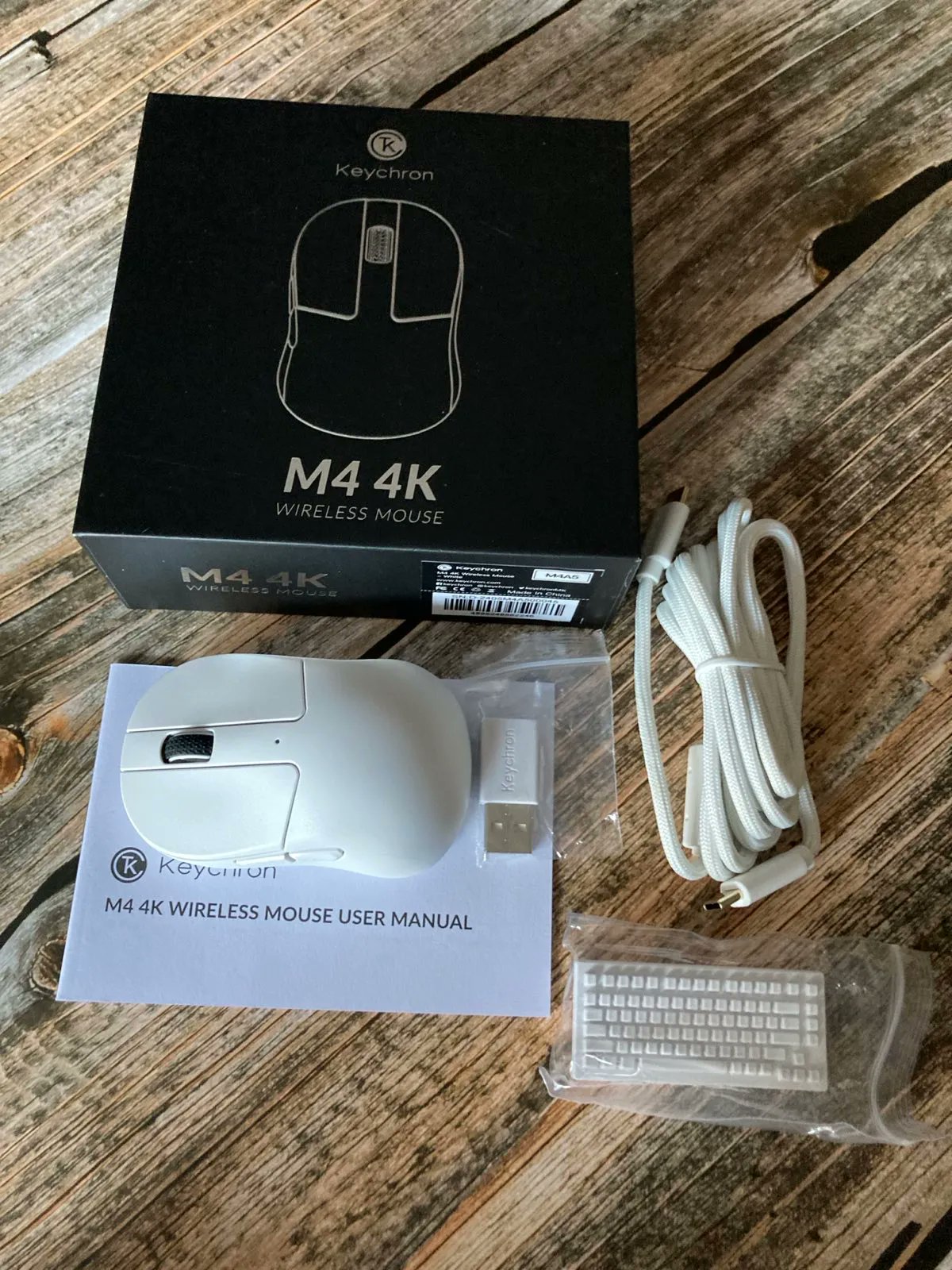
  • Keychron M4 gaming mouse
  • manual
  • USB-C to USB-C braided cable
  • USB-A to USB-C adapter
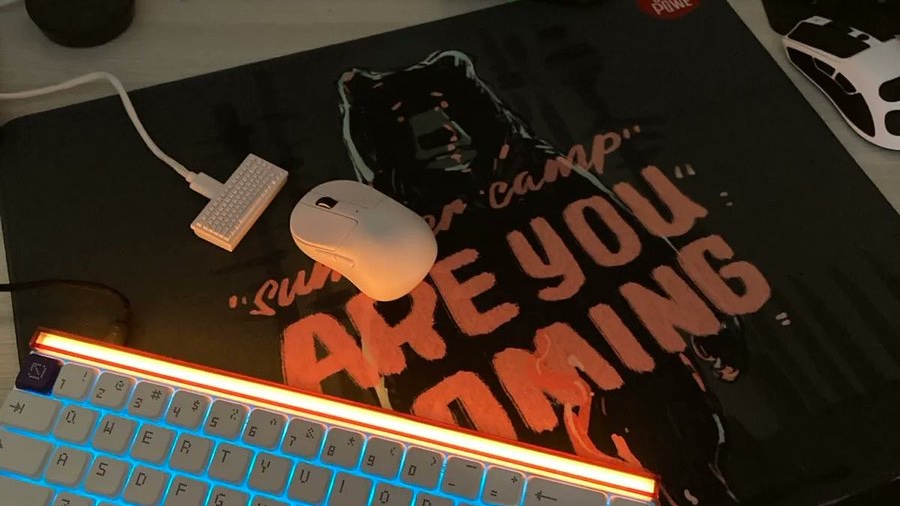
  • 4k dongle (the small and cute keyboard)
Bottom line? The contents are minimalistic, no grip tapes, cute dongle and a surprise — USB-C to USB-C cable!

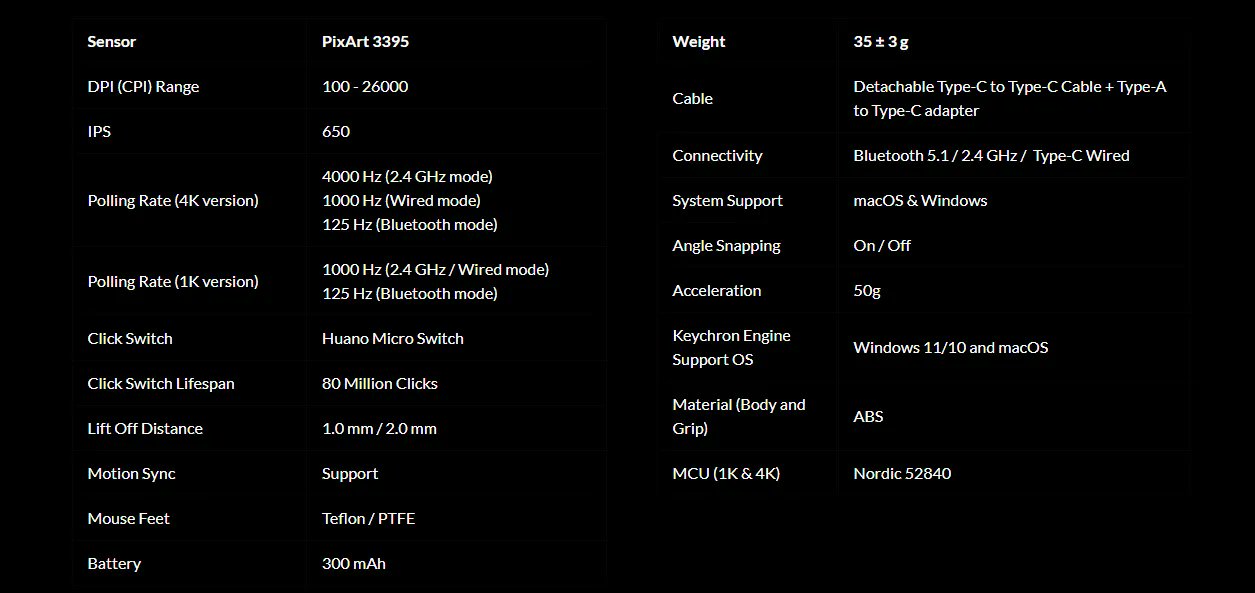
Specs and Dimensions

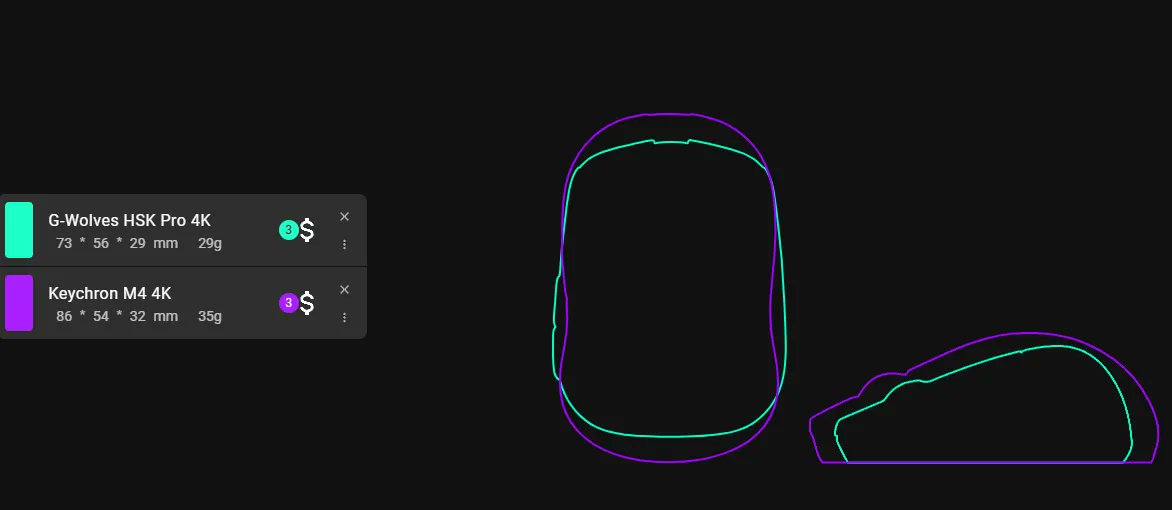
Bottom line? Keychron’s mouse is slightly bigger than HSK and also shaped differently.

Testing Conditions

Hand size: 21 x 12 cm
Grip: finger tip
Testing duration: two weeks
Humidity: 55–65%
Mouse pads used: Artisan Hien Soft/Xsoft, Artisan Hayate Otsu MID, Waizowl Falcon, OwePowe.
Games played: Enlisted, QuakeWorld, Battlefield 1, Battlefield V, Doom Eternal.

Balance and Weight

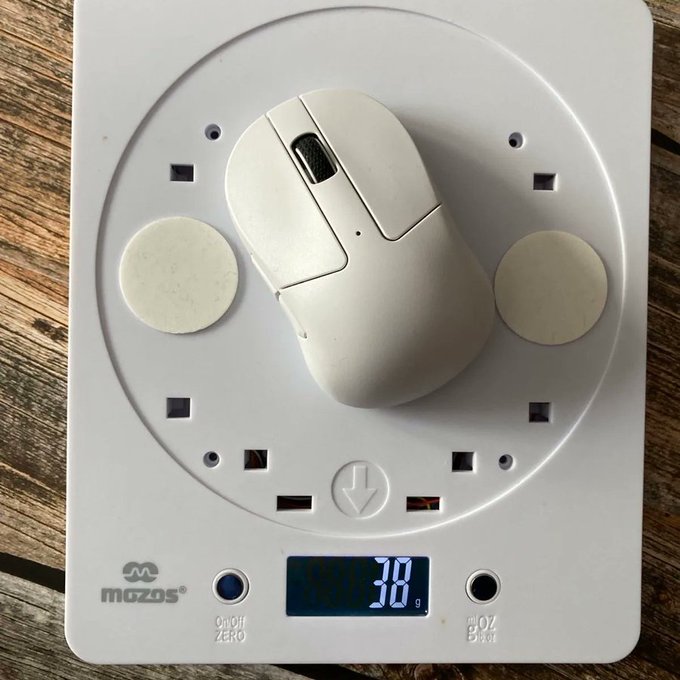
The Keychron M4 mouse weighs approximately 38 grams, which is reasonable for its compact size. However, there’s room for improvement as even a reduction of just 5 grams could significantly enhance its feel and performance, especially that the mouse is advertised as 35 gram mouse. While the weight is acceptable, one notable downside is the balance of the mouse. The M4 tends to be back-heavy, which can be particularly problematic for a fingertip grip style where balance is crucial. This imbalance might affect precision and comfort during use, suggesting that better distribution of weight could elevate the overall user experience.
Bottom line? The mouse is a bit back-heavy.

Build Quality, Coating and Skates

The build quality of the entire Keychron M4 package is truly impressive. This mouse feels incredibly robust, constructed with the durability of a tank; there’s no creaking or internal rattling to be heard. It’s made from high-quality ABS plastic, which extends to both the main body and the grip areas. The coating on the mouse is satisfactory, though I found the need to supplement with additional side grips, which unfortunately were not included in the package. I’ll discuss the issues with shape and grip more in-depth later.
The USB-C to USB-C cable is commendable as well, featuring a braided design that offers great flexibility. The 4k dongle is very cute, reminding of something Keychron really excels at — keyboards.
However, the skates on the mouse are somewhat of a letdown; they’re thinner than ideal, leading to noticeable scratching when used on certain mousepads during my tests, especially on glass and hybrid pads. This aspect needs some improvement, as the thickness of 0.5–0.6 mm is not on par with today’s standards as there’s significant room for enhancement in this particular area.

Clicks and Buttons

Regarding the clicks (Huano switches) on the Keychron M4, the primary buttons are positioned quite low, which is an appropriate choice for a small mouse designed for fingertip grip. These clicks are decent for rapid clicking, not requiring too much force, which is a positive aspect.
 
However, I’ve encountered a QC issue with the M2 button — the right click. This might be isolated to my particular unit, but there’s definitely something off with it. To give you a clearer picture, here’s what you should look out for or listen to:
 
 
The squeeky sound can be really annoying, it developed in my copy pretty fast and I am afraid things can get worse with it. However, I have to admit that Keychron Support acted immediately once they got to know about this and offered me a fresh copy of M4. I wish all companies did the same when facing some QC issues. Good work Keychron and thank you.
 
Side buttons are… ok if your hand is not as big as my 21×12 cm hand. What I mean is that with my type of grip and they way I play, I must have a solid grip on the side buttons because I use them a lot when I play. Here, side buttons are placed a bit to the back of the mouse and the M5 button is almost where the back side hump is. That was a real deal breaker for me and prevented me from having a stable grip. I guess, someone with medium or small hands would handle them better.
 
Bottom line? Side buttons are misplaced in my opinion, but main clicks are designed well, disregarding the QC issues with my M2 button.

Shape, Size and Grip

This is the most important part of this review in which you will find oout what went wrong in my opinion.
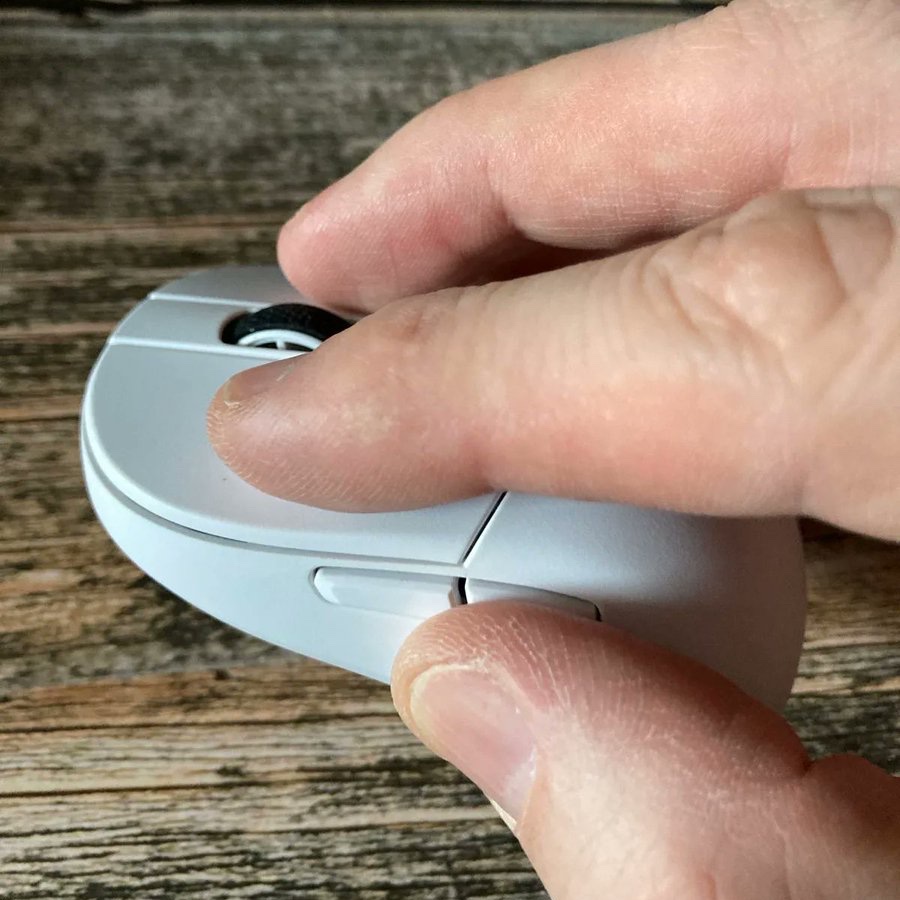
Let’s start with why I opted for a smaller mouse. After years of using a palm grip with larger mice, I transitioned to a claw grip in search of better aim control but I didn’t stop there. The theory was simple yet grounded in observation: much like how artists achieve precision with smaller, thinner brushes held delicately at the top, gamers could potentially benefit from a similar approach with their mice. This idea was further solidified when I briefly tested the G-Wolves HSK Pro. Although I only had it for two weeks before returning it to a friend, the experience was enlightening. Despite initial hand cramps and an adjustment period, the potential for improved control was evident.

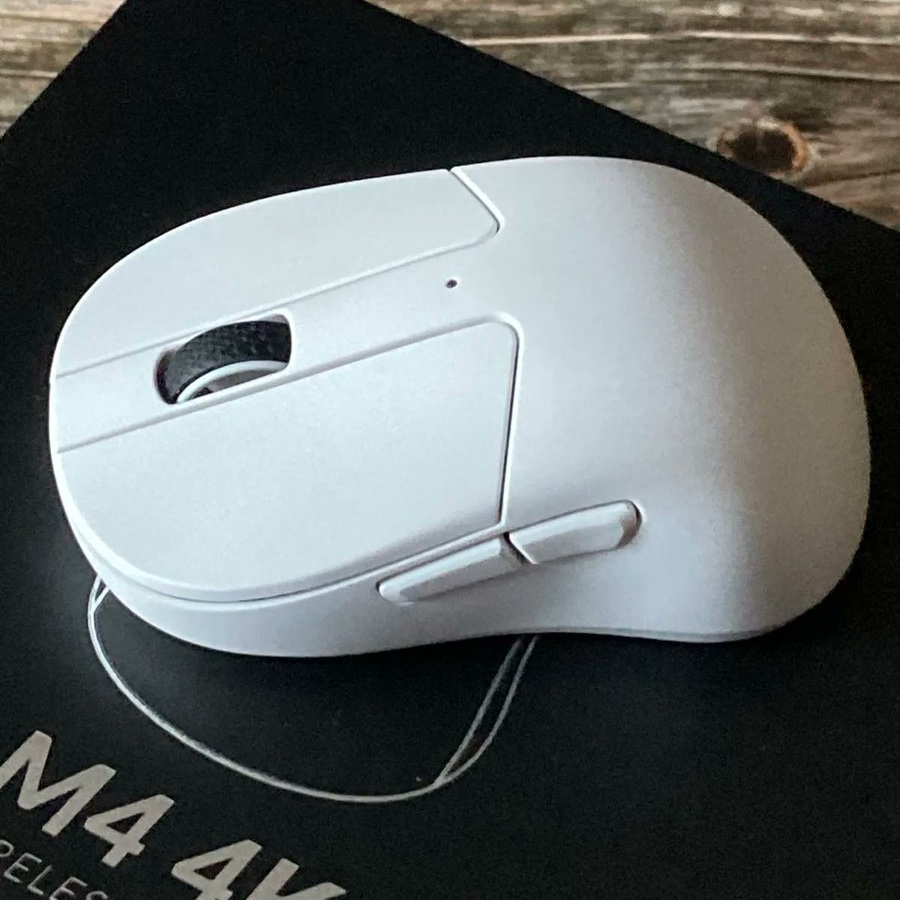
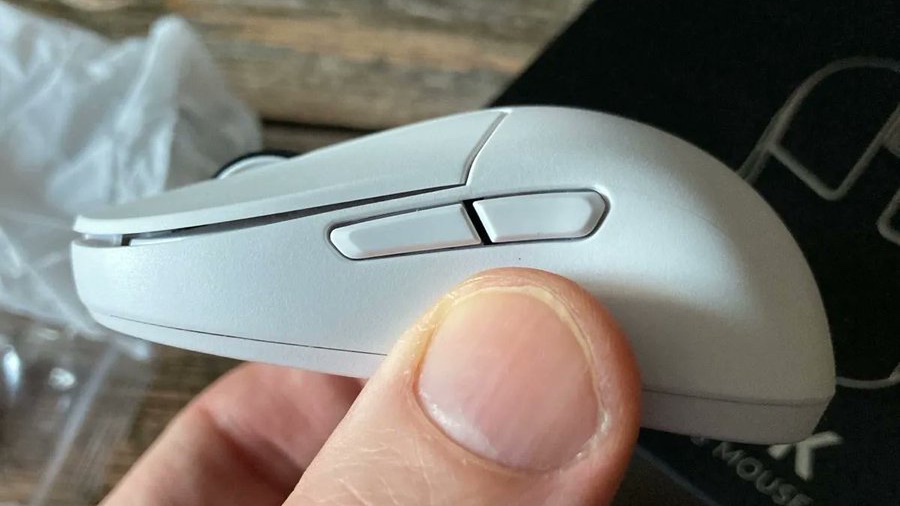
Reflecting on my experience with the Keychron M4, the shape indeed presented a significant challenge for my larger hands. While the M4 is a compact mouse, its design incorporates deep side curves and a pronounced side-back humps, which didn’t align well with my hand size or grip style. These features, while potentially comfortable for those with smaller or medium-sized hands, proved to be quite the opposite for me.

The deep side curves meant that my knuckles were uncomfortably pressed against these humps, leading to an unnatural hand position. This wasn’t just a matter of comfort; it directly impacted my gameplay. The side curves also made my grip on the mouse inconsistent due to the less grippy coating, which didn’t offer the secure hold I needed for precise movements.
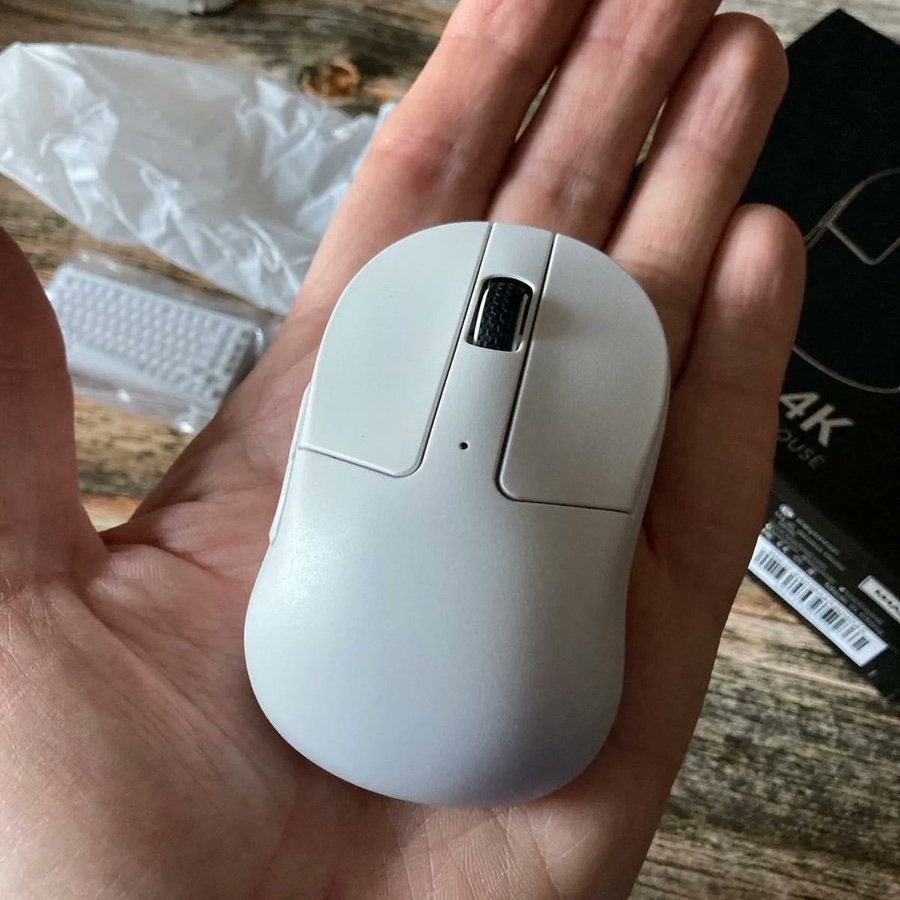
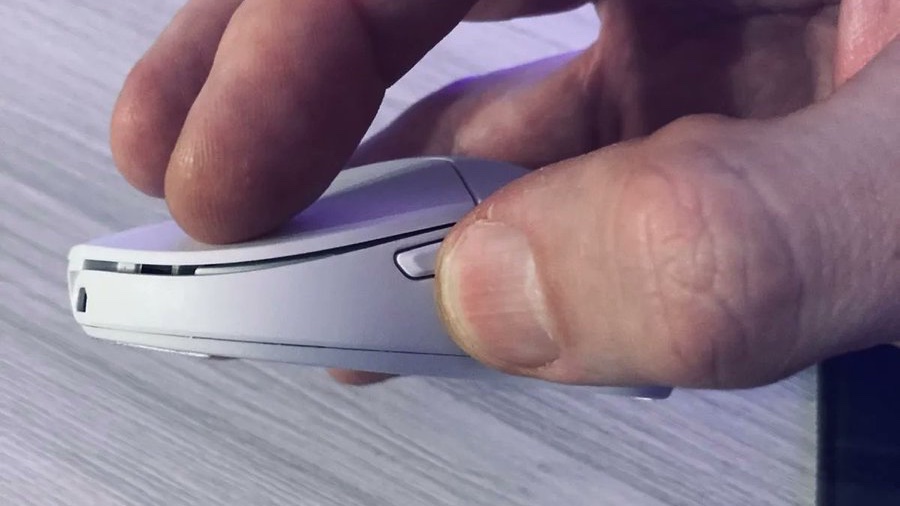
In an attempt to mitigate this, I considered adding side grips to improve my hold, but this only helped marginally. The idea of holding the mouse in those side curves was also impractical for me because it would have compromised access to the side buttons, which are crucial for quick actions in FPS games like switching targets or using abilities.
 
This mismatch in design and my hand size resulted in a struggle to maintain the precision and speed required for effective aiming. In games where split-second decisions can make or break a match, the inability to comfortably and quickly manipulate the mouse became a noticeable hindrance. Thus, while the M4 might serve others well, particularly those with smaller hands, it didn’t meet my needs for both comfort and performance in competitive gaming scenarios.
 
To prove that I didn’t give up on M4, I even tried to twist my grip by 45 degrees counter clockwise, take a look:
But that didn’t help me either, even though some of top aimers play like this. Only my horizontal tracking was really good, the rest of my aiming and movement were much worse than usual.
 
Bottom line? Back-side humps ruined my grip and I was very inconsistent at aiming. But those with small/medium hands should be fine with it.

Sensor, Software, Battery Life

The mouse sports a very well-known and flawless Pixart 3395 sensor, capable of 4k/8k polling rate in this case and IPS 650, 26000 DPI. With the combination of Nordic 52840 MCU at both 1k and 4k, the sensor performs well. When it comes to performanceI’ve noted that the sensor performs well on various surfaces without skipping or spin-outs, which are common issues where the sensor fails to keep up with the cursor’s speed or loses tracking. This consistency is a testament to the sensor’s capability to maintain accuracy even on less than ideal surfaces, thanks to its high IPS and DPI capabilities. However, there was one exception with glass where performance dropped. This isn’t unusual for optical sensors as glass reflects light differently than other surfaces, making it harder for the sensor to track movement without additional friction or specialized skates. In my opinion, the issue here is attributed to the mouse skates being thin and somewhat scratchy, which can increase friction and reduce glide, thus indirectly affecting sensor performance.
 

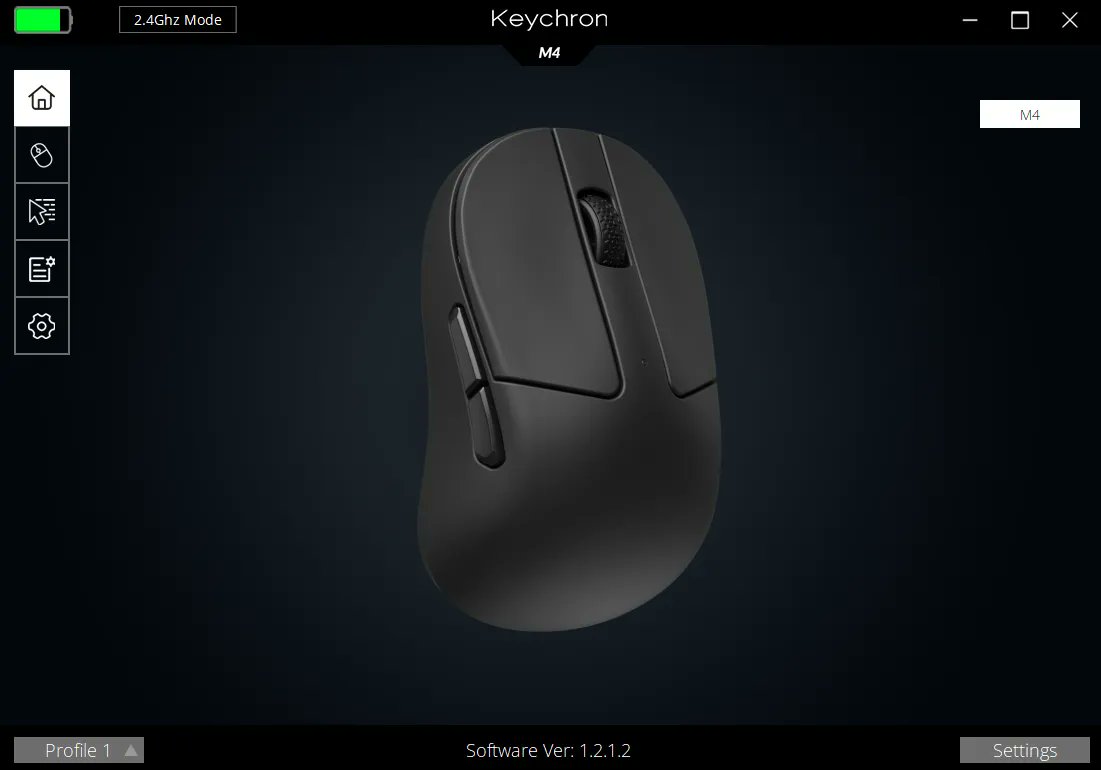
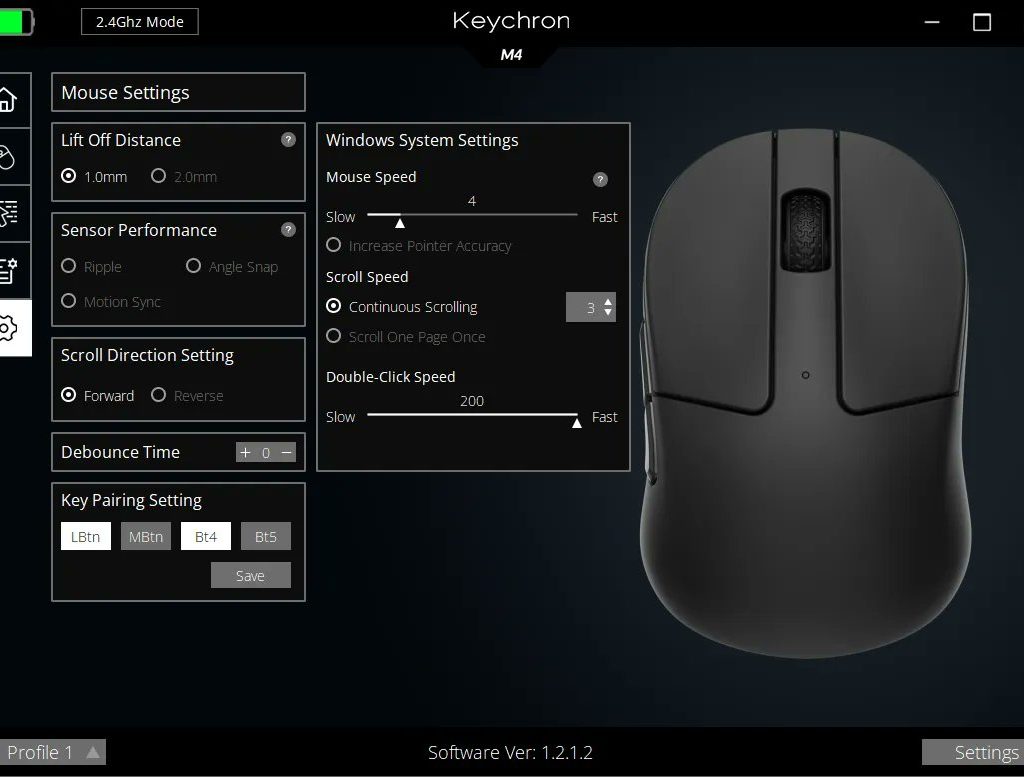
The software is a downloadable driver that does all the things well. It allows you to perform all the usual stuff like macros, keys remapping, DPI and polling rate toggle, angle snapping/ripple effect/motion sync control, debounce time control, LOD setting etc. Good that you can also play with Windows mouse settings without going into the system settings. The driver is lightweight and easy to use.
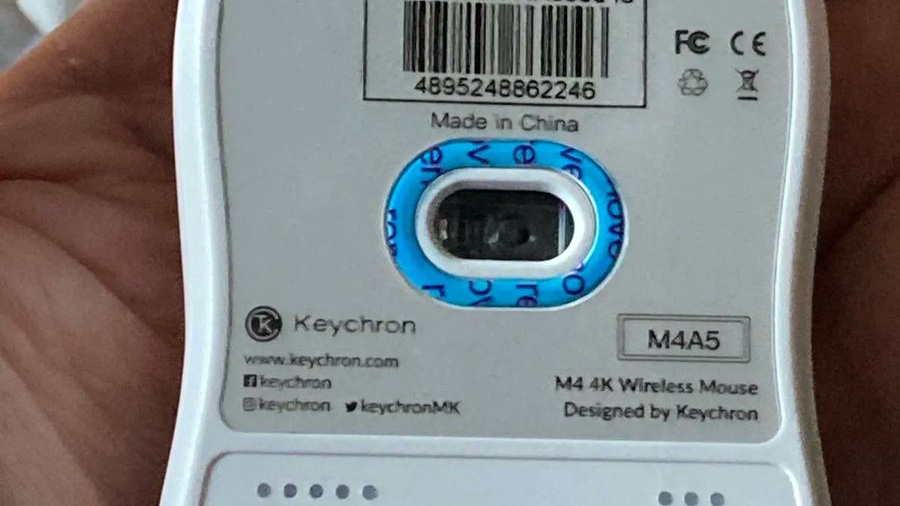
It’s worth noting that you can also change DPI and Polling rate on the mouse itself, just like with the Zowie mice. The buttons are placed underneath the mouse and are very easy and straightforward to use. That’s a big plus for Keychron designers. Just look at the image below.
 
By the way, did you notice that the sensor is placed… horizontally?!
The Keychron M4 4K features a 300 mAh battery unit which is perfectly fine when you game at 1k polling rate, however, it drains really fast when you use it at 4k. It’s not something unusual as batteries have this tendency to be drained with higher polling rates. In my case, It lasted around 4 days maximum at 4k polling.
 
Bottom line? Good sensor performance (except for glass), standard software and battery life.

Summary

Generally, I like Keychron’s commitment to innovation, particularly in designing a mouse that stands apart from competitors like G-Wolves. Keychron has taken a bold step with the M4 4K’s unique shape, which aims to offer something new to the gaming community.
 
However, for me, with my larger hand size (21×12) and long fingers, the ergonomic design of the M4 4K presented some serious challenges. Even though that I found that while my horizontal tracking improved, the mouse’s grip didn’t suit my hand, making diagonal and vertical movements less precise than expected. Even after trying grip tapes to enhance control, the issue persisted, not because of any squeaky issues like those found in the M2, but solely due to grip stability.
Despite these personal challenges, it’s important to recognize that the M4 4K has a lot to offer. The build quality is commendable, the sensor performs well, and the overall design is both functional and aesthetically pleasing. This mouse could be particularly enjoyable for gamers with smaller to medium-sized hands, who might find the shape more accommodating.
 
Keychron’s approach to not just follow but to innovate proves they’re in the game to push boundaries, even if their solutions don’t fit everyone universally. Your experience might vary, and for many, the Keychron M4 4K could be the cute, tiny mouse that elevates their gaming setup or even lights up their working environment. Remember, the beauty of innovation is in its diversity; what might not work for one can be a perfect match for another.

Bullet Points

  • great mouse for office and productivity…
  • … and good for gaming if your hands are small/medium size and you use fingertip grip
  • back-side humps made it a real challenge for me to hold in some gaming scenarios
  • skates should be a bit thicker as they scratch a bit on glass
  • clicks are positioned low which is good for a fingertip mouse
  • side buttons placement is debatable
  • built quality is good, the mouse is very solid
  • mouse is balanced a bit towards the back
  • this type of mouse needs at least a week of constant use to get used to the shape…
  • …but it can pay off if you’re fine with the shape
  • the customer support at Keychron is great!
Disclaimer: his review is not a paid endorsement. I want to ensure transparency and let you know that I am not receiving any compensation, monetary or otherwise, for evaluating or discussing this tech product.
Check and and show them some love!

Comments

No comments yet. Why don’t you start the discussion?

Leave a Reply

Your email address will not be published. Required fields are marked *