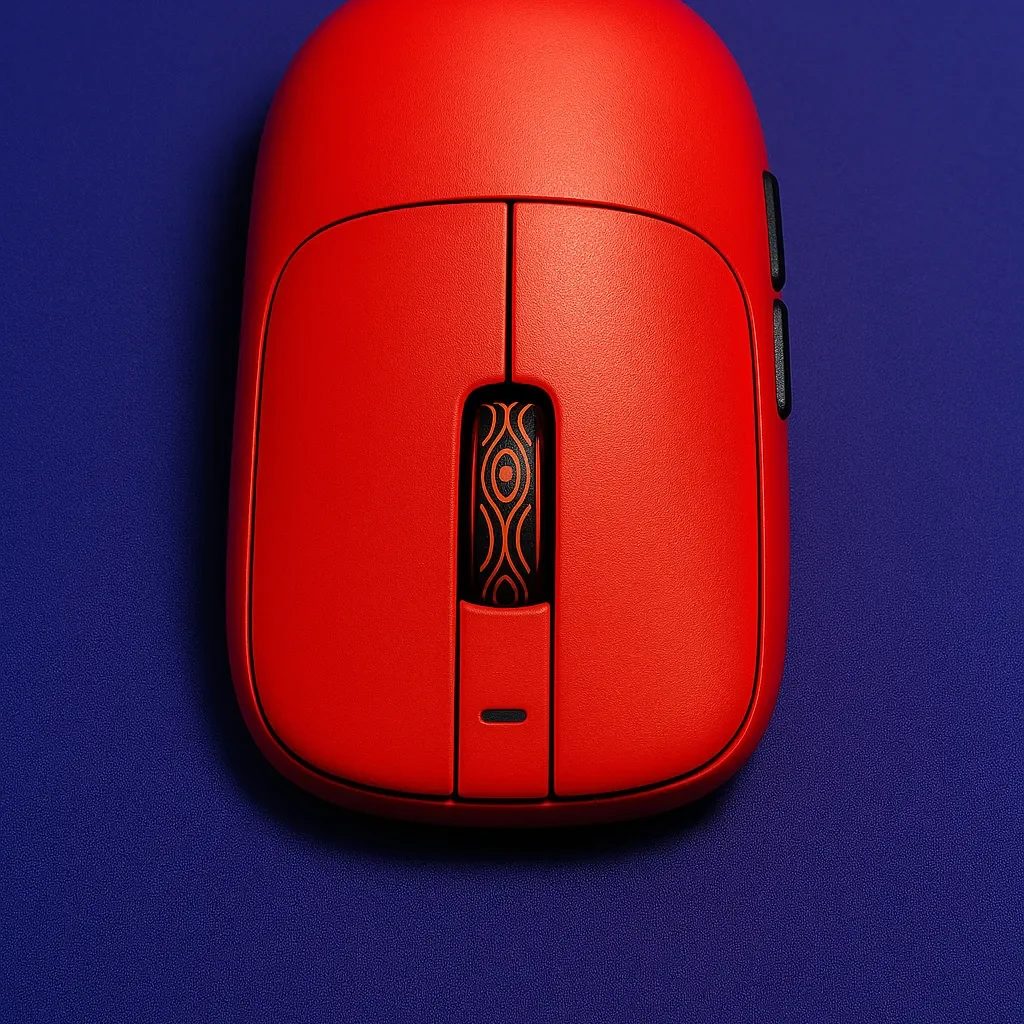
More than a year ago, I began my foray into reviewing peripherals with the Waizowl Cloud, my first piece of kit under the microscope. It’s funny how it already stirs a touch of nostalgia. Today, I’m looking at the Waizowl Cloud XS, eager to explore how this smaller successor performs and what it offers gamers here in 2025. Let’s see how I felt about the OG Cloud’s smaller and younger brother.
Disclaimer: I bought this unit with my own money, so it was not sent out for review.
Testing time: 3 weeks
Hand size: 21 x 12 cm
Grip: hybrid relaxed claw/finger
Humidity: 55–60%
Skates: stock skates
Mousepads: Artisan Hien Soft, Tenta-x Last Stand, Tenta-x Octo Grip, Ninjutso NPC Pro.
In the Box

- Waizowl Cloud XS
- manual and warranty card
- braided USB-C to A cable
- 8k dongle
- spare skates and dots (4 corner skates, 10 dots)
- grip tapes
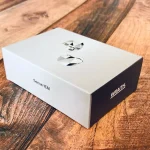
Check out my unboxing/first impressions video.
Bottom line? Great unboxing, rich content.
Specs/Dimensions

- Dimensions: 117x54x36mm
- Weight: 45g(±2g)
- Main switches: Raesha Opticals
- Middle click: Huano gray shell white dot
- Encoder: TTC silver
- Side buttons: Kailh blue shell green dot
- Coating: “Feather” Gen III (matte)
- Sensor: PAW 3950
- MCU: Nordic 52840
- Battery Life (300mAh): 78hr (1khz), 19hr (4khz), 16hr (8khz), 146hz (bluetooth)
- Max Polling Rate: 8000Hz (8k dongle included)
- Color Options: Red, or pink
- Price: $99.99
- Extras: Skates (various sizes: 0.8mm thickness), & grips
- Other: Translucent dongle has pink and white LED, Tri-mode connectivity
Bottom line? Reminiscent of Steelseries Kinzu v3, yet a bit different in hand.
Shape/Grip

The Cloud XS is a scaled-down version of Waizowl’s original OGM Cloud, drawing inspiration from the SteelSeries Sensei shape. It’s categorized as a small to medium-sized, low-profile mouse, making it suitable for relaxed claw grips while gamers with larger hands might find it comfortable for aggressive claw or fingertip grips (not me though). However, I think that the front corners of the sides taper off too quickly, providing limited support for the ring finger, which could cause strain during extended use. The mouse is relatively low, with a hump in the middle, with some rounded back sides that can fit well into the back of a larger hand (my case).
The new, smaller Cloud brings back memories of Steelseries Kinzu this time, with very small differences. The buttons are very similar to the regular version — they are rounded, unfortunately no button groves which I usually like.
In general, the mouse always seemed too small for me when I gripped it. Only after a few minutes, it felt better, however, I never felt natural with this shape and my relaxed claw grip, probably because those backside humps locked the mouse uncomfortably in my hand. My grip was pretty stiff and caused some strains in my hand.
Bottom line? It’s like Kinzu, good for small/medium hands, large hand gamers proceed with caution.
Coating/Skates

The coating has a smooth, matte feel — plasticky in texture which I like. Grip-wise, it’s fine for my dry hands and should feel even better for sweaty ones. It does get a touch warmer after a while though.
As for the stock skates, they’re very solid. Slightly on the faster side, they are rounded and glide smoothly and don’t pick up surface texture much, which comes down to personal preference. The great thing: you get multiple skate size options in the box (dots, corner skates).
Bottom line? Grippy coating and a variety of good skate options in the box.
Weight/Build Quality

On my scale, the weight was 47 grams and the mouse was balanced very well. Actually, when I had it in my hand, I thought it was even lighter, that’s how this mouse feels. Weighing in at 47 grams, the Cloud XS achieves this lightweight without compromising structural integrity. Waizowl has built a reputation for solid build quality, and the Cloud XS is no exception, however, some very minor creaking could be heard when you squished really hard.
Bottom line? Very lightweight without compromising the build quality.
Buttons/Clicks

This time we are experiencing Raesha Optical switches, not Omron Opticals. This is the 2nd mouse I see these switches used (after RAWM ES21 Pro), they are supposed to be the same as in Razer mice. I like them, even though they are slightly different in feel and sound than Omrons. They’re supposed to be heavier but they are pretty light to spam and crisp, making the main clicks feel well and responsive. Slight pre-travel does not matter too much in this case, but it is more noticeable on side buttons.
Unfortunately, there’s some wobble on the scroll wheel (when you tilt it right, it clicks), but at least it’s fast and tactile. It uses a TTC silver encoder with a Huano gray shell white dot switch.
As I said, I wish the main buttons had some grooves.
Bottom line? Scroll wheel wobbles, good implementation of Raesha Opticals.
Sensor Implementation
The Pixart 3950 is still top-tier — powerful, and efficient, and nothing has surpassed it yet. Waizowl’s implementation here is strong. Tracking feels dialed in, flicks are crisp, the response is tight, and latency stays low. No real complaints on that front and one big thank you for placing the sensor a tad upfront.
I did run into a few spin-outs though, which was frustrating. Could’ve been me swiping too fast, or more likely the LOD was just off. A bit annoying that Waizowl didn’t let users switch between all three LOD levels in the software — that would’ve likely solved it.
Bottom line? Solid, with some minor hiccups. But tracking is great and they placed the sensor a bit towards the front.
Software/Battery Life

Waizowl went with an online software setup and rolled out their own “Owl Nest,” which — credit where it’s due — is the right direction. I always like it when companies invest in their platforms. Just make sure to switch the language to English right away, otherwise things get confusing fast. The interface? A bit rough. Some parts don’t show the right info (the running status is always wrong), and others aren’t properly translated. It’s usable, but not without its hiccups.
One thing that really bugged me: LOD settings are limited. You only get 1 or 2 mm to choose from, which is odd considering the sensor clearly supports more fine-tuned options like 0.7 mm. That lack of control might be why I ran into a few tracking issues. But it’s good they added something like a “High-Speed Mode” — a setting to push responsiveness and drop latency a notch. Other brands have it, no reason Waizowl couldn’t too.
All other settings like Motion Sync, Angle Snapping, Debounce Time, and Macros, etc are there, and there is also the Rotation option: you can adjust the mouse sensor angle based on your grip, allowing precise horizontal movement even when the mouse is tilted. I like it.
Battery life was decent, but I’m one of those who likes to game long without charging their devices, that’s why I could complain a bit about the battery life. But Waizowl probably didn’t want to increase the weight and placed a 300 mAh unit inside which lasts up to 18 hrs of 4k gaming. The battery indicator starts flashing red at 30% which is a bit too early in my opinion though.
Bottom line? Acceptable battery for the majority, the software has flaws but it’s at least decent.
In-game Feeling/Performance
In-game performance was decent, especially in faster-paced titles — nothing mind-blowing, but it held up. The locked-in back grip occasionally limited my agility and made quick adjustments harder than I’d like. That said, tracking was excellent — honestly one of the best experiences I’ve had in that area, super smooth and consistent. In really fast moments, I did run into the occasional spin-outs, which I blame on the LOD being a bit too high. All in all, my performance was alright, but I know I could’ve done better with a shape that suited me more.
Summary
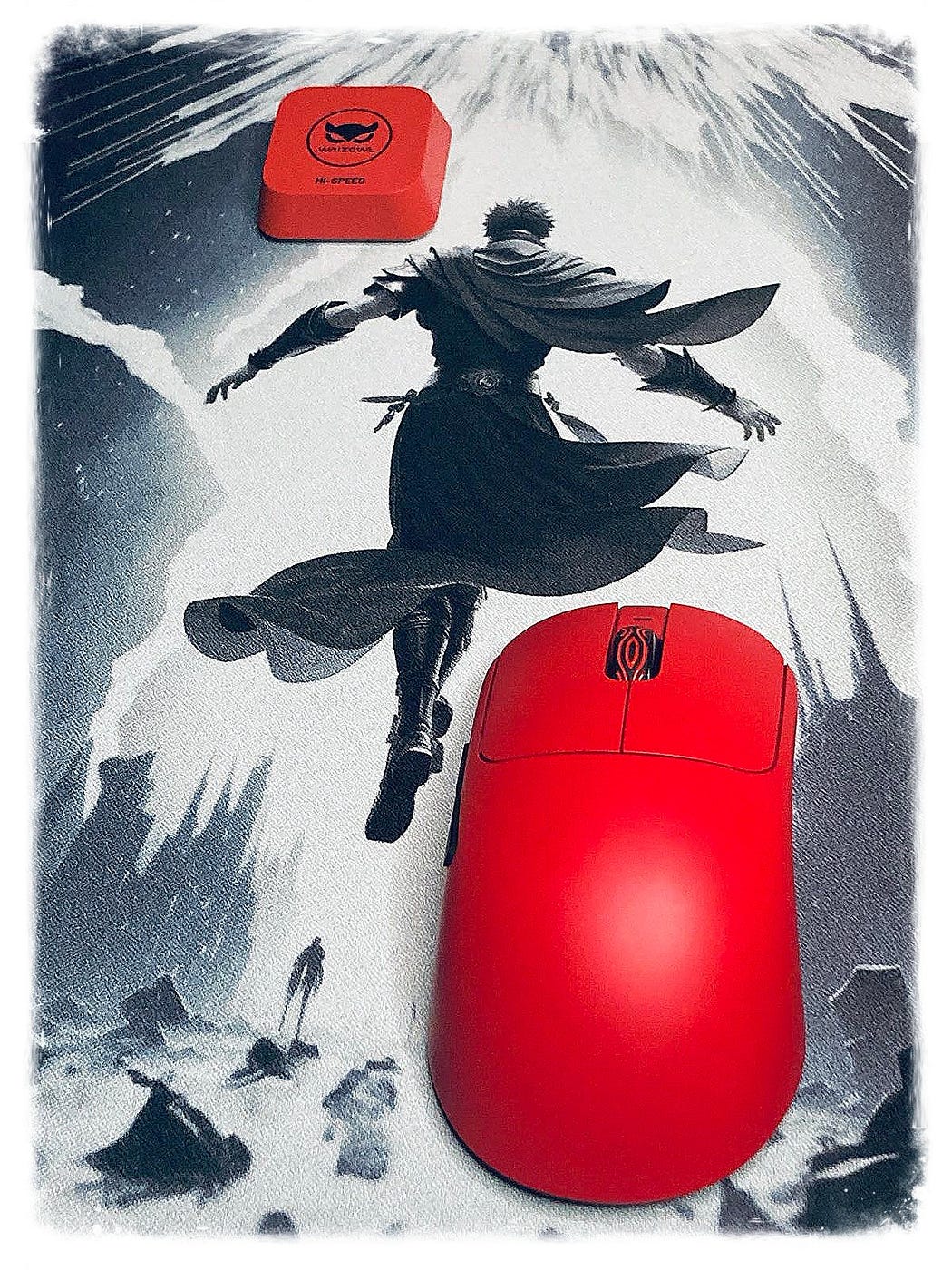
All in all, I liked the Waizowl Cloud XS — it’s a well-built mouse with a clean design and solid features across the board. No major flaws to speak of. But it just didn’t click with me long-term. The main issue was the size; it was simply too small for my relaxed claw grip. Every time I picked it up, it felt a bit awkward, and I had to spend a few minutes getting used to it again. That constant adjustment wore thin pretty quickly, and it stopped me from making it my main. Also, it didn’t even give me that initial “vibe” or “placebo” right off the bat. Also, still, some work must be done in the software department.
Still, that’s more about fit than quality. For someone who prefers a smaller or medium-sized ambidextrous shape, it’s genuinely a great mouse. Comfortable, sharp-looking, and feature-packed — just not quite the right match for my grip style.
Bullet Points
- pretty and “sexy” gaming mouse for small/medium hands
- good unboxing experience
- feels quite small and light in hand
- grippy and smooth matte coating
- sensor implementation is really solid, it’s placed a bit towards the front of the mouse which is a plus
- not exactly the old Kinzu shape, but one of those “wedge” shapes of today that are quite popular

- light, optical main clicks that are fine but the scroll wheel wobbles a bit
- 8khz dongle included & grip tapes
- variety of skates included (10 dots, a large pair, & 4 small corner style skates) that are rounded and good quality
- low height on the front sides is uncomfortable for relaxed claw with large hands
- battery life could be improved
- just like the web software (Owl Nest) that lacks some of the Pixart 3950 features
Get this mouse with code “quakeworld” for an additional discount at Mechkeys.
Disclaimer: This review is not a paid endorsement. I want to ensure transparency and let you know that I am not receiving any monetary or otherwise compensation for evaluating or discussing this tech product.