We’re stepping away from the usual parade of full-sized mechanical monsters and magnet-packed gaming boards to check out something with a bit more style — something that fits next to your Mac without looking like it came from a LAN party in 2005. The Melgeek O2 is a low-profile mechanical keyboard built specifically with Mac users in mind, with a clean and compact layout, and designed to look well next to your Mac. But don’t let the looks fool you — we’re not forgetting about gaming either. This board might be slim, but it’s still got enough under the hood to hold its own when it’s time to jump into a match.
Disclaimer: This unit was provided to me for testing purposes, though Melgeek had no sway over the contents of this review.
Concept
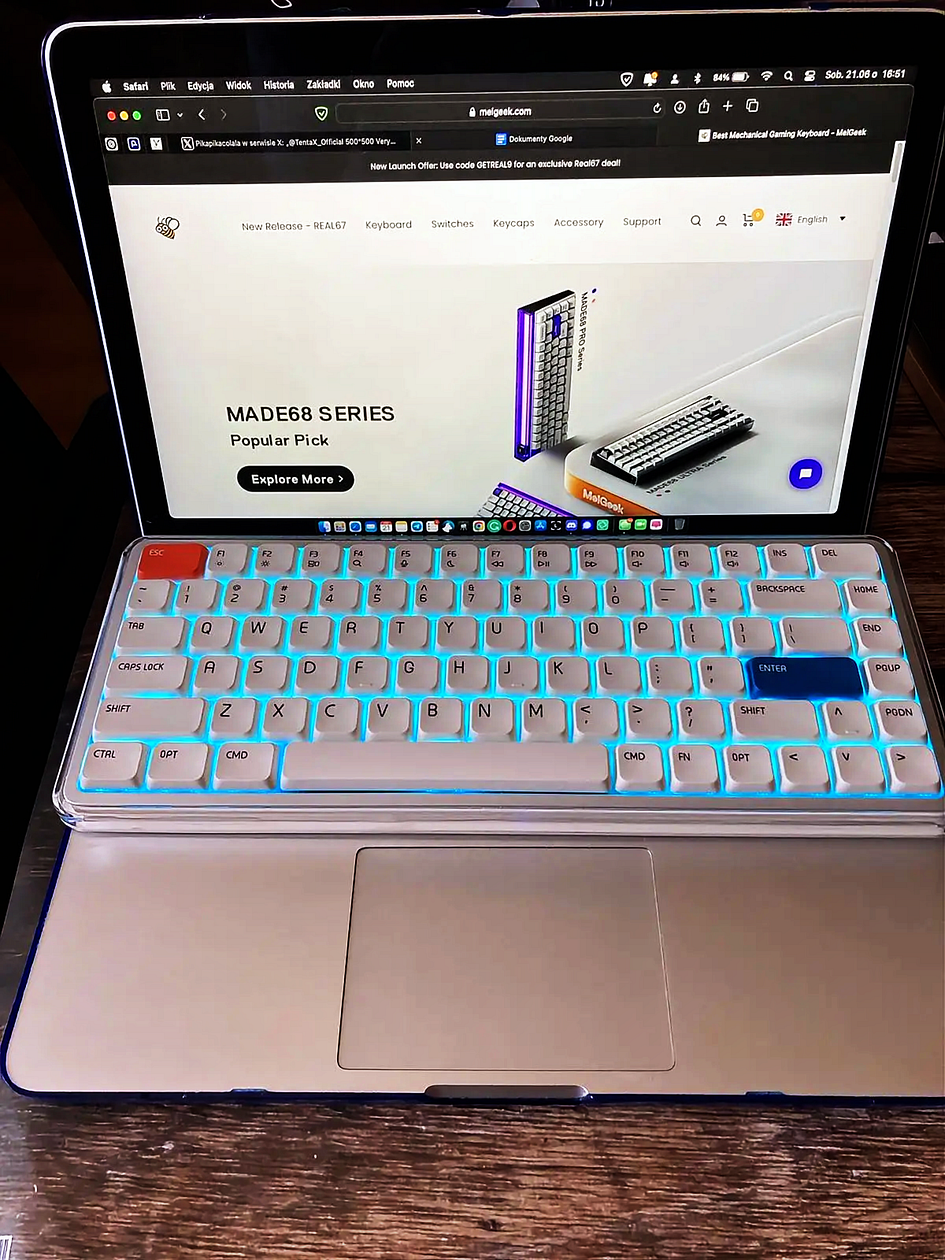
The O2 is supposed to be a low-profile mechanical keyboard designed especially for office use and on-the-go productivity. It is supposed to offer a very comfortable typing sound and feel, and one of its unique features is said to be the possibility of being placed directly on top of a MacBook keyboard without causing accidental inputs.
It’s reviewed as lightweight, compact, and ideal for working in cafés, during travel, or in meetings. Also, with a MacBook-consistent F-key layout, the design, keymap, and functions should all align seamlessly with the needs of MacBook power users.
That’s the marketing pitch, but what is the reality? Let’s check it out.
In the Box
Unboxing, sound test, and first impressions video (click!)

- USB-A to C cable,
- keycap puller,
- Both Windows and Mac modifier keycaps (8 in total)
- 2.4 GHz dongle
- warranty card
- manual/Quick Start guide
- Stickers
Bottom line? Premium vibes. The white box is minimal and stylish, with a neat grid design inside and everything snugly packed. They didn’t skimp on accessories either.
Specs and Features

Build Quality
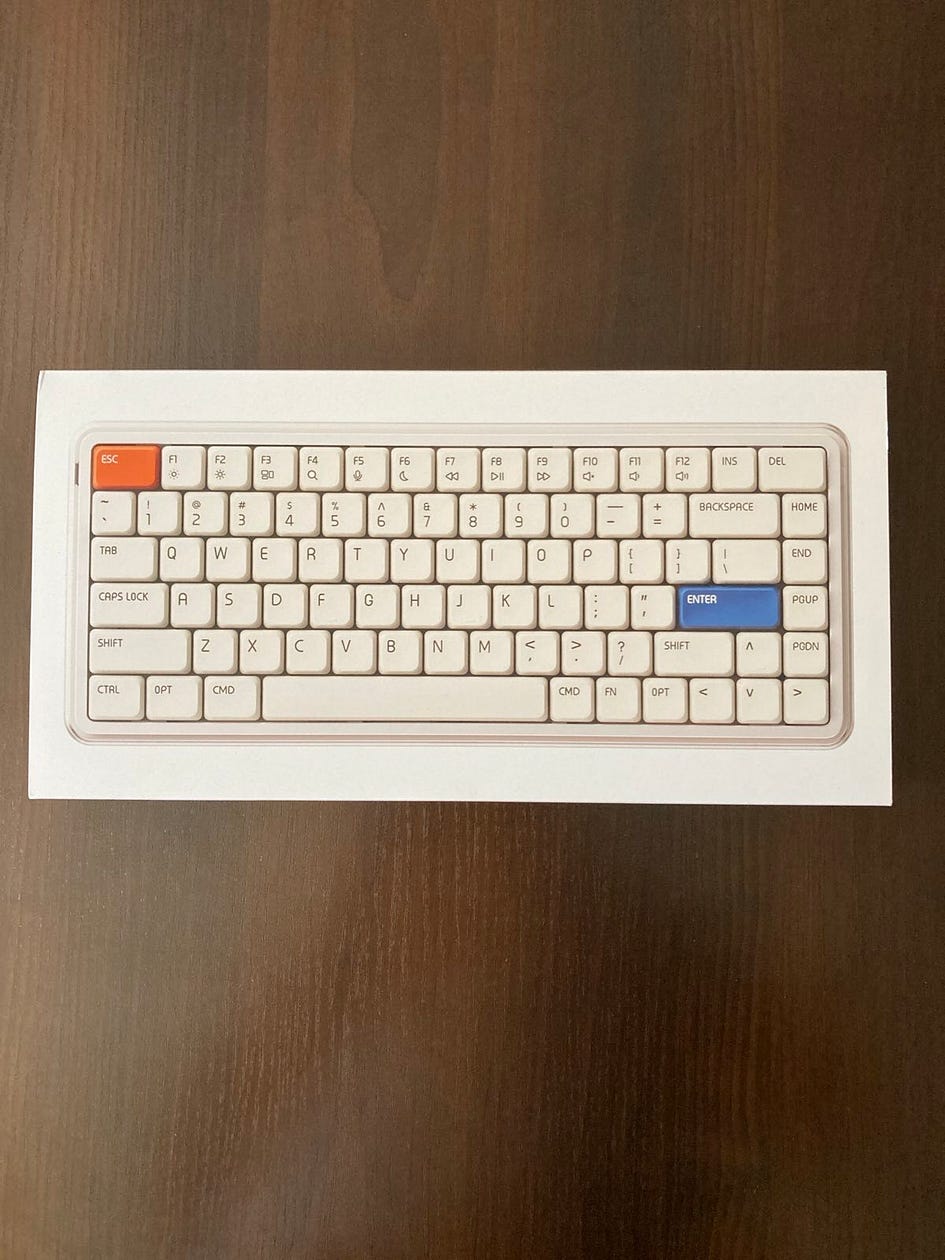
Right off the bat, the MelGeek O2 emits premium vibes. The white box is minimal and stylish, with a neat grid design inside and everything snugly packed, as I’ve said earlier. Once you lift the board out, the design speaks for itself. It’s got a clean white frame with an aluminum body layered under a semi-transparent PC top cover that gives it a bit of a futuristic feel. There’s a faint glow from the backlighting, but nothing too flashy, which suits the Mac-first crowd just fine. The bottom of the keyboard is made from fine ABS plastic.
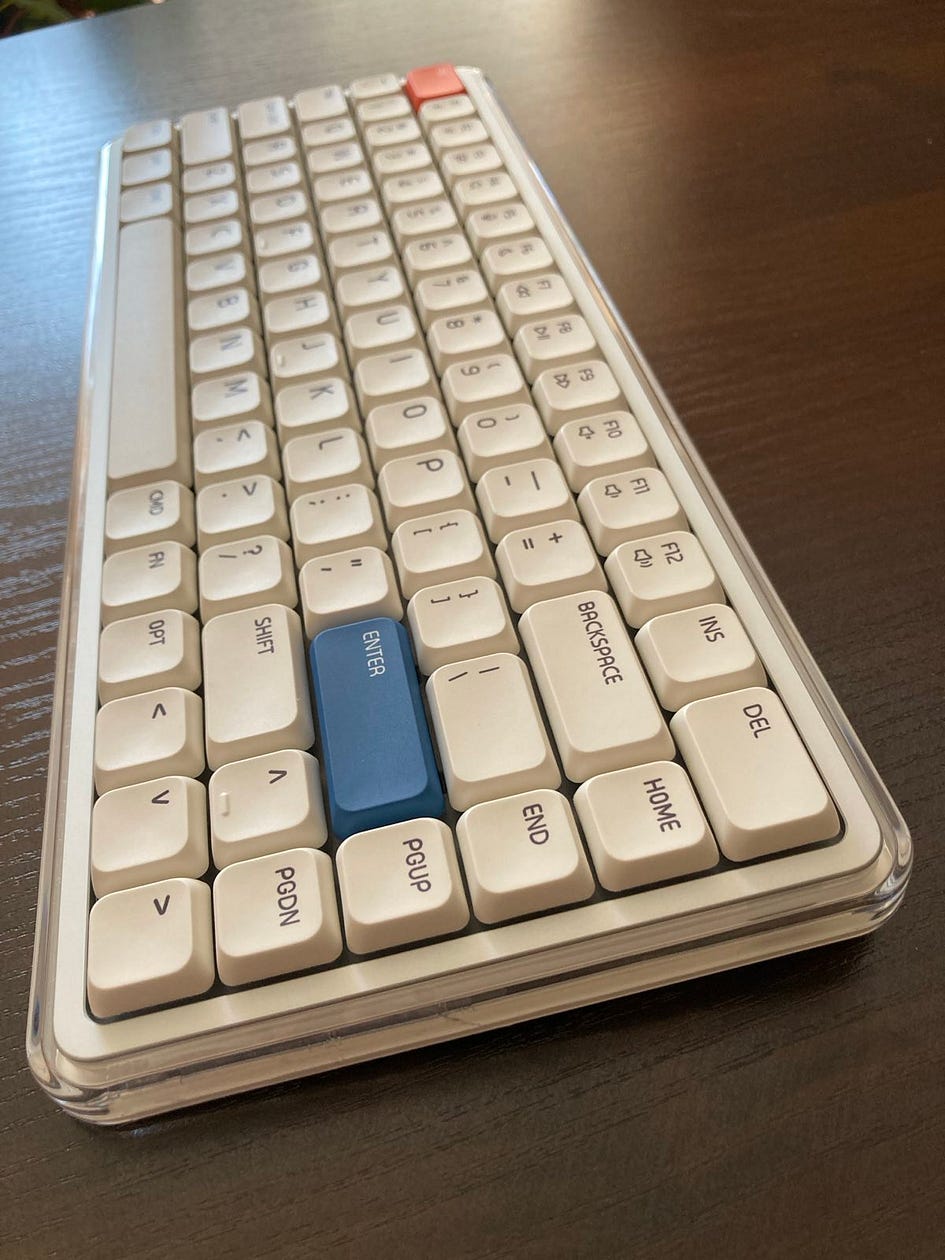
There’s only one color option (white), which may limit appeal for those wanting something a little less sterile. But the footprint is excellent — this is a 75% compact layout, meaning you still get function keys and arrows, but no wasted space. And that white color matches great with Mac, don’t you agree?
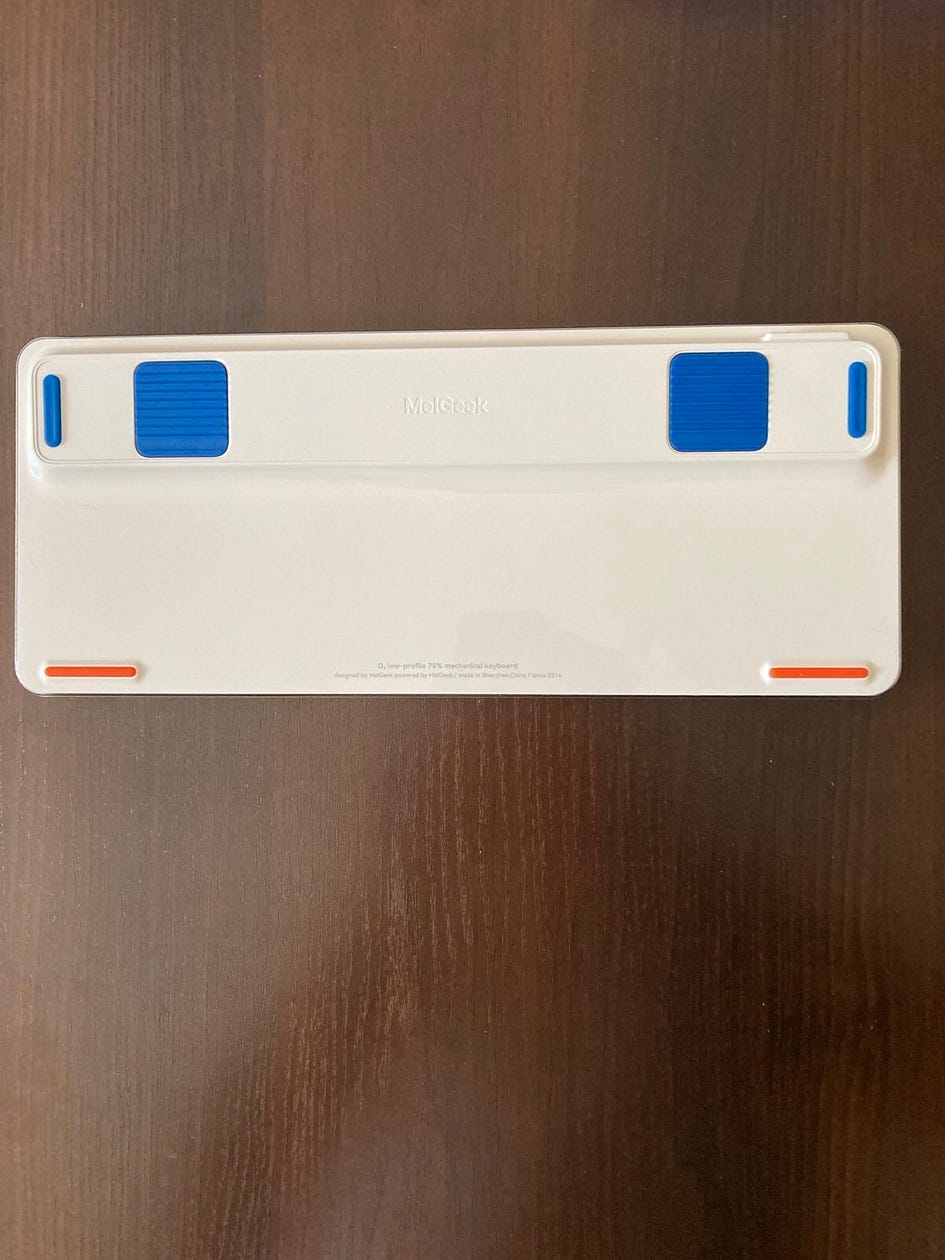
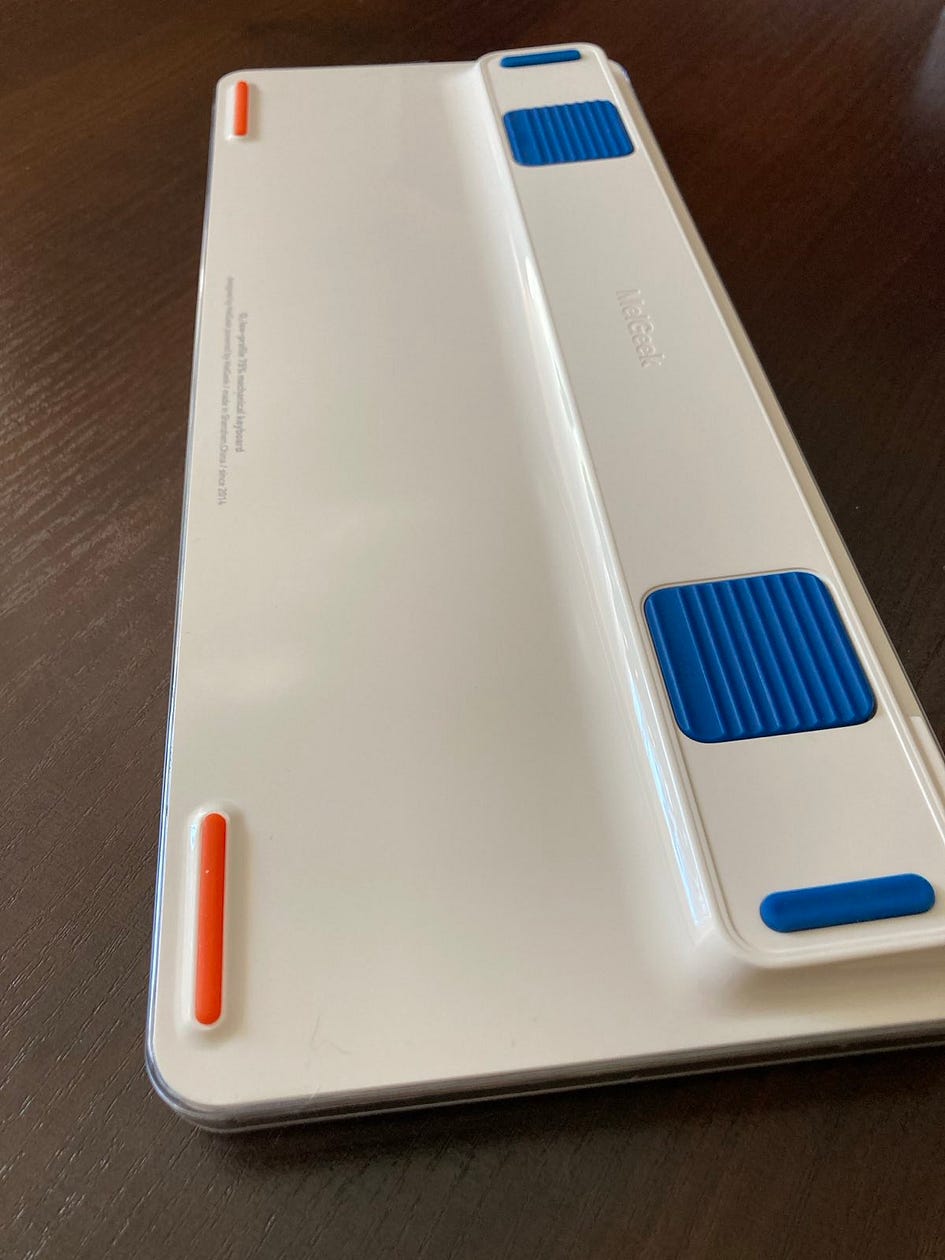
There’s a great solution when it comes to the adjustable feet — instead of clunky kick-out feet, O2 features magnetic silicon pads that can be moved or removed. Wooting used it in their 80HE board, but O2 does it better and with more charm. Once you play with those pads, you can adjust the typing angle from 3.5 degrees to 5 degrees. Perfect.
The O2 gives you a solid mix of connection options — Bluetooth 5.1, 2.4 GHz wireless, and USB-C wired. You can hook it up to as many as eight different devices and flip between them just by hitting Fn plus a number key. It’s super handy if you’re bouncing between your Mac, iPad, phone, and maybe even a Windows laptop on the side. There’s a physical toggle switch on the back for switching between modes and a USB-C port.
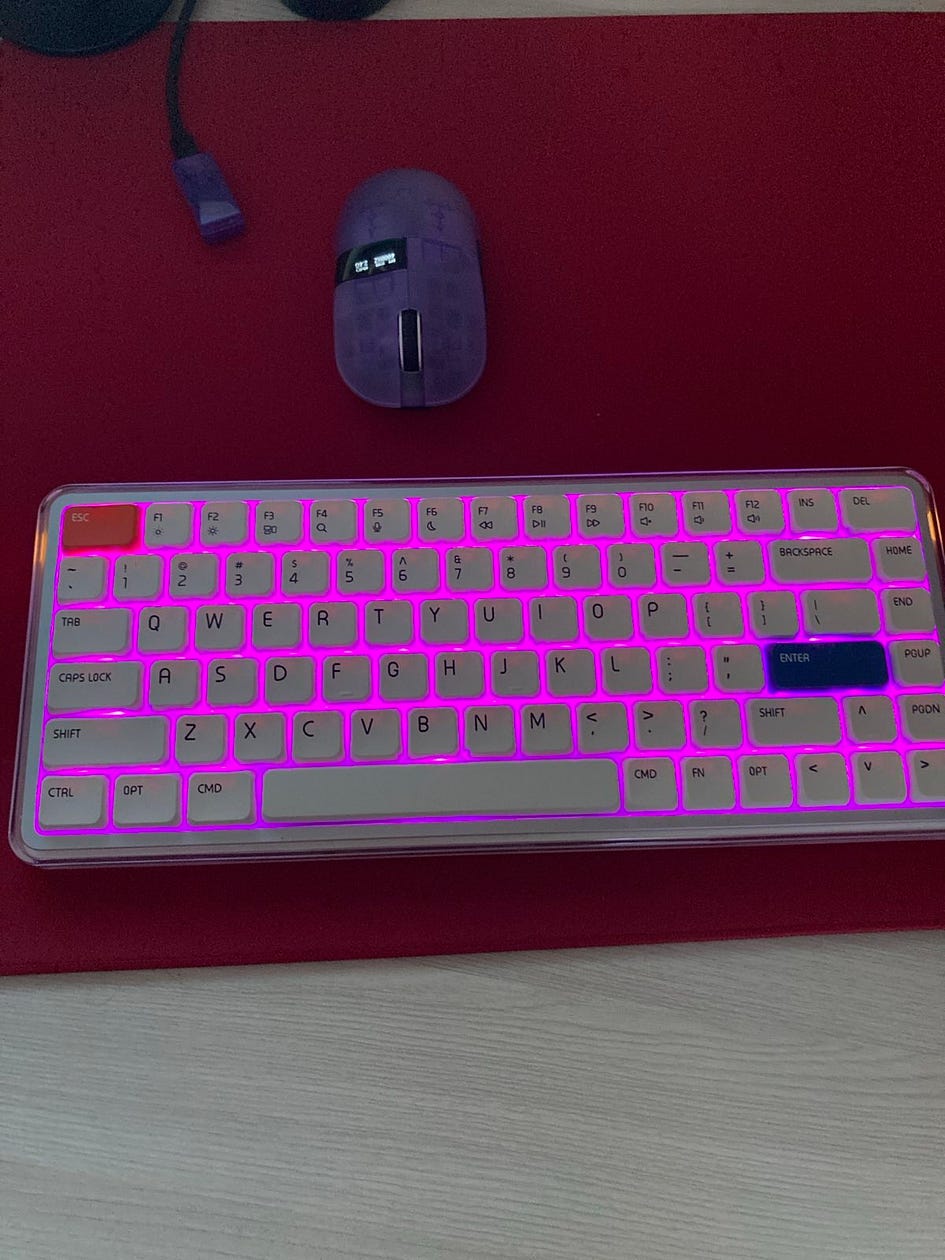
On both sides, O2 features RGB ambient lights. At the bottom of the board, there are also three small LED lights: Caps Lock, connectivity, and battery life indicators.
Bottom line? Premium quality felt in every aspect.
Keycaps and Switches
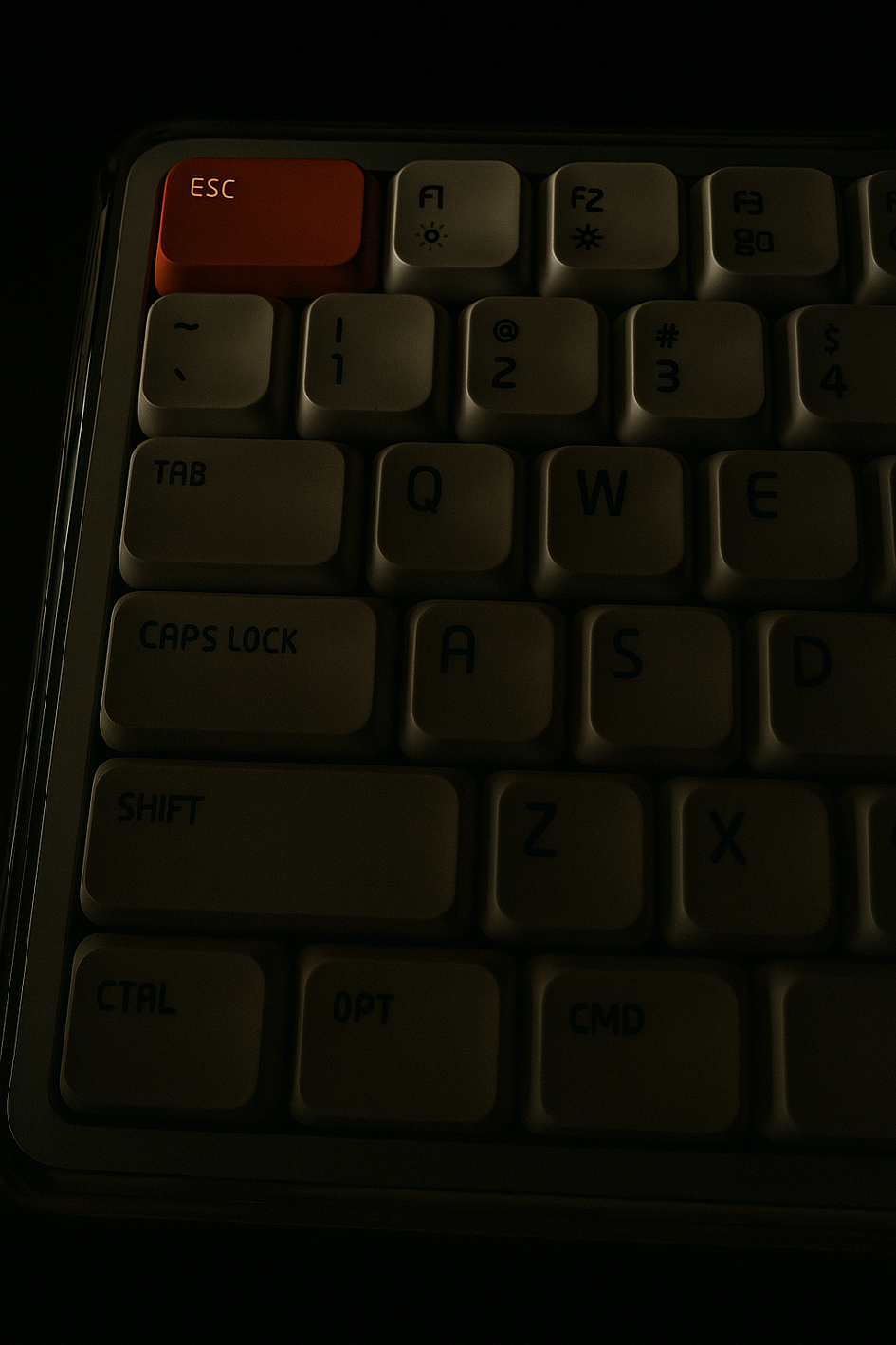
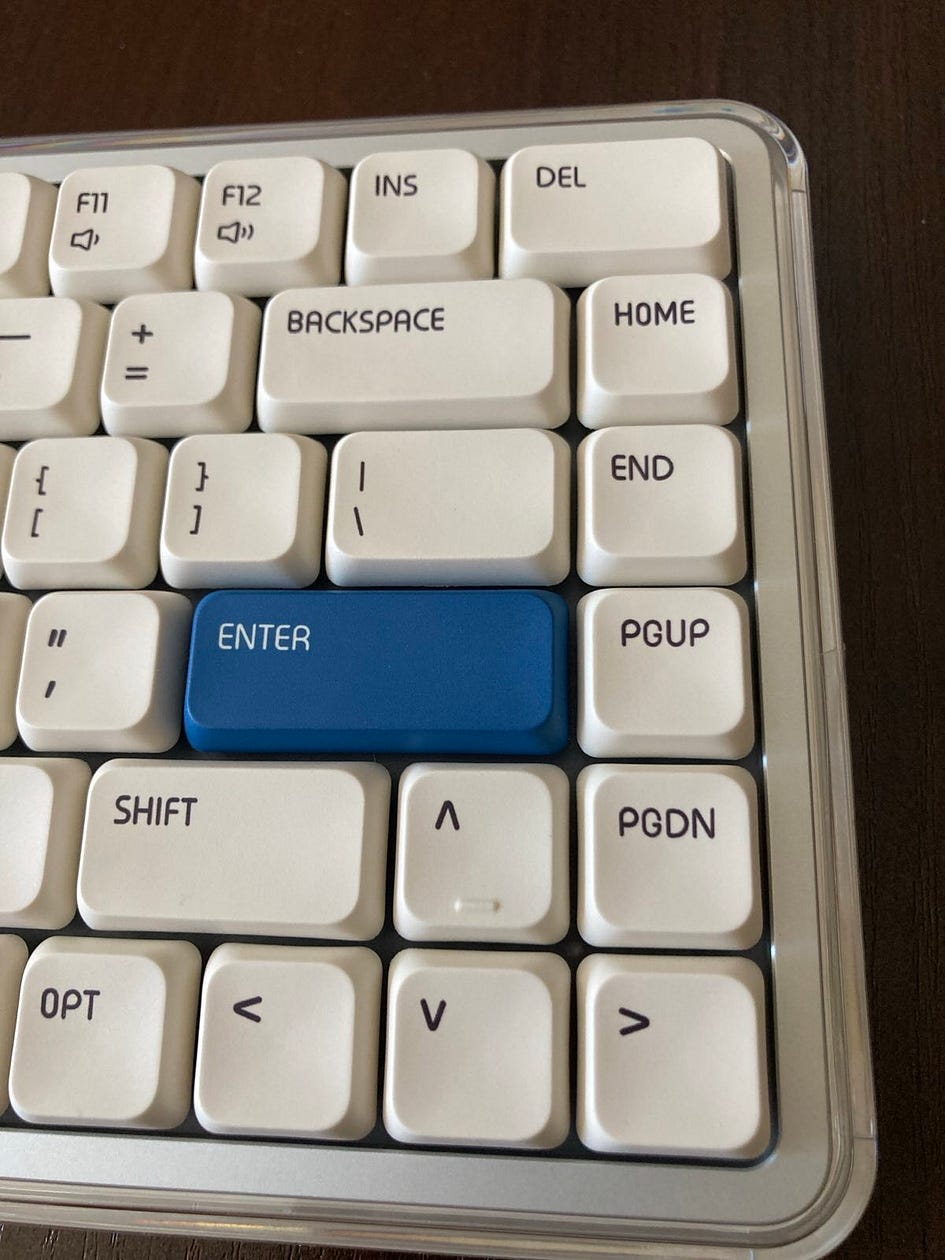
I love these keycaps — dyed, PBT low-profile keycaps with some serious grip to make typing even better. Over the extended use during my testing time, it has developed only a slight shin, visible only at a certain angle.

The Melgeek O2 keyboard features the Kailh Sunshine switch. The switch has a clear housing with a sunburst-colored stem, which gives the keyboard a brighter, more see-through look overall. Typing feels smooth and gentle — great if you’re spending hours at the keys. Unfortunately, O2 is compatible only with low-profile Kailh switches. But would you really wanna swap them if they feel and sound so good?
Bottom line? Can’t complain about anything besides the lack of hot-swappability with switches other than low-profile Kailhs.
Typing Experience
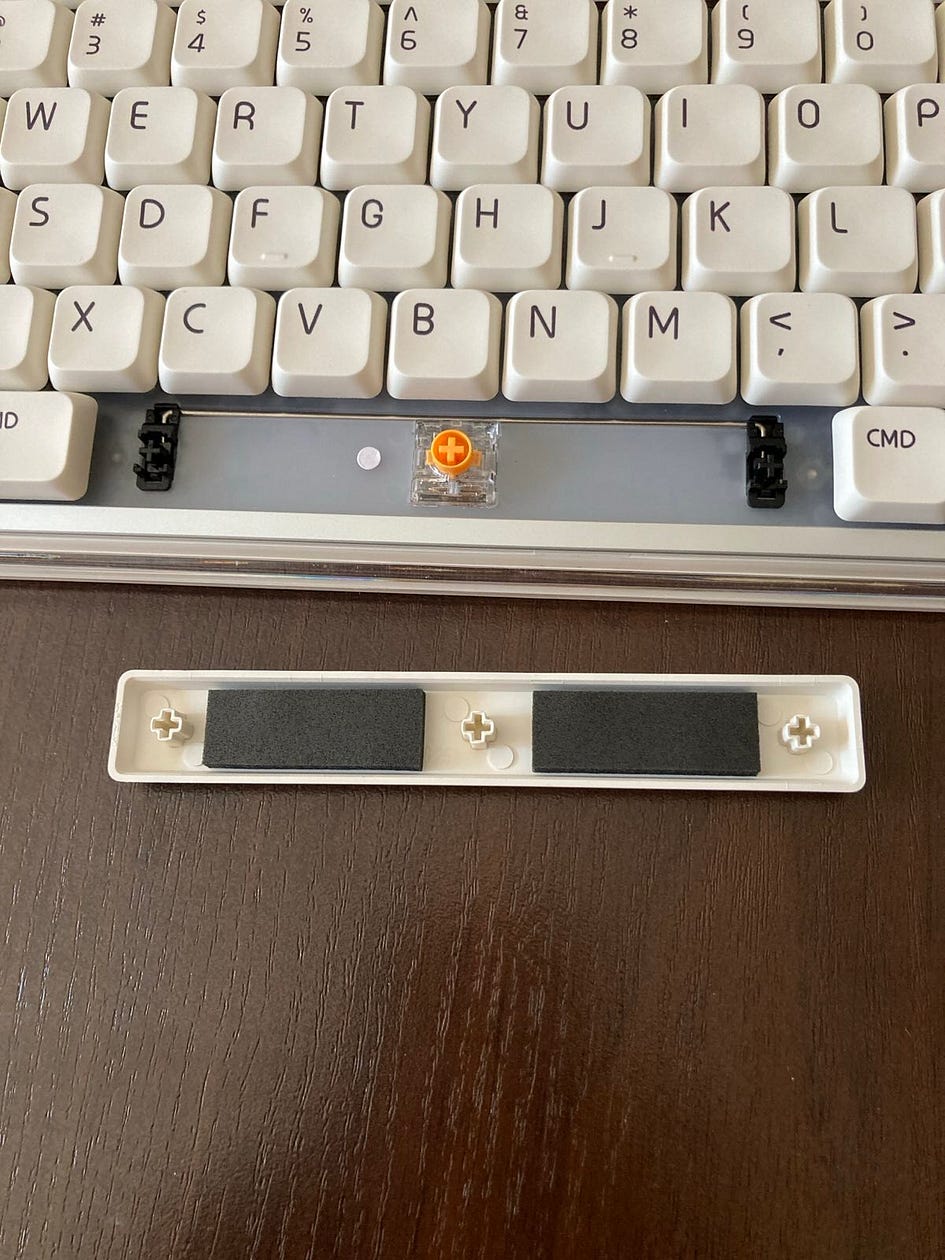
The typing experience is surprisingly refined. The review unit came with Kailh Sunlight linear switches, which feel soft and whisper-quiet, with just a gentle thocky bottom-out. It’s not a deep mechanical thud like a full-size board, but it gives more feedback than Apple’s Magic Keyboard, for example.
The keycaps are made of double-shot PBT and feel decent to the touch. They’re low-profile, of course, but don’t have that cheap, plasticky feel some thin caps suffer from. There’s no rattle or flex in the frame during normal use — only when pressing down firmly on the top shell do you notice any give, which won’t affect typing at all.
MelGeek also added magnetic feet on the bottom so you can change the typing angle a bit, which is a clever, tool-free touch. There’s no wrist rest included, but it sits low enough that it’s still comfortable even during long sessions.
One thing worth calling out: the spacebar is shockingly quiet — no loud ping or clack, just a smooth, dampened press. That’s rare, even on premium boards.
Bottom line? Very comfortable to use on both angles, silent and pleasant.
Software
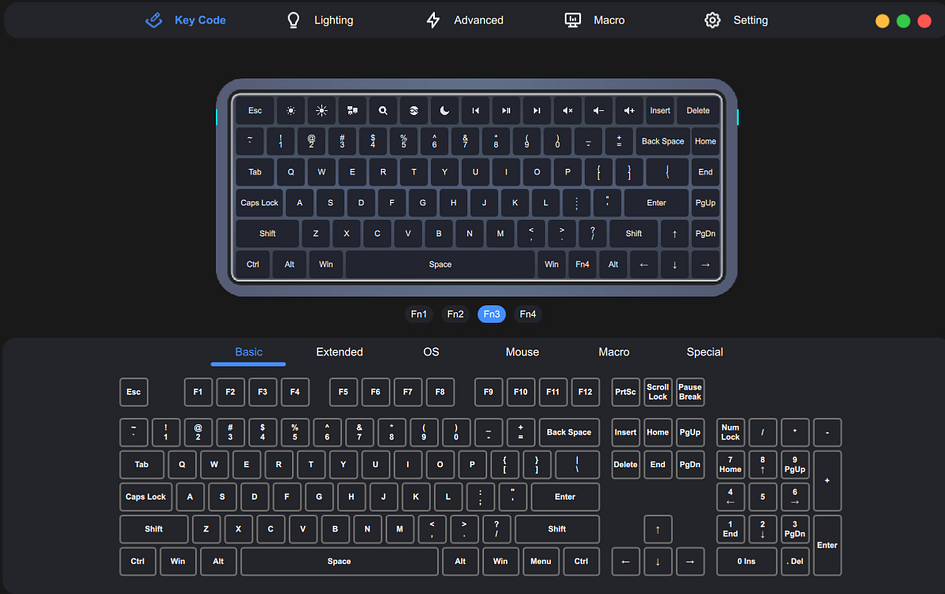
Here’s where things start to fall apart. MelGeek advertises having a web-based tool for changing key functions, setting up macros, and tweaking the lighting, but it only works in Chrome (supposedly), as they claim. If you’re using Safari or Firefox, you’re out of luck. Even with Chrome, some people said the keyboard doesn’t even show up right, and they’re pushed to install a separate desktop app instead, including me.
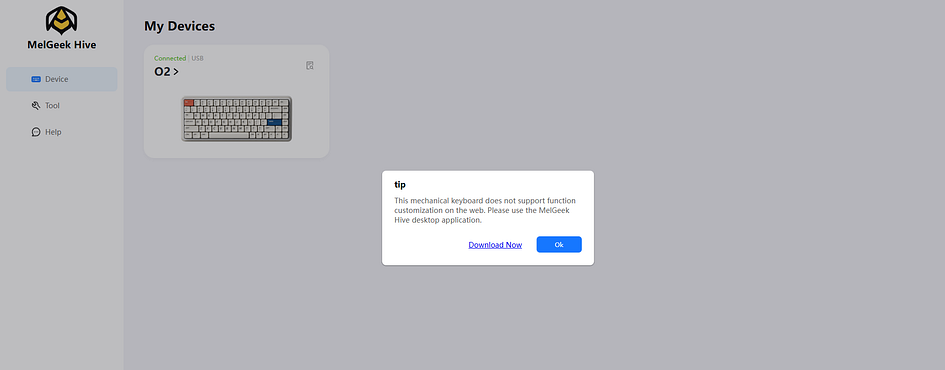
This is misleading: on some occasions, it is advertised that web-software should work for O2 as well, and in some parts of the Melgeek website, it says that web-based software is only for magnetic keyboards (O2 is a mechanical one). Could you please clarify this confusion, guys?
When it comes to the Hive app, it’s not Apple-authorized, so macOS throws up security alerts when you try to open it. You still can download and run it, but it is not exactly what Mac users expect when they plug something in, especially when the keyboard’s supposed to be built with them in mind.
And if you do manage to get the software going, it’s pretty underwhelming. Lighting options are limited, the key remapping system is awkward, and it’s not clear how to even update the firmware. I did that with no issues, but I have experience with the Hive software from my previous tests of other Melgeek products, but for someone new, it may be a challenge.
Bottom line? Some confusion about the software should be cleared, and the software itself should be approved by Apple.
Gaming
Gaming on a Mac has never been a primary focus for most players, and understandably so — it’s not the environment designed with competitive performance in mind. The Melgeek O2 low-profile mechanical keyboard wasn’t built as a gaming tool, and it doesn’t claim to be. Yet, despite its non-gaming origins, it performs better than expected in that role. You won’t find features like 8 kHz polling, SOCD, or Rapid Trigger support here, because that’s not what Melgeek set out to deliver. Still, the low-profile switches offer a short travel distance, making input feel fast and responsive enough to keep pace in most scenarios. When connected via USB-C, the keyboard runs at a stable 1000Hz without input lag or connection drops — more than sufficient for casual or even moderately serious gaming. Just avoid Bluetooth for anything time-sensitive. For those who don’t fixate on specs and numbers, the O2 turns out to be a surprisingly capable keyboard even beyond its intended scope.
Bottom line? It does its job without all those bells and whistles.
Closing Thoughts
The Melgeek O2 isn’t trying to win over FPS players or RGB freaks. It’s something different. I’ve gone through a bunch of mechanical keyboards over the years — mostly for gaming — but this one feels like it was built for people who spend most of their time on a Mac. Not just “compatible with Mac,” but properly made for it.
What stood out right away was the layout. It’s just… right. The command and option keys are where they’re supposed to be, the function row behaves like it does on an Apple keyboard, and you don’t need to mess with firmware or sketchy remapping tools. I didn’t even have to think about it — it just plugged in and worked, which, if you’ve ever tried using a gaming board on macOS, you know it’s rare.
The typing experience is low-profile, super quiet, but not mushy. The switches are linear, so no bump, no click — just a smooth press with a nice soft bottom-out. It’s gasket-mounted too, which probably helps with the muted sound. I wouldn’t call it “thocky” like some people obsess over, but it’s not sharp or plasticky.
They also clearly thought about people who use MacBooks. The board comes with little magnetic feet that lift it just enough so you can place it right on the laptop keyboard without pressing any of the laptop keys. It’s a small detail, but one of those things that shows someone tested it on a MacBook.

Connectivity’s solid: USB-C if you want to go wired, or 2.4 GHz and Bluetooth if you’re lazy like me. I’ve been switching between a MacBook, an iPad, and a Windows machine without much hassle. The battery seems to last long on the Power Saving Mode, but only around 40 hours in the Gaming Mode with full RGB on.
Also, gaming with one is pretty acceptable as long as you are wired -wireless mode latency is a bit higher, at least to me. But the rest is pretty good — 1000Hz is enough, low-profile switches and keycaps make sure your input is transferred pretty fast, no hiccups, no huge delay. You don’t have Rapid Trigger or SOCD, but not everyone needs it. Overall, I was able to game with it pretty well, and you should too, provided you’re not a try-hard looking for absolutely top gear.
Only the software is a thing that stops me from praising it all the way. It’s limited to the desktop app (not recognized by Apple) since the web-based version didn’t work for me either. Hopefully, Melgeek will get this going because all other previous keyboards worked well with it. (I write this review at the end of June 2025.)
This isn’t a gaming keyboard dressed up for Mac. It’s more like a Mac keyboard that just happens to be mechanical. You’re not gonna pick this if you want something loud and flashy. But if you live in the Apple ecosystem and miss the feel of a proper mechanical keyboard, this is one of the very few options that makes sense. No weird workarounds, no drama — just plug in and type.
Bottom line? Looking for a Mac keyboard that does way more than that? Grab it, the software should be polished nonetheless.
Bullet Points
- very nice aesthetics
- enjoyable and pretty silent typing experience
- top build quality — sturdy aluminum frame with no rattles or cheap parts
- Supports up to 8 devices
- Wireless connection is very reliable (both 2.4 GHz and Bluetooth)
- Good quality, dyed PBT keycaps
- Movable, magnetic feet are a great solution
- This keyboard is built for Mac, but it also works great with Windows
- Gaming is pretty good with it as well, provided you don’t chase top gear and lowest latency
- slightly taller than a typical MacBook keyboard, you can place it right on top without pressing any keys by mistake, though
- Battery life could be improved, though (on full RGB, it lasted around 50 hrs in the Game Mode)
- The software, after the last update, has been improved, but there are still bugs — I still can’t use the web-based software
- This keyboard is not hot-swappable with switches other than low-profile Kailhs
Get the O2 keyboard from the Melgeek official website and use the code “airmanthe” for a discount
Disclaimer
This review is not a paid endorsement. I want to ensure transparency and let you know that I am not receiving any monetary or otherwise compensation for evaluating or discussing this tech product.