


Mechlands has earned quite a following by putting out mechanical keyboards that easily outperform their modest price tags. Now they’re taking a big step into new territory with the M75 — their very first magnetic (Hall Effect) keyboard. Naturally, I wanted to see if they could pull it off. Can a brand known for solid budget boards compete with the high-end players in this space? Or is the M75 just a cheaper alternative that can’t keep up? I spent some time with it to find out.
Disclaimer: This unit was provided to me for testing purposes, though Mechlands had no sway over the contents of this review.
Unboxing and First Impressions
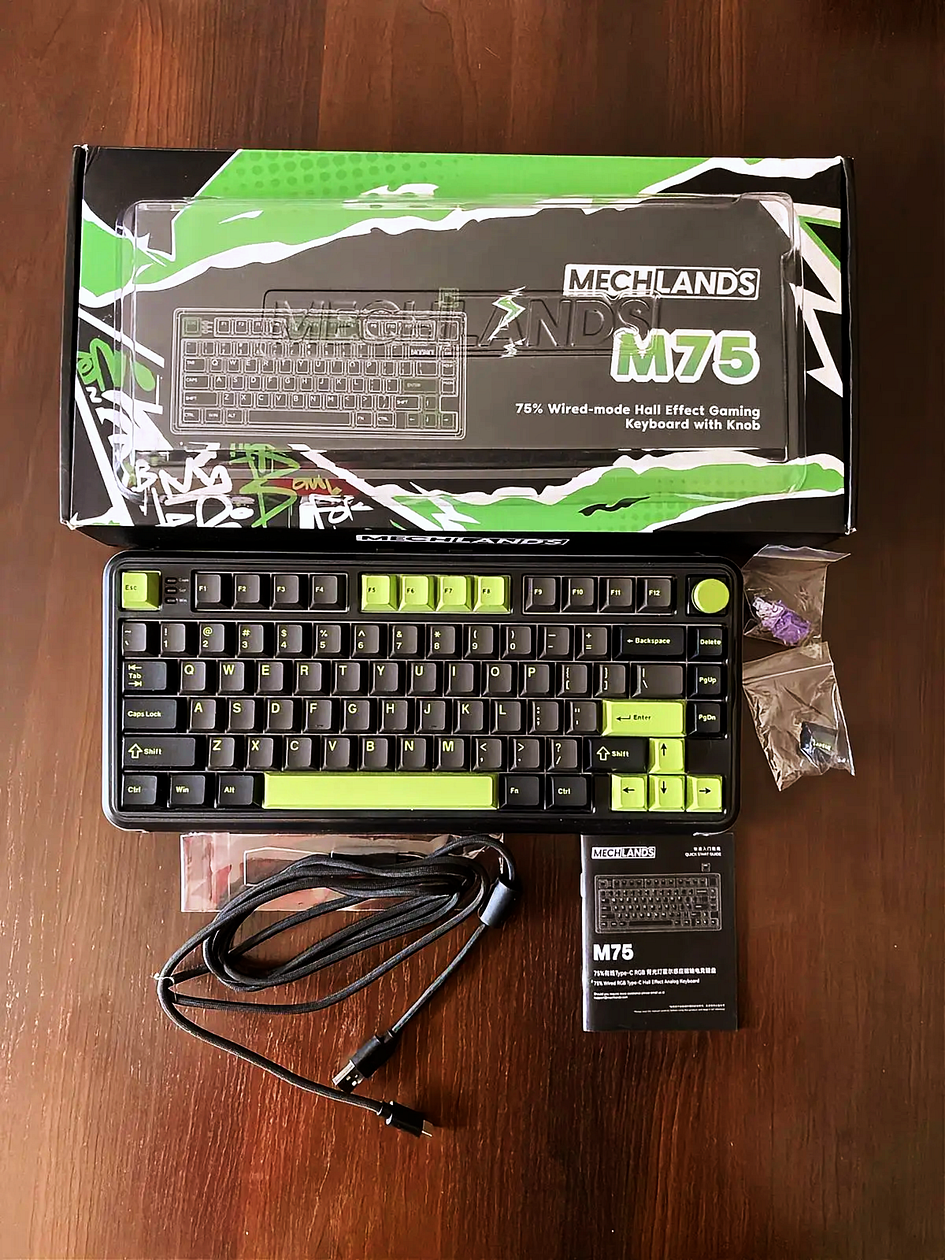
- Mechlands M75 Magnetic Keyboard
- Manual
- 2 spare Outemu switches
- Keycap/Switch puller
- Dust Cover
- Braided USB-A to C cable
Bottom line? Pretty simplistic.
Specs and Features

Bottom line? All companies now declare 8k and even crazier numbers, but that’s just a marketing pitch.
Design and Build Quality
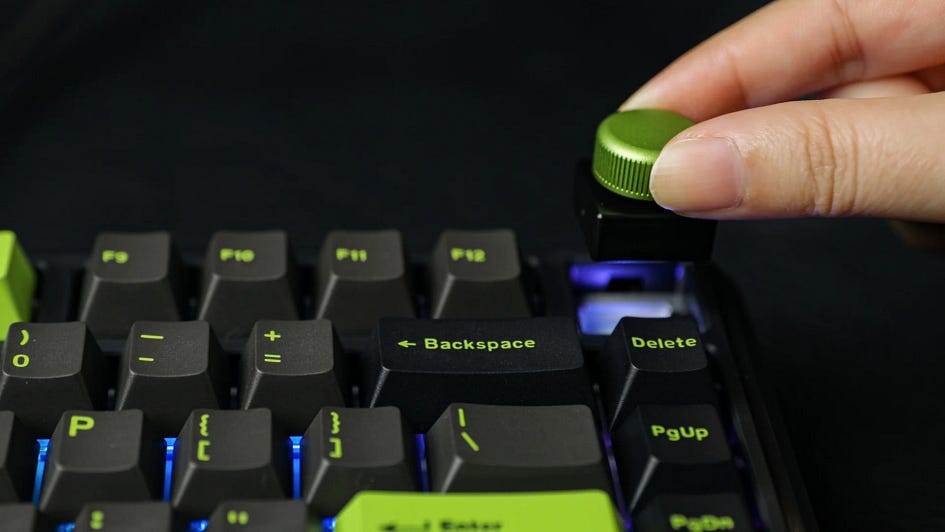
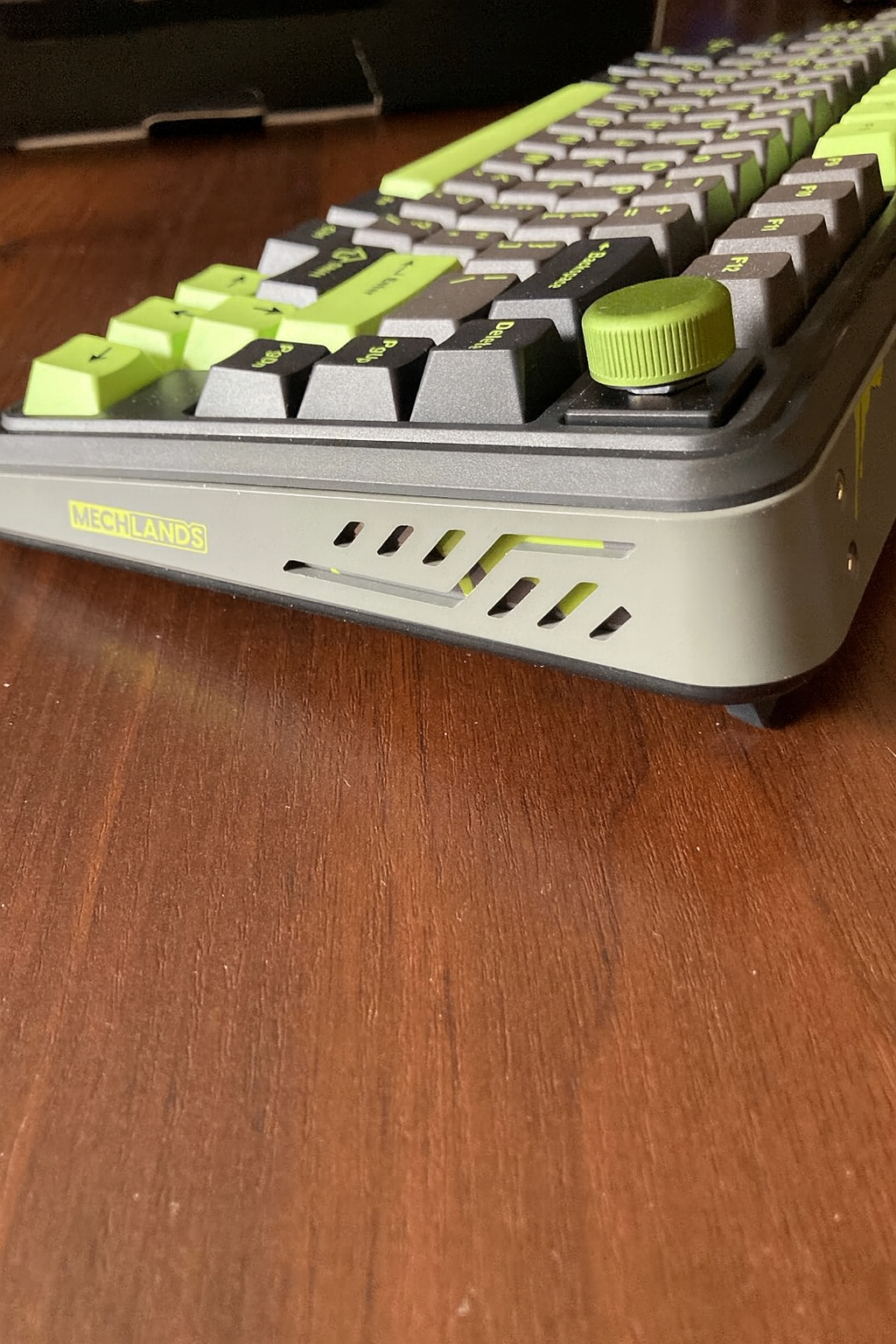
The MechLands M75 is a 75% magnetic keyboard that strikes a nice balance between functionality and desk space. It reminds me a lot of their Vibe75v2 — the layout, the build, even the vibe is super similar. With 79 keys and a built-in volume knob, it keeps everything you need and skips the extra fluff. It uses a gasket-mounted structure, though it leans on the stiffer side — still, typing feels snappy and solid. And if you’re into modding, the hot-swappable PCB is a nice touch — no soldering needed, just pull out the switches and pop in new ones.
The volume knob in the top-right corner isn’t just for show — you can use it to control volume, mute, or even replace it with a switch and a key if you’d rather. As for connectivity, it’s wired-only — no Bluetooth or 2.4 GHz options — but you can still toggle between Windows and Mac with a mechanical switch on the back. Oddly enough, there’s also a physical ON/OFF switch, which is kind of pointless on a wired board, but hey, it’s there probably only to control RGB.
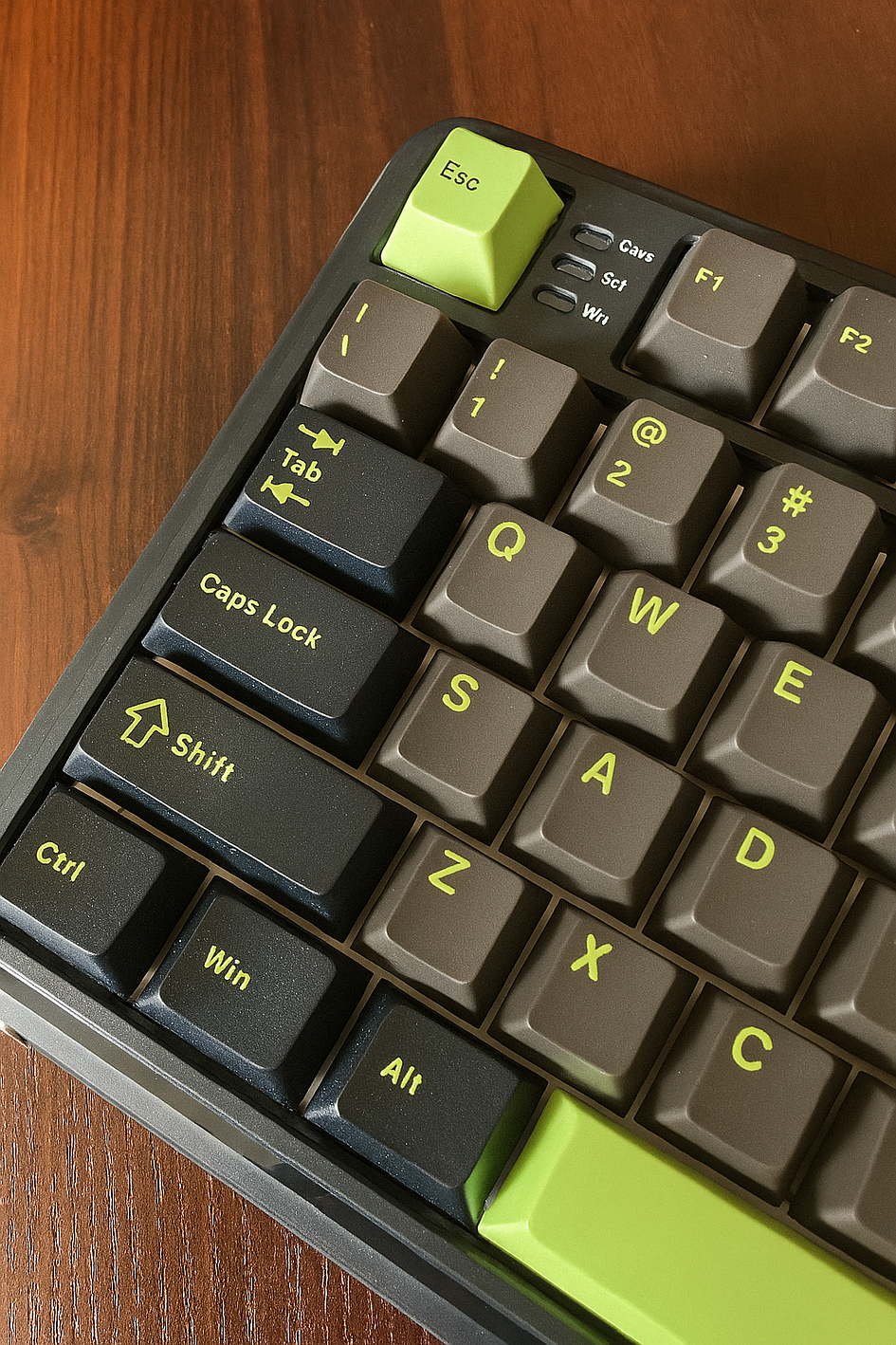
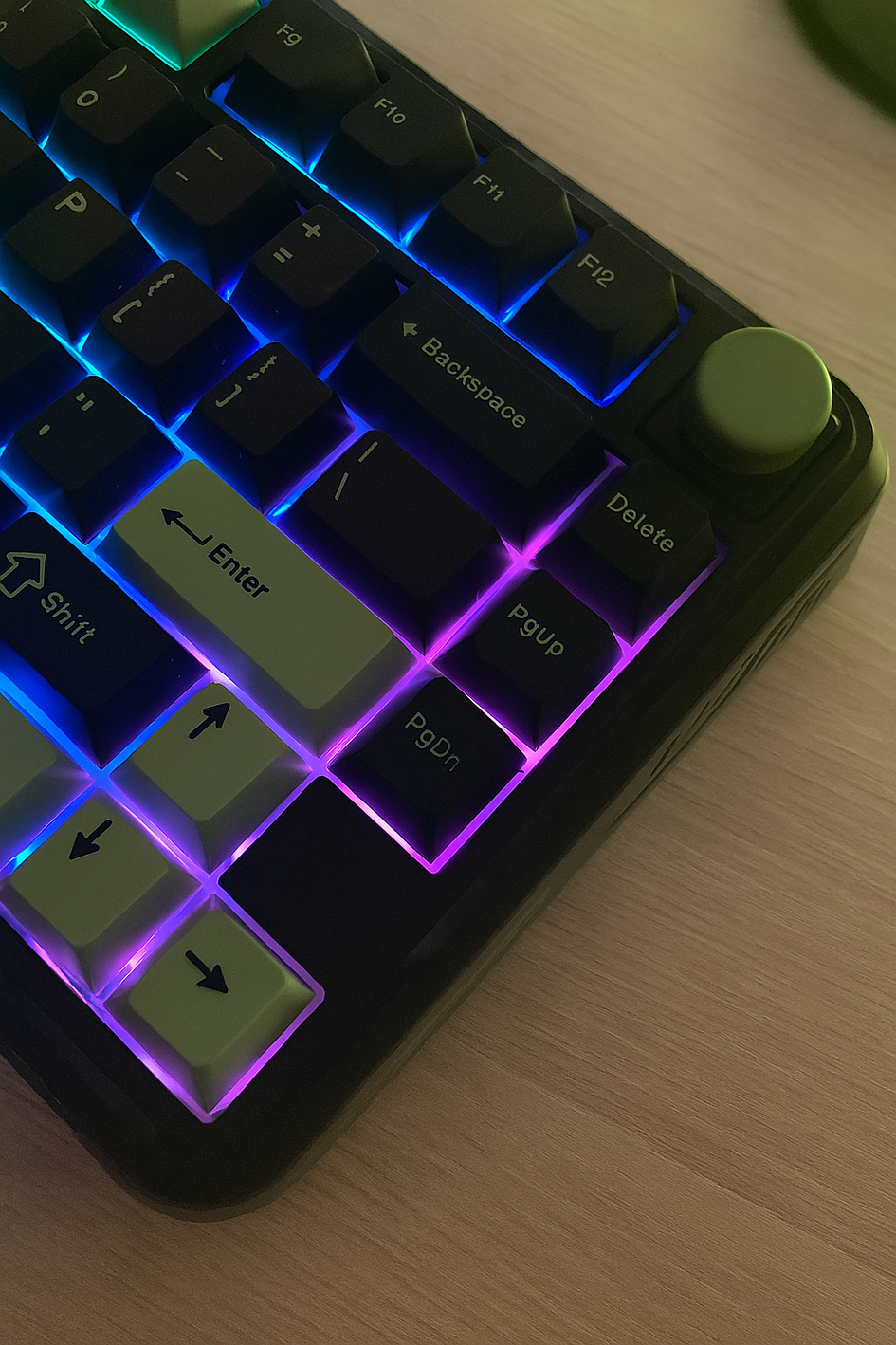
Now, about the design, the color scheme of grey, black, and lime green works surprisingly well. It looks modern and techy but still bold enough to stand out without screaming for attention. It’s one of those boards that adds personality to your desk setup without going overboard.
Caps Lock, Scroll Lock, and Windows key lock indicators sit to the right of the Esc key. It’s an unusual spot, but given the keyboard’s design, options were limited. Still, they’re easy enough to see there.
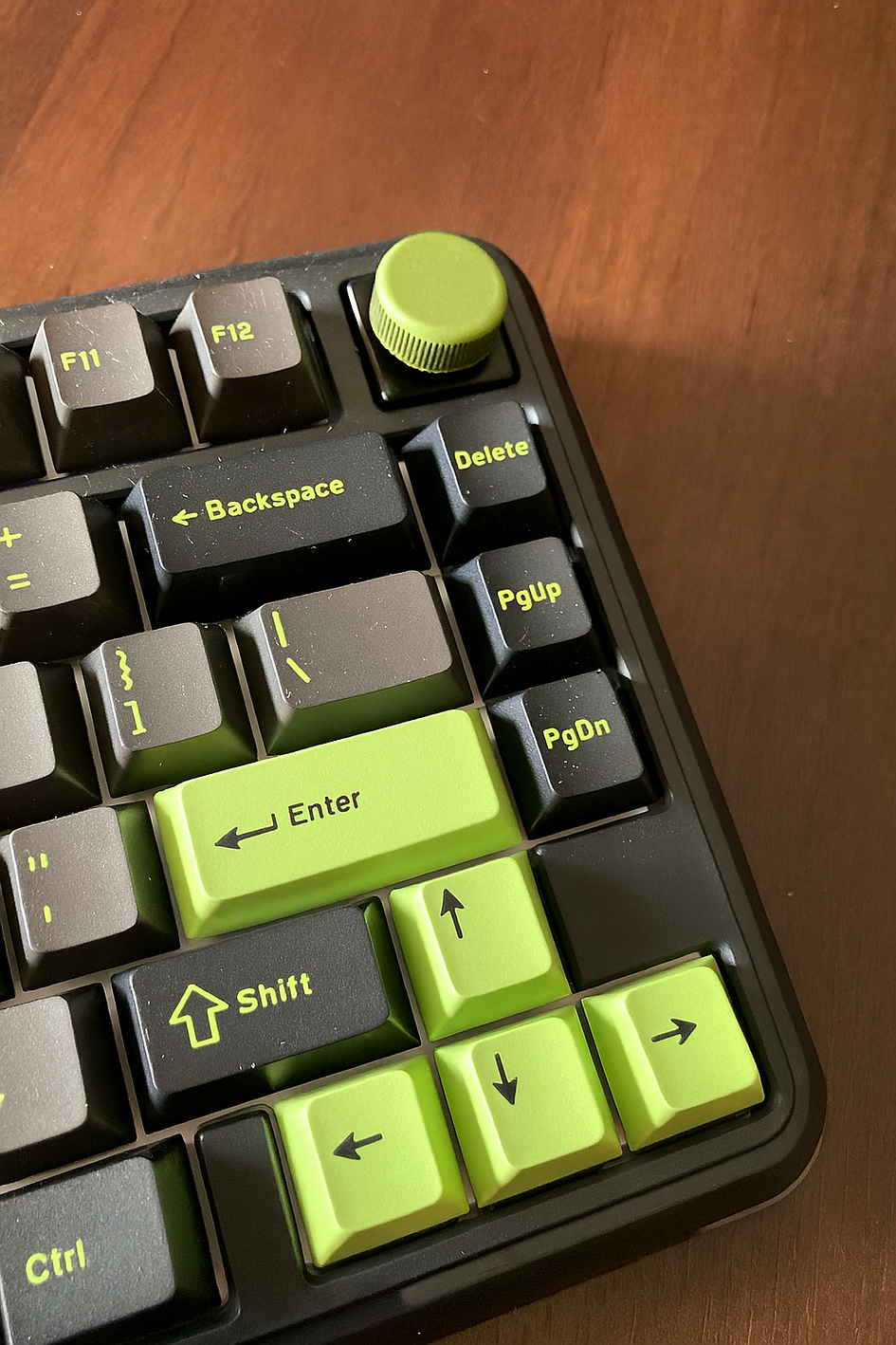
For the price, the build quality is honestly impressive. The ABS plastic case feels strong — no hollow cheapness here — and the metal accents give it that futuristic edge that fits the whole MechLands brand. You can tell a lot of thought went into the details. The adjustable feet, for example, actually stay in place and don’t collapse every time you nudge the keyboard — something not every board gets right.
Everything fits tightly together, and the screws are neatly done, giving the whole thing a solid, industrial feel. It’s got that “purpose-built” look — not just a pretty shell, but something made by people who know what keyboard fans want. All in all, the M75 punches way above its weight when it comes to build and feel.
Bottom line? I love the design, the color, and the quality for the price asked.
Keycaps and Switches
The M75 comes fitted with the well-known Outemu magnetic switches and Cherry-profile double-shot PBT keycaps. The switches are pre-lubed out of the box and feel fine — nothing amazing, but usable. They’re not too stiff or too light, which makes them decent for both gaming and everyday typing. They’re not my favorite, but since the board supports hot-swapping, you can easily swap them out for something like TTC Koms or probably a few other compatible options.
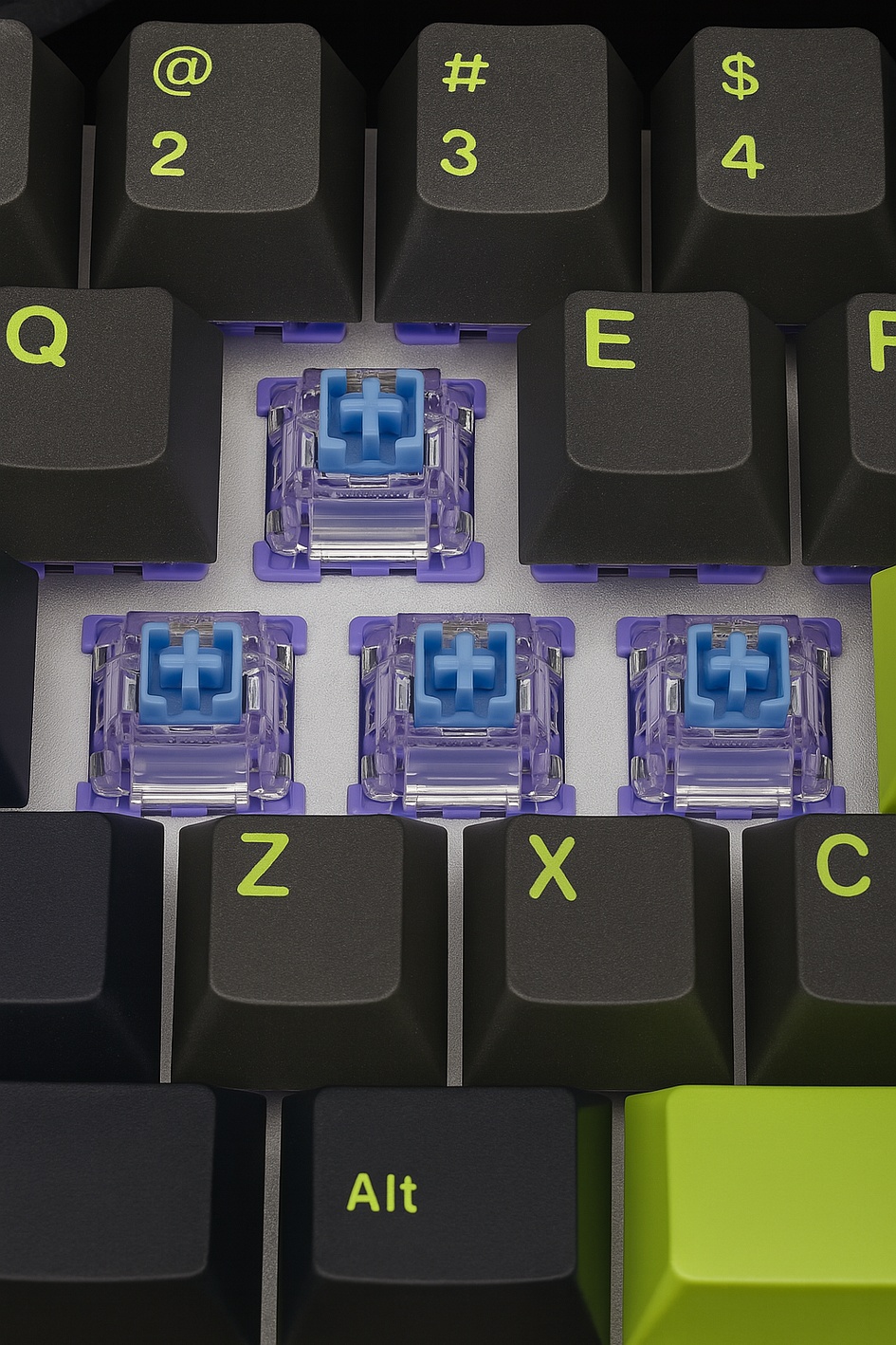
The switches are rated for 100 million presses, which is pretty standard and should last a good while. I also appreciated that they threw in two spare switches — a small but thoughtful touch, especially for a hot-swappable board. I just prefer other solutions, with more stability and other typing feeling (WS Fluxes still my favourite). When it comes to the actuation point, on the MechLands M75, this can be adjusted anywhere between 0.10 mm and 3.20 mm, with fine control down to 0.01 mm.
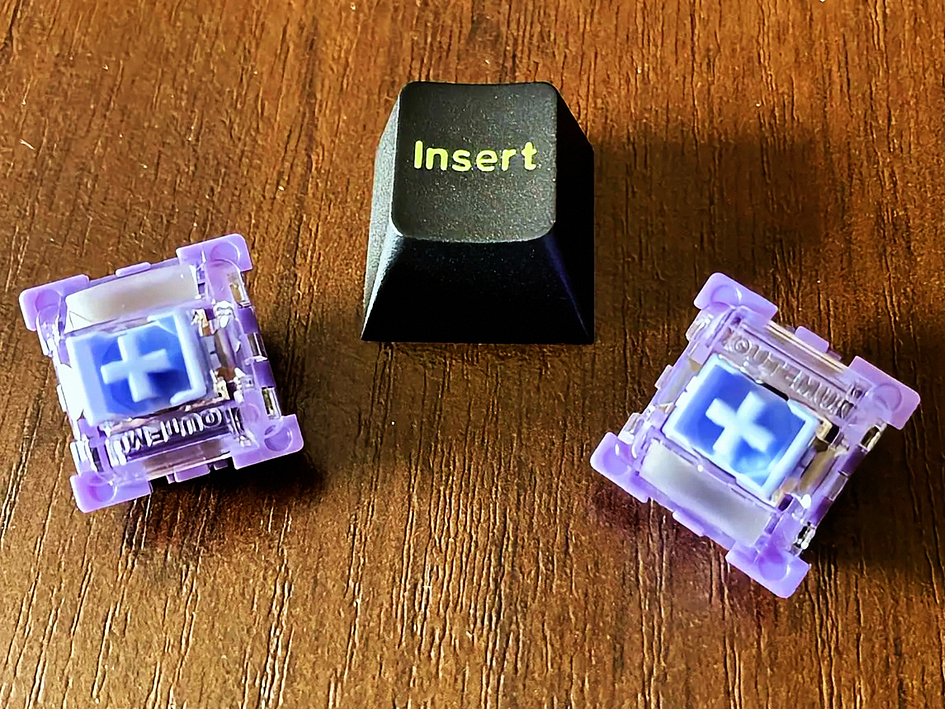
As for the keycaps, they feel nice under the fingers and match the board’s overall look. The grip is solid, but they do start to get that shiny, worn-in look faster than I expected, which was a bit disappointing. Still, they’re comfortable and look great when new.
The RBG on this board looks quite nice; the switches don’t let additional light through, which prevents any unnecessary tint, and the legends are so vibrant that everything clicks well together. Visually, the board has a really clean look, with just the right amount of metal accents to feel premium without being too flashy.
Bottom line? Nice south-facing RGB, great keycaps (but some shine will show up), satisfactory switches.
Typing Experience
The Mechlands M75 keyboard generally provides a decent typing experience, which can be attributed to its construction and design. Its body is primarily made of PBT plastic, complemented by an aluminum alloy plate internally. I wouldn’t say this board is gasket-mounted because, from my observation, this keyboard feels quite rigid with minimal flex during use, resulting in a somewhat firm typing sensation.
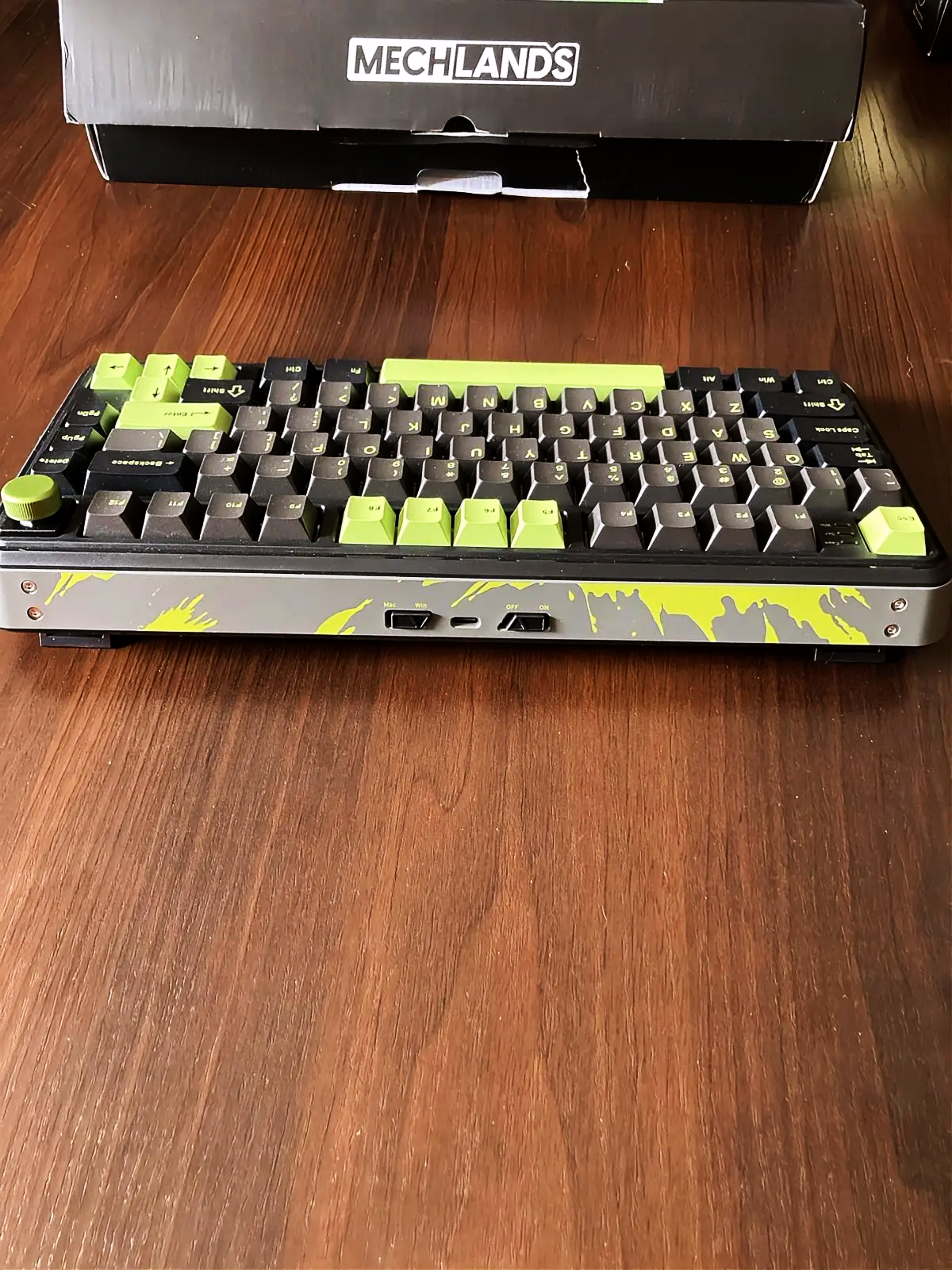
The box-mounted switches are pre-lubed for smoother actuation, and the stabilizers are well-implemented, contributing to stable keystrokes and reduced wobble. On the downside, the typing can have a subtle scratchiness, and the sound profile tends to be somewhat hollow, which may not be preferred by all users.
Sound test (at the end of the video).
Honestly, I find these minor issues pretty negligible. My attention is mainly drawn to the grippy PBT keycaps, which offer a really pleasant, almost “chalky” texture that I genuinely like. The keyboard stabilizers also do their job well; specifically, the spacebar feels very stable and is genuinely nice to use. Overall, typing on the M75 is a pleasant experience, despite the occasional typo, making it a satisfactory choice for my preferences.
However, I do have a feeling that the lube on the switches and stabilizers will wear off after a few weeks or months, causing the sound to change (likely for the worse). I’ve already started to notice this. But then again, it is a budget keyboard, so these things are somewhat to be expected.
Bottom line? Decent, but it’s not the level of Mechlands Vibe75v2
Software
All the fancy tweaks for your keyboard are handled through the official MechLands Driver software (still OEM used by many companies, do you recognize the layout?). You can grab it straight from their website. Once you fire it up, it automatically figures out your keyboard’s setup and lands you on the main screen. From here, you can dive into different sections like Key Settings, Stroke Settings, Switch Settings, and other advanced stuff.
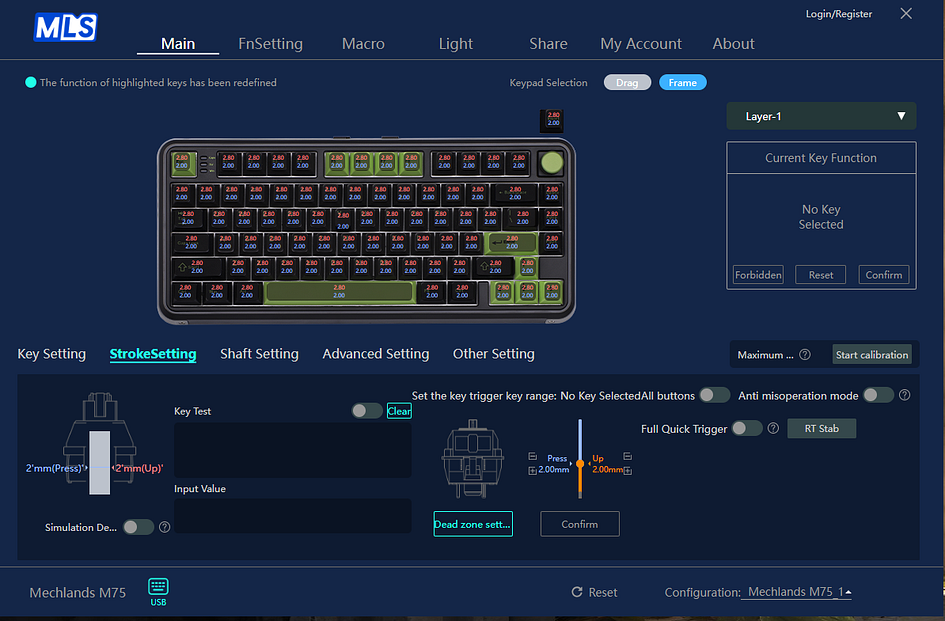
This driver does almost everything you need to customize this keyboard. You can tweak key functions, set up macros, and control multimedia. It allows precise adjustment of switch actuation points (0.10 mm to 3.20 mm), along with features like dead zones and Rapid Trigger, obviously. You can calibrate switches after hot-swapping them, even individually. Macros, layers — it’s all there too.
Advanced settings cover features like Dynamic Key Stroke, SOCD, and Multi-Tap. Almost all modern gaming features are there; however, you can’t change the polling rate.
You’ll find extensive options for RGB backlighting, with 18 presets or the ability to create your own. There’s even a sharing feature to download or upload custom profiles and settings with other users.
Overall, the MechLands M75 software is quite solid. My main gripe is that the feature translations need some work; new users to magnetic keyboards might feel pretty lost. A web-based version would be great too. Still, all the important settings and features, especially for the magnetic switches, are there, and they work. The app runs smoothly without bugs, and any changes you make get saved to the keyboard’s memory quickly and automatically.
Some menus might seem a bit confusing at first glance, but usually, just a few minutes of poking around clears things up. Plus, there are helpful tooltips when you click those little question mark icons next to certain settings.
Bottom line? Pretty decent, but why not web-based? Also, polish the translations and feature explanations.
Latency and Gaming Performance
When you’re gaming, the Mechlands M75 holds its own. I found it delivers a pretty smooth experience, which is crucial for quick reactions in games. From my time using it, the keyboard felt consistently fast and responsive, apart from that one time when the SOCD blocked my movement and I had to reconnect the keyboard. It was weird, but apart from that one time, I never noticed any frustrating lag or weird cutouts that would mess up my gameplay again. I will let you know if that occurs again though.
The Outemu switches that come with it are decent right out of the box. They’ll get the job done for most players. But if you’re serious about getting the most out of this keyboard, swapping them for third-party switches — like the TTC Koms, for example — genuinely elevates the performance. It feels like a completely different, much more capable keyboard when you make that upgrade.
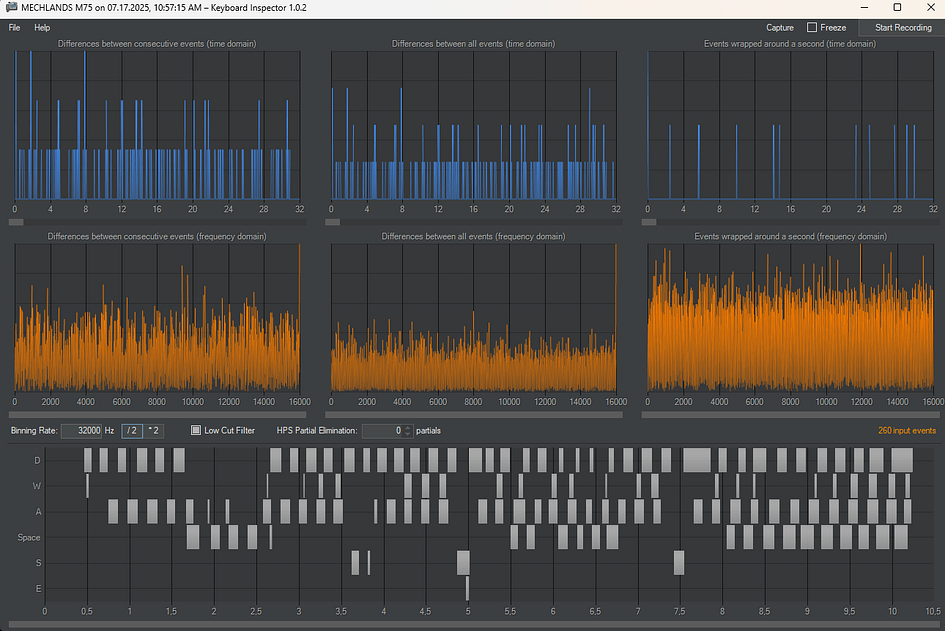
Now, the brand claims a super-low 0.128ms latency. That sounds impressive, right? But honestly, we don’t know the exact conditions they tested it under, so it’s hard to tell if that’s a consistent reality or more of a marketing highlight.
They also state it has an 8,000Hz polling rate and a 32,000Hz scanning rate. That’s supposed to mean it communicates with your computer incredibly fast. However, when I ran my tests using Keyboard Inspector — and I’ll admit that tool isn’t always perfectly accurate — the rate showed some irregular and weird results, up to 16,000 Hz. This discrepancy leaves us without rock-solid, definitive data on those exact technical figures. Because of this, I can’t pinpoint the precise latency you’ll get, but it has to be more than 0.128 ms, as declared by the brand. I am sure the MCU and PCB are not the top-notch here, but it’s a budget after all.
Despite some of those technical unknowns, the most important thing is how the keyboard feels during actual use. And in that regard, the Mechlands M75 felt very responsive. It kept up with everything I threw at it. Considering its budget-friendly price tag, that level of responsiveness is more than enough to satisfy most gamers. It’s a solid performer for the cost.
Bottom line? It’s quite fast and responsive in games, but I’m unable to pinpoint the exact latency due to the reasons mentioned above.
Summary
Right off the bat, the M75 makes a great impression with its striking colors and design, as well as solid construction. You’re looking at a body primarily made from ABS plastic, paired with an aluminum alloy plate inside, and this mech-like vibe that glitters with wonderful colors. It’s quite rigid — you won’t find much flex here, which contributes to its robust nature. It truly feels well-built for its price point.
When it comes to actually typing, it’s pretty distinct. The pre-lubed, box-mounted switches and decent stabilizers provide a stable keypress. While there’s a slight scratchiness and the sound leans a bit hollow, it’s still a generally satisfying feel.
The official MechLands Driver software is surprisingly deep and works well. If only they could make it web-based, it would be great.
For gaming, the M75 really holds its own. It feels fast, responsive, and I didn’t hit any frustrating lag or cutouts. The default Outemu switches are fine, but swapping them for premium third-party options like TTC Koms genuinely elevates the experience. While the brand touts impressive latency figures (0.128ms) and high polling rates (8kHz/32kHz), my tests showed slightly different numbers. Exact data is a bit elusive, but what matters is the real-world feel, and it’s consistently responsive. For a budget board, this performance is more than enough.
All in all, the Mechlands M75 offers a very capable and highly customizable package. Despite a few quirks, its robust build, great aesthetics, and solid gaming performance make it a strong contender, especially given its competitive price.
Bullet Points
- very good quality for this price tag
- decent typing experience
- decent switches, good keycaps
- Great color combinations and nice aesthetics
- The volume know is hot-swappable for a switch/keycap
- nice and bright south-facing RGB
- low latency in games, even though the raw data is not consistent
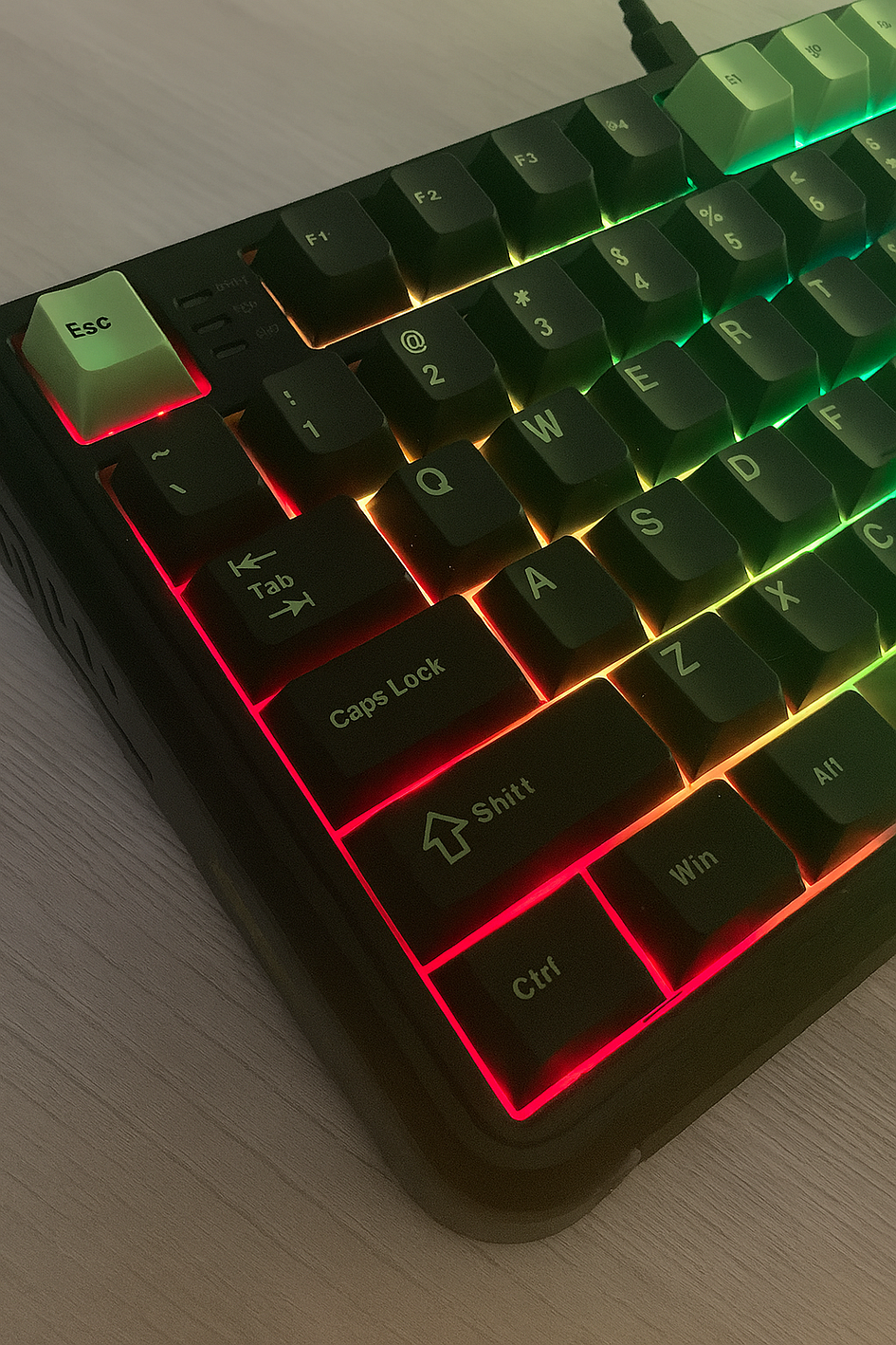
- Vibrant legends on the keycaps look fantastic
- The space bar is very refined
- The ON/OFF switch at the back serves no purpose other than controlling the RGB
- Lack of web software is the easy way out…
- …because this OEM driver leaves a lot to be desired
- Good offer for the buck for someone who wants to enter the world of HE keyboards
Get this board from the Mechlands website
or
Disclaimer: This review is not a paid endorsement. I want to ensure transparency and let you know that I am not receiving any compensation, monetary or otherwise, for evaluating or discussing this tech product.

