

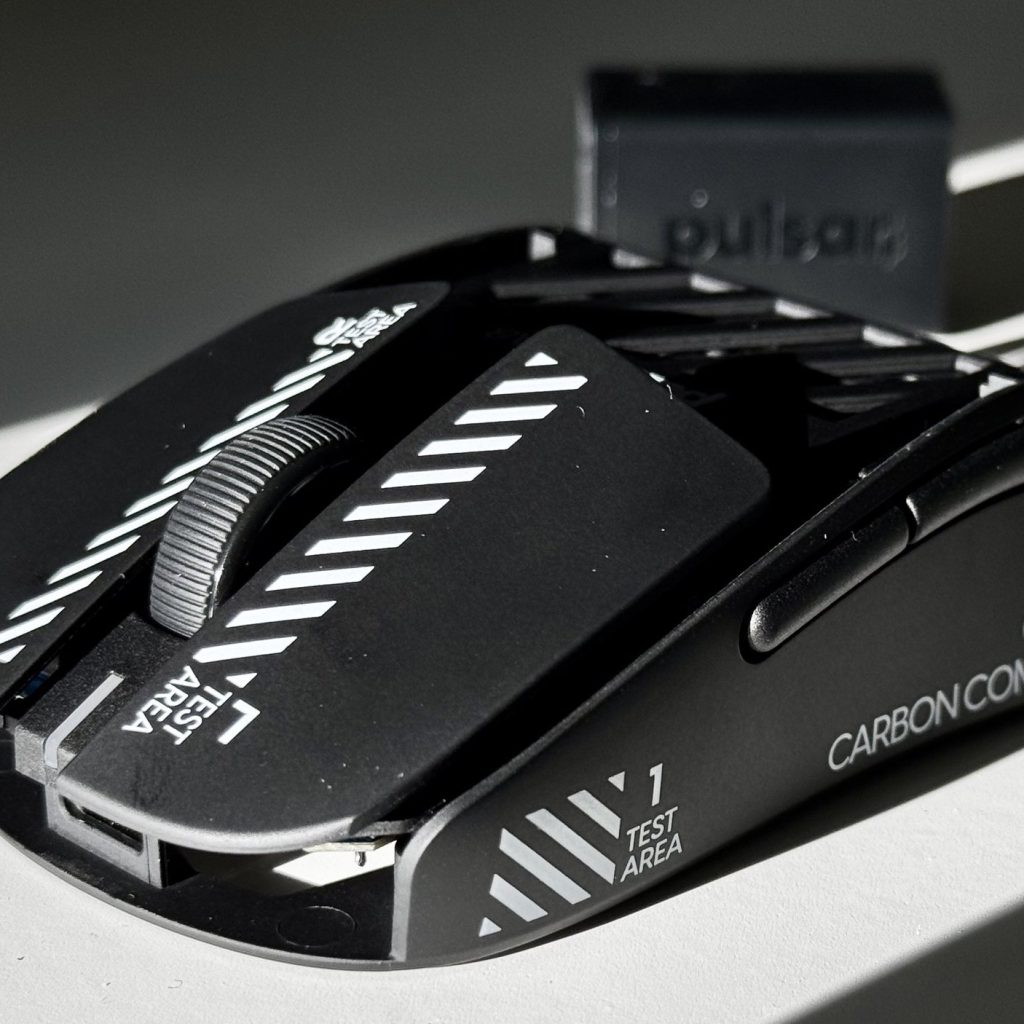
Pulsar X2F Beta – Review
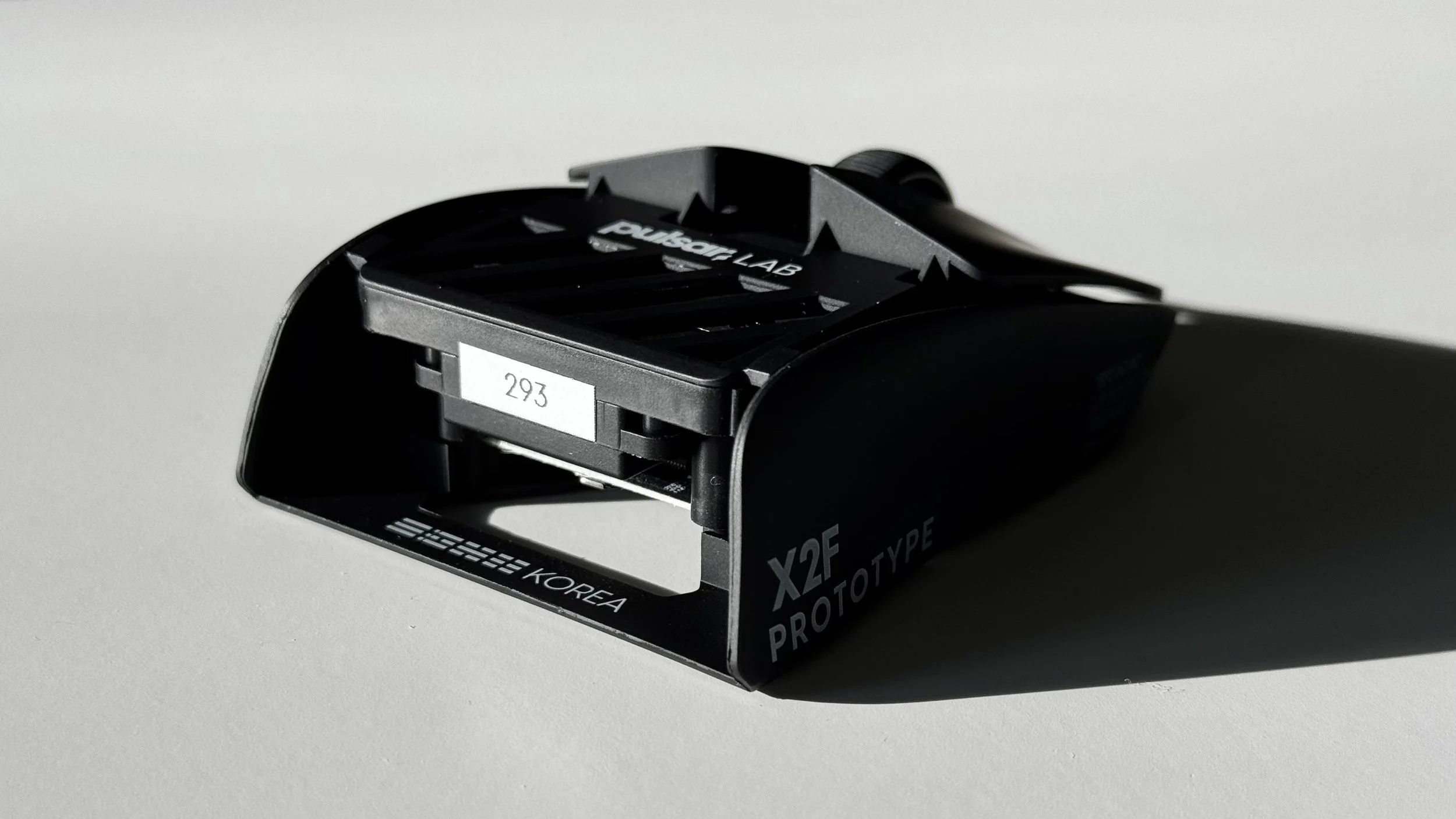
The fingertip mouse market has exploded recently, with options ranging from 3D-printed shells to custom-designed shapes. While many brands have attempted to create dedicated fingertip mice, most fall short by simply shrinking existing models or cutting too many features to reduce weight. When Pulsar invited me to beta test their X2F prototype—their first dedicated fingertip mouse—I was eager to see if they could overcome these common pitfalls. After several weeks with unit #293, I’ve developed a nuanced perspective on this potential market disruptor.
Full Disclaimer: Pulsar provided the X2F Beta for testing purposes. The unit tested is an early prototype, with Pulsar confirming several changes for the retail release. All opinions expressed are my unbiased assessment after extensive testing. I have no other affiliation with Pulsar beyond being selected as a beta tester.
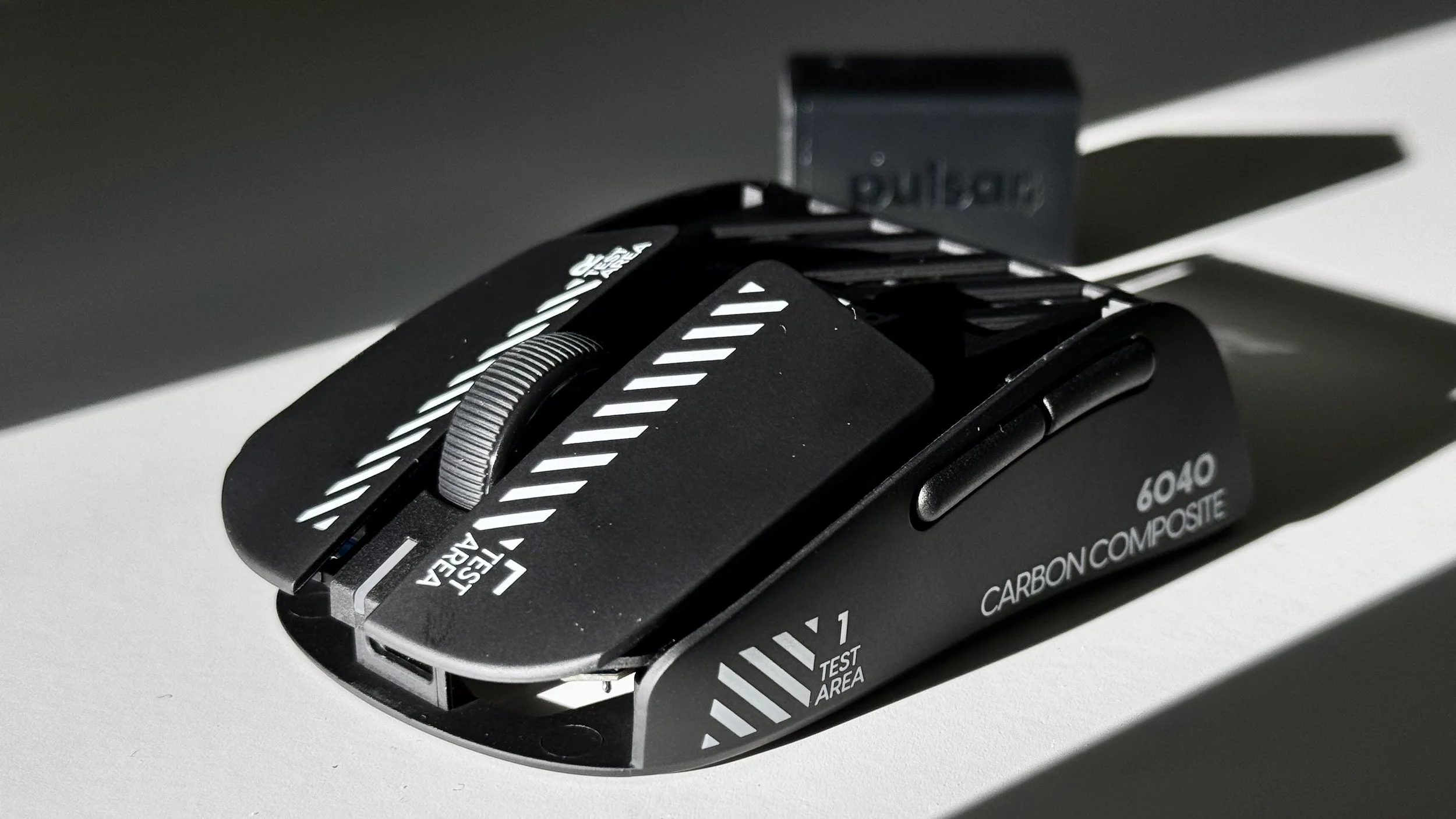
Specifications
| Specification | Value |
|---|---|
| Length | 120 mm |
| Width | 62 mm |
| Height | 36 mm |
| Weight | 42g (measured) |
| Shape | Symmetrical Fingertip |
| Connectivity | 2.4GHz Wireless |
| Sensor | Pixart PAW3950 |
| DPI | Up to 26,000 |
| Polling Rate | Up to 8000 Hz |
| Battery Life | ~20-30 hours (2K polling) |
| Shell Material | Carbon Composite Blend |
| Switches | Huano Blue Shell Pink Dot |
Shape & Ergonomics
The X2F’s shape evolved from the X2 Mini DNA but with purpose-driven modifications for fingertip grip. With my 18.5 x 9 cm hands, the proportions hit an excellent middle ground—substantial enough for control without limiting the range of motion.
The most distinguishing feature is the rear flare, which provides remarkable stability during micro-adjustments and recoil control. This flare creates predictable contact points for my ring finger and pinky, eliminating the “floating” sensation familiar in other fingertip mice like the Zaunkoenig M2K. I found this particularly beneficial when playing Delta Force, where precise pixel adjustments can determine engagement outcomes.
However, the sharp rear edges became problematic during extended sessions. When gripping further forward to maximize control, these edges occasionally contacted my palm, creating discomfort during rapid swipes. This issue was most noticeable when playing Black Ops 6, where constant target switching highlighted the design limitation. Pulsar could resolve this by chamfering the rear edges inward, maintaining the beneficial flare while eliminating the sharp contact points.
Unlike some fingertip mice that force users into uncomfortably narrow grips, the X2F’s width (62mm) provides ample room for natural finger placement. This accommodating width reduces tension during extended tracking scenarios in Overwatch 2 that would typically cause cramping with narrower alternatives.
Sensor Performance & Tracking
The Pixart PAW3950 implementation is impressive—with one significant caveat. Raw tracking performance remained consistent throughout most of my testing across various surfaces. I primarily tested on the SP-004, The Beast by Tekkusai, The Guardian by Tekkusai, Empress Speed V2, Kurosun Ninja, Kurosun Shogun, Artisan Hien, Artisan Hayate Otsu, Artisan Type-99, Kazemi GLSSWRKS, Akari GLSSWRKS.
The sensor demonstrated excellent raw precision at my preferred 1600 DPI setting with no discernible acceleration or angle snapping. The 8000Hz polling capability (tested extensively using Razer’s Mouse Rate Checker) delivered perceptibly smoother cursor movement in FragPunk, particularly during micro-corrections when holding angles.
However, I did encounter significant tracking issues on certain mousepads. On some surfaces with art like The Guardian, the sensor would occasionally skip or freeze entirely. I reliably reproduced this issue on specific areas of these pads. This problem appears consistent with reports from other testers and indicates further firmware optimization is needed before retail release.
Equally concerning were the periodic DPI slowdowns I experienced. During intense firefights in Battlefield 2042 and FragPunk, the mouse occasionally felt like it dropped from my typical 1600 DPI to around 200-500 DPI for 1-2 seconds before normalizing. This unpredictable behavior proved particularly frustrating during competitive play, where consistency is paramount. These issues persisted throughout my testing despite multiple firmware updates, including the latest v1.33.
The adjustable lift-off distance settings (configurable through onboard controls) worked reliably across my mousepad collection. The 1mm setting was ideal for cloth pads, while the 2mm setting proved necessary when using glass surfaces to prevent tracking cutouts during rapid repositioning.
Buttons & Scroll Wheel
The most polarizing aspect of the X2F Beta is its click implementation. My unit featured Huano Blue Shell Pink Dot switches for the main buttons, which delivered an impressively consistent feel between M1 and M2. However, the mounting mechanism created excessive weight in these clicks—particularly noticeable when using a fingertip grip, which has less leverage than a palm grip.
In FragPunk, this heavier actuation force made tap-firing with semi-automatic weapons problematic—often resulting in unintentional pauses between shots due to the delayed reset. After approximately 40 hours of use, I noticed no improvement in the force required, suggesting this is a design characteristic rather than a break-in issue.
The side buttons present significant usability concerns. Beyond the excessive pre-travel and post-travel noted by many testers, their shape and positioning proved problematic for my grip style. The lack of clear separation between M4 and M5 made distinguishing them by touch nearly impossible, frequently resulting in accidental actuation of both simultaneously.
I turned off the side buttons for competitive play to avoid accidental activations during clutch moments. A more thoughtful implementation with separated, flatter buttons positioned slightly further back would dramatically improve functionality for fingertip grippers who naturally hold the mouse further back.
The scroll wheel presents a mixed experience. The scrolling action is well-defined without being overly notchy, providing reliable weapon cycling in Black Ops 6 and intuitive document navigation during productivity work. The scroll acceleration feature (toggleable via onboard controls) proved surprisingly helpful when browsing long documents, though I turned it off during gaming sessions for consistency.
However, the scroll wheel click (M3) requires excessive force—approximately 30% more than I’d consider ideal. This made bound actions (like melee attacks or push-to-talk) uncomfortably stiff and occasionally resulted in unintended cursor movement when attempting to activate.
Coating & Materials
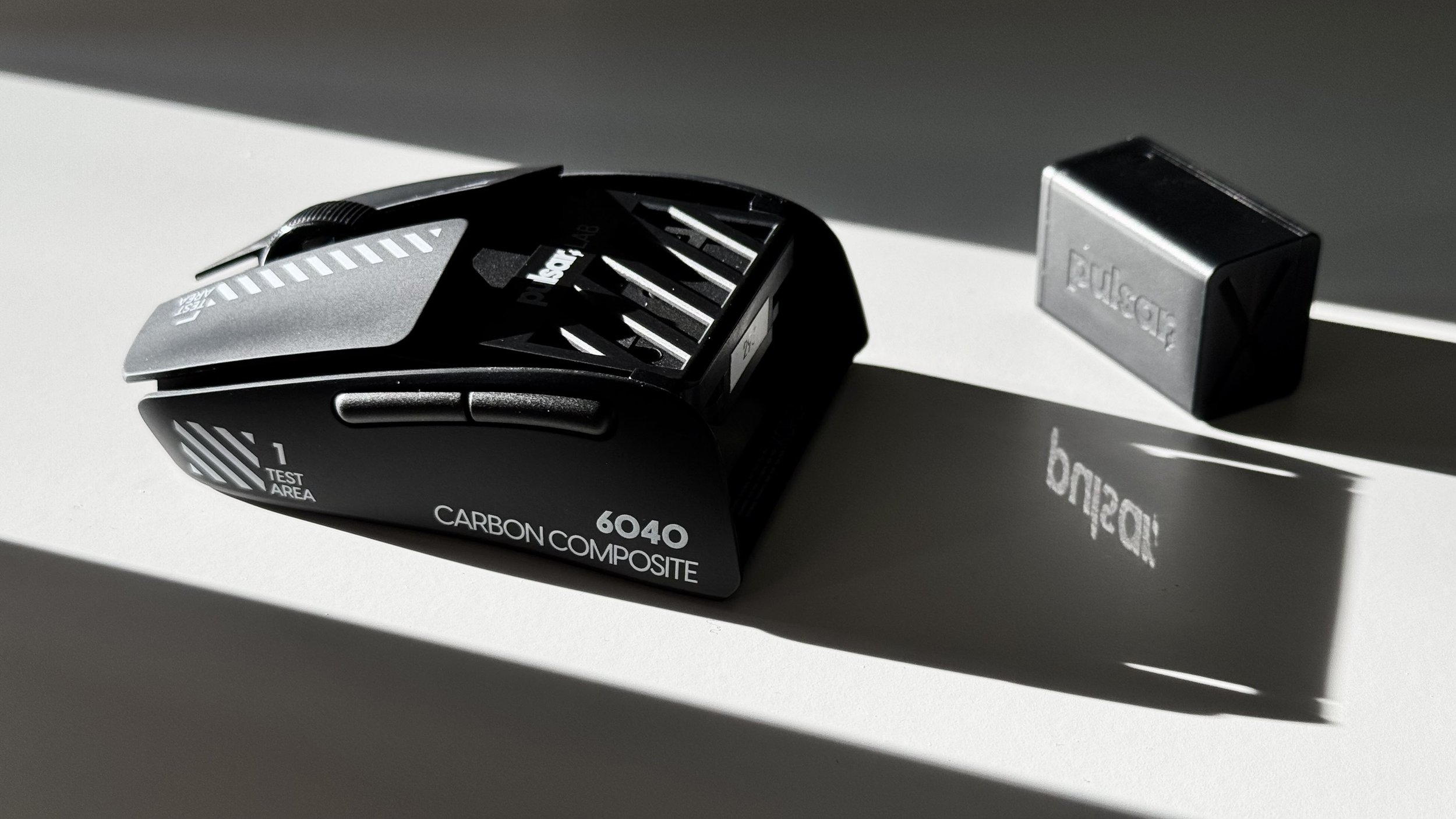
The carbon composite coating on the X2F Beta is genuinely impressive. With my typically dry hands, the surface provided a reliable grip without the tackiness that often becomes uncomfortable during marathon sessions. The slightly textured finish strikes an excellent balance between control and comfort.
This coating notably outperforms the textured plastic commonly found on mainstream gaming mice. It even edges out the coating on recent premium offerings like the G-Wolves HTS Ultra 8K regarding grip stability during rapid movements. It shows fingerprints more readily than some alternatives, but these are easily wiped away with a microfiber cloth.
Pulsar has noted that the high carbon modulus content contributing to this excellent coating is also suspected of causing some connectivity issues experienced during testing. If this material choice is indeed causing wireless interference, Pulsar will need to balance performance with reliability in the final formulation carefully.
Build Quality
Despite weighing only 42 grams, the X2F Beta’s shell demonstrates remarkable structural integrity. When subjected to deliberate flex testing, the shell showed zero side-to-side movement or creaking—a significant achievement at this weight class.
However, my unit #293 arrived with a significantly uneven base. When fully screwed in, the mouse only made contact with three skates instead of all four, creating a noticeable wobble during aiming. This issue made precise tracking nearly impossible, especially on hard surfaces like glass pads. I had to manually adjust one of the screws at the bottom front of the mouse to balance the base and eliminate the wobble. This experience appears to be shared among testers, with many reporting similar base imbalance issues requiring screw adjustments—a problem that needs addressing before the retail release.
The primary concern regarding build quality involves the main button implementation. While structurally sound with minimal side play, the excessive actuation force suggests revising internal geometry before retail release. The mounting mechanism could be refined to reduce click resistance while maintaining excellent structural integrity.
Weight & Balance
At 42 grams, the X2F Beta is undoubtedly the heaviest dedicated fingertip mouse I’ve tested. This becomes particularly evident when comparing it against my collection of ultralight fingertip options:
Zaunkoenig M1K (23g)
Zaunkoenig M2K (24g)
Zaunkoenig M3K (24g)
Zeromouse v34 (28g)
Zeromouse v35 (26g)
G-Wolves HTX Mini 8K (26.9g)
G-Wolves HTS Ultra 8K (29.5-32.5g)
The 42g weight creates a distinctly dense feeling noticeable during extended sessions. While this mass does provide stability for micro-adjustments, it also induces finger fatigue during marathon gaming sessions that aren’t present with my lighter options like the M2K or Zeromouse v35.
This weight disparity is particularly striking given that the X2F is positioned as a dedicated fingertip mouse. A fingertip grip inherently places more strain on finger muscles than palm or claw grips, making weight reduction even more critical for this specific category. Check out my Gaming Mice: The Ultimate Guide for more details on how grip styles affect mouse selection.
What’s most impressive, however, is how the X2F maintains exceptional structural integrity at 42g compared to my Zeromouse options, which exhibit noticeable flex despite their lighter weight. If Pulsar can reduce the X2F’s weight to around 32-35g while maintaining this build quality, they would have a truly exceptional offering.
The weight distribution deserves praise—unlike the slightly front-heavy G-Wolves HTX Mini 8K, the X2F maintains excellent balance across the shell. This balanced distribution helped mitigate weight-related fatigue by evenly distributing the mass across my fingertips.
Battery Performance & Wireless
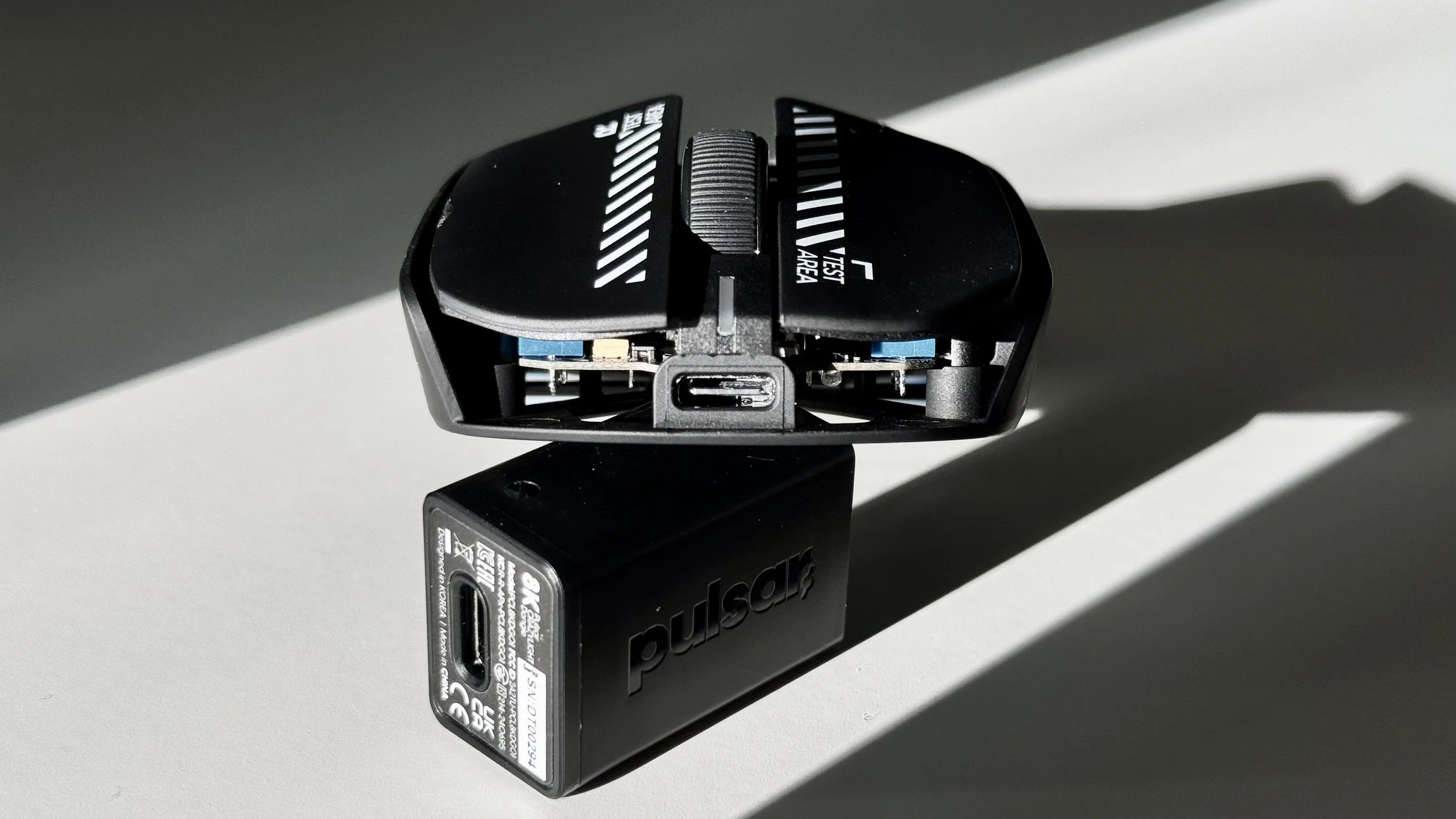
Battery life proved disappointing compared to modern wireless gaming mice. At 2000Hz polling rate, I typically achieved approximately 20-30 hours of use—roughly two-thirds of what my G-Wolves HTS Ultra 8K delivers at similar settings. More concerning was the inconsistent low-battery notification system. The mouse died without warning during competitive matches on multiple occasions, forcing an unexpected cable connection.
Charging also presented issues. The X2F Beta required unusually long charging periods—often 2-3 hours to reach full capacity. Even more frustrating was the tendency for the charging indicator to remain red despite extended connection times, only turning blue after disconnecting and reconnecting the cable.
The wireless implementation presents the most significant concern for an otherwise promising product. I experienced multiple disconnection issues throughout my testing, ranging from momentary signal drops to complete connection losses requiring manual reconnection.
Pulsar has acknowledged that the shell’s high carbon modulus content may contribute to these connectivity issues by interfering with the wireless signal. This presents a challenging engineering tradeoff: maintaining the material’s excellent structural and tactile properties while ensuring reliable connectivity.
Mouse Feet & Glide Performance
The stock skates on the X2F Beta provide adequate glide but are hampered by the controversial ridge design on the base. These ridges limit aftermarket compatibility and create scraping issues on softer mousepads. During my testing on the Artisan Hayate Otsu, the stock skates occasionally caught on the soft surface, disrupting otherwise smooth tracking.
I tested several aftermarket options, including Team Aether Omni Dots, XRaypad Jades, Ghostglides Cyclones, Ultraglide RS, and Team Aether Speed skates. The Ghostglides Cyclones proved most compatible with the base design, delivering exceptional speed while maintaining stability. The Team Aether options provided a more controlled glide that was beneficial for precision aiming, though installation required careful positioning to work with the ridged base.
The XRaypad Jades delivered the fastest experience, particularly on glass surfaces like the Akari GLSSWRKS, but they sacrificed the stopping power needed for micro-adjustments. Depending on preference for speed versus control, I’d recommend the Ghostglides Cyclones or Team Aether Omni Dots for most users.
Pulsar should prioritize removing these restrictive ridges in the retail version, ideally implementing a flat base with subtle recessions marking optimal skate placement. This would dramatically improve aftermarket compatibility while eliminating potential scraping issues.
Firmware & Software
Beyond disconnections, I encountered several firmware-related issues:
Aggressive sleep mode that activated after just seconds of inactivity, requiring multiple inputs to wake the mouse
Inconsistent polling rate retention, occasionally defaulting to 2000Hz despite being set to 8000Hz
Random DPI fluctuations during gameplay, creating unpredictable sensitivity changes
Unreliable battery level indication, both on the mouse and dongle
Later firmware updates during my testing period addressed many of these issues, suggesting Pulsar is actively refining the software implementation. The most recent firmware (v1.33) significantly improved connection stability and resolved the polling rate retention issue, though random DPI fluctuations remained occasionally problematic.
The onboard functionality provides comprehensive adjustment options without requiring dedicated software. For users who prefer a software-free experience, adjusting DPI, polling rate, and lift-off distance directly on the mouse is convenient.
For the final retail version, I’d like to see Pulsar implement a web-based software solution that maintains the same functionality while eliminating the need for installed applications. This would provide the best of both worlds: comprehensive customization when needed and software-free operation for minimalists.
Real-World Gaming Performance
During my extensive testing with the X2F Beta, I put it through its paces across various gaming scenarios. With my hand size of 18.5 x 9 cm, I found the mouse’s dimensions to provide a comfortable fingertip grip that enabled precise control while maintaining freedom of movement.
I’ve tested the mouse extensively in various FPS titles, each demanding different aim and movement control styles. The games I’ve tested it with include:
Black Ops 6
Delta Force
Battlefield 2042
Overwatch 2
FragPunk
In games requiring precise flick shots and rapid target acquisition like Delta Force and Black Ops 6, the X2F Beta’s shape and sensor implementation excelled correctly. The rear flare proved particularly effective during sequential target engagement, providing stability without limiting the range of motion.
In Delta Force, a large-scale multiplayer shooter with low time-to-kill and tactical gameplay, the X2F’s reliable main clicks and stable structure helped maintain accuracy during intense firefights. The mouse’s balanced weight distribution proved beneficial when making micro-adjustments for long-range engagements.
However, in Battlefield 2042, the tracking issues became significantly more problematic. The game’s emphasis on vehicular combat and large-scale battles highlighted the mouse’s occasional DPI fluctuations, creating frustrating inconsistencies during critical moments. Despite this, the X2F’s solid build quality and precise shape made infantry combat feel responsive when the sensor performed as expected.
FragPunk, a 5v5 tactical hero shooter with card-based mechanics, presented an interesting challenge. Unlike the movement-heavy Overwatch 2, FragPunk’s emphasis on tactical positioning and precision shooting showcased the X2F’s strengths and weaknesses. The excellent shape and button consistency allowed precise targeting, but the heavier clicks sometimes interfered with tap-firing mechanics. The sensor performance remained mostly reliable in FragPunk’s contained environments, though the occasional tracking hiccups still occurred on patterned surfaces.
The X2F’s design shows the most promise in balancing stability and freedom of movement. When the sensor performed as expected, the mouse delivered excellent micro-adjustment stability and freedom for rapid repositioning. This balance suggests that the retail version could become a top-tier option for fingertip grip users across various game types with sensor optimization and weight reduction.
Conclusion
The Pulsar X2F Beta represents an ambitious but currently flawed attempt at creating a purpose-built fingertip mouse. The core design philosophy and shape fundamentals demonstrate Pulsar’s understanding of fingertip grip users’ needs. However, several significant issues need to be addressed before the retail release.
- Exceptional shell rigidity with zero flex despite the lightweight construction
- Innovative rear flare design that enhances stability without limiting movement
- Premium carbon composite material and coating with excellent grip characteristics
- Well-balanced weight distribution that prevents front-heaviness
- Precise sensor implementation when tracking properly
- Full-featured onboard configuration options
- Significantly heavier (42g) than dedicated fingertip competitors like Zaunkoenig (23-24g) and Zeromouse (26-28g)
- Base wobble requiring manual screw adjustments
- Sharp rear edges that cause discomfort during extended use
- Tracking inconsistencies on patterned mousepads
- Random DPI fluctuations during crucial gameplay moments
- Heavy primary button implementation that hampers tap-firing
- Poorly designed side buttons with inadequate separation
- Battery life is significantly below competitive standards
- Wireless connection issues are likely related to carbon material content
- Restrictive base design with ridges that limit aftermarket skate compatibility
Based on Pulsar’s track record of refinement between beta and retail releases, I remain cautiously optimistic about the X2F’s potential. If they can address the weight (ideally targeting 30-35g to compete with the G-Wolves HTX Mini 8K and other ultralight options), fix the base wobble issues, redesign the primary button implementation for lighter actuation, resolve the wireless connectivity issues, and refine the sharper edges, they could have a market-leading fingertip mouse on their hands.
The current beta represents a solid foundation with several excellent design decisions hampered by technical limitations and ergonomic oversights. Until these issues are resolved, the X2F remains a promising concept rather than a realized product.
Recommendation Grade: Promising with Significant Refinements Needed
The X2F’s core concepts are sound, but execution issues prevent it from achieving its full potential. With targeted refinements to address the concerns highlighted in this review, Pulsar could transform the X2F from an interesting prototype into a category-defining fingertip mouse worthy of competing with specialized options from Zaunkoenig, Zeromouse, and G-Wolves.
For more insights on gaming peripherals and in-depth reviews, check out my PMM ZEN 8K (Light) Review to see how another ultralight offering compares.
Feel Free to Ask Questions
Do you have questions about my experience with the Pulsar X2F Beta, or do you want to discuss fingertip mice? Connect with me through my socials or simply fill out my form.

