Fingertip optimized mice head to head || zeromouse & Beanmouse review
Fingertip Grip Mice Review: Zero Mouse vs. Bean Mouse
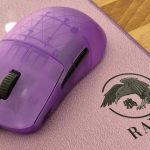
When it comes to fingertip grip mice, the peripheral community often finds themselves divided—what works for one person might not work for another. This is especially true for mice designed specifically for fingertip grip, where the shape and ergonomics are crucial. Today, we’re taking a deep dive into two fingertip grip-focused mice: the Zero Mouse, developed by Optimum Tech, and the Bean Mouse, designed by D at Caffeinated Customs. Both of these mice are more mod kits than complete standalone products, requiring the internals of a Viper V2 Pro to function, and I’ll be focusing on their shape, feel, and overall usability.
Unboxing and Build Quality
The Zero Mouse offers a more complete unboxing experience compared to the Bean Mouse. It includes a variety of accessories: a support card, battery sticker, laser cut Super Grips, X-ray Pad Jade and Obsidian skates, and two sets of screwdrivers for assembly. The Zero Mouse feels more polished and well-rounded as a product, giving it the edge in this category.
On the other hand, the Bean Mouse arrives in a simple box with the main clicks not installed to prevent damage during shipping. While the unboxing isn’t as involved, both mice feature solid build quality. Despite their minimalistic design, they are both very sturdy, thanks in part to a brace bar that helps prevent side flexing. However, there’s still a degree of fragility due to the exposed PCB and the overall design, which makes them vulnerable to spills. Still, the risks are similar to those of other “cheese grater” mice, so just be cautious with them.
Coating and Grips
I found that the stock coating on the Zero Mouse was better than that of the Bean Mouse, but both performed well once paired with the appropriate grips. The Zero Mouse comes with laser-cut Super Grips, which I really appreciated for the extra control. However, the grips are a bit one-size-fits-all, which could be a bit frustrating if you’re looking for a custom feel.
On the Bean Mouse, I used Cicada Wing grips, which offered more flexibility in terms of grip position, allowing me to experiment with different setups. While the Bean Mouse doesn’t offer the same laser-cut grips, the variety in grip options made it more adaptable to my preferences.
Shape and Finger Positioning
When it comes to fingertip grip, the Bean Mouse clearly takes the advantage. The Zero Mouse is designed with Optimum Tech’s specific fingertip grip in mind, and as a result, the hand feels somewhat “locked” into place. While this isn’t inherently uncomfortable, I found it a bit too rigid for my liking. In contrast, the Bean Mouse offers more flexibility, with ample room for all five fingers and a unique groove on the right side that helps lock the fingers in place. This makes it much more comfortable, allowing me to adjust my grip as needed.
However, one issue I had with the Bean Mouse was the side support on the thumb rest. The thumb rest isn’t perfectly flat, and if the dots aren’t positioned just right, it causes the mouse to lift slightly on the right side, which elevates the sensor. This can lead to tracking issues, and it certainly caused some frustration during KovaaK scenarios. With a bit of trial and error, though, I was able to get it into a much better state.
Battery Position and Center of Gravity
The Zero Mouse has a battery holder positioned at the rear, which shifts the center of gravity towards the back of the mouse. This makes the mouse feel lighter when pivoting, which I personally found to be a more comfortable setup. On the other hand, the Bean Mouse doesn’t have a dedicated battery holder, meaning you need to use double-sided tape to hold the battery in place. This results in the battery being placed centrally, which creates a more balanced feel but doesn’t provide the same lightweight, rear-weighted advantage that the Zero Mouse offers.
Click Performance
When it comes to click performance, the Bean Mouse takes the lead. The Zero Mouse features a reverse trigger design, but I found it to be plagued by an overwhelming amount of pre-travel in the clicks. This made the mouse feel practically unusable straight out of the box. After applying aluminum tape to both left and right click plungers, the pre-travel was reduced, but it never fully went away.
In contrast, the Bean Mouse features zero pre-travel clicks, thanks to its click assembly mounted directly onto the crossbar brace support. This setup results in snappy, responsive clicks that feel incredible—easily some of the best I’ve encountered. However, the trade-off is that the clicks need to be glued into place, which makes disassembly a hassle.
Missing Side Buttons and Scroll Wheel Issues
One notable design choice for both mice is the absence of side buttons. This decision is intended to keep the mice as light as possible, making them highly specialized for FPS games. However, this also makes them less practical for everyday use. If you rely on side buttons for push-to-talk or other functions, you’ll need to keep this in mind.
In terms of the scroll wheel, I wasn’t impressed with either mouse. The Zero Mouse positions its scroll wheel very high, making it awkward to reach. The Bean Mouse, unfortunately, has a loose scroll wheel that can fall out if you scroll up too much. This could be addressed with better scroll wheel support, which would significantly improve the overall experience.
Pricing and Final Thoughts
The Zero Mouse is priced at $96 CAD (excluding the cost of a Viper V2 Pro internals), but this product is expected to evolve into a more complete kit, including a PCB. This change will likely improve the user experience. The Bean Mouse, on the other hand, is priced at a more affordable $40 USD, and comes in two sizes—small and large—with options for right- and left-handed versions.
While the Zero Mouse offers more premium features, such as laser-cut grips and accessories, the Bean Mouse is the more budget-friendly option. Both mice are designed for very specific use cases and aren’t the best for everyday use, but they do offer a unique experience for players looking for a highly specialized fingertip grip mouse.
If you’re a mouse enthusiast and want to try something truly different, both of these mice are worth considering. For me personally, I don’t think either of them could replace my daily driver, like the OP18, but they’ve definitely been a fun and exciting experiment. I’m looking forward to seeing how fingertip-optimized mice evolve in the future.
Let me know what you think about these mice in the comments! Thanks for reading!