After the success of their Slice75HE — a magnetic keyboard that firmly positioned Chilkey among serious contenders — the company is now stepping into the gaming mouse market. Their first entry, the Glacier LW 8K, isn’t a cautious experiment. With its 8K polling rate, built-in display, and a kick-ass purple finish that immediately stands out, Chilkey aims to make as strong an impact here as they did with their keyboards.
Disclaimer: This unit was provided to me for testing purposes, though Chilkey had no sway over the contents of this review.
Scenarios
Testing time: 4 weeks
Hand size: 21 x 12 cm
Grip: hybrid relaxed claw/finger
Humidity: 55–60%
Skates: full stock skates.
Mousepads: Artisan Hien Soft, OwePowe Summer Camp, Kin X, Matrova Breeze, Waizowl Falcon.
Games: Battlefield 1, Battlefield V, QuakeWorld, Doom Eternal.
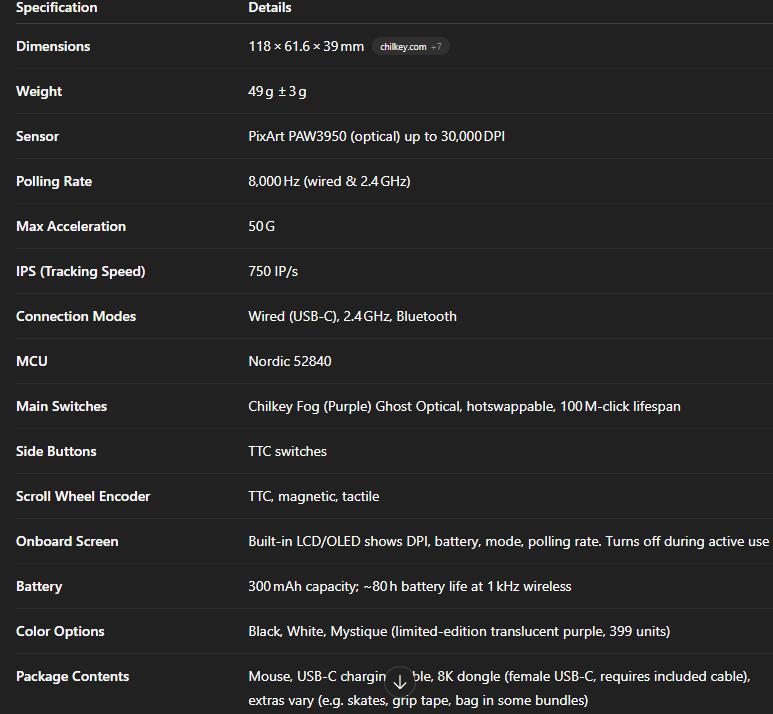
Specs and Features
Unboxing and first impressions
In the Box

- Glacier LW 8k
- spare skates
- USB-A to C braided cable
- Chilkey sticker
- Chilkey magnet
- 8k dongle
- grip tapes
- manual
- carrying pouch
- Collector’s card with your unit’s unique number
Bottom line? Exquisite contents, quite premium.
Shape, Size, and Grip
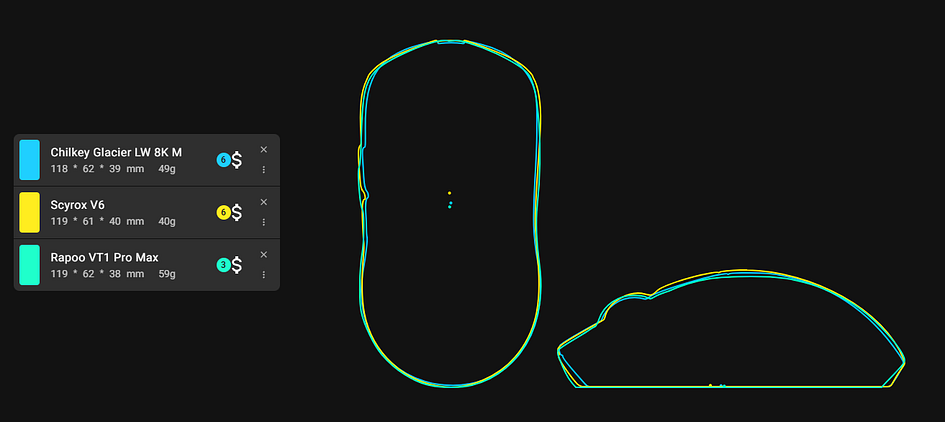
I’ve personally used the Scyrox V6, so I can give a direct comparison. I also own the Rapoo VT1 Pro Max, which, along with the Scyrox, comes closest to the Chilkey Glacier in terms of shape and feel. The Glacier is a small to medium-sized mouse with a noticeable hump in the middle, curved sides for your thumb, and a rounded back that fits snugly into your palm. It’s much narrower than the GPX, which I think makes it easier to grip if you have large hands or long fingers. It’s also slimmer and smaller than both the Scyrox V6 and the Rapoo VT1 Pro Max.
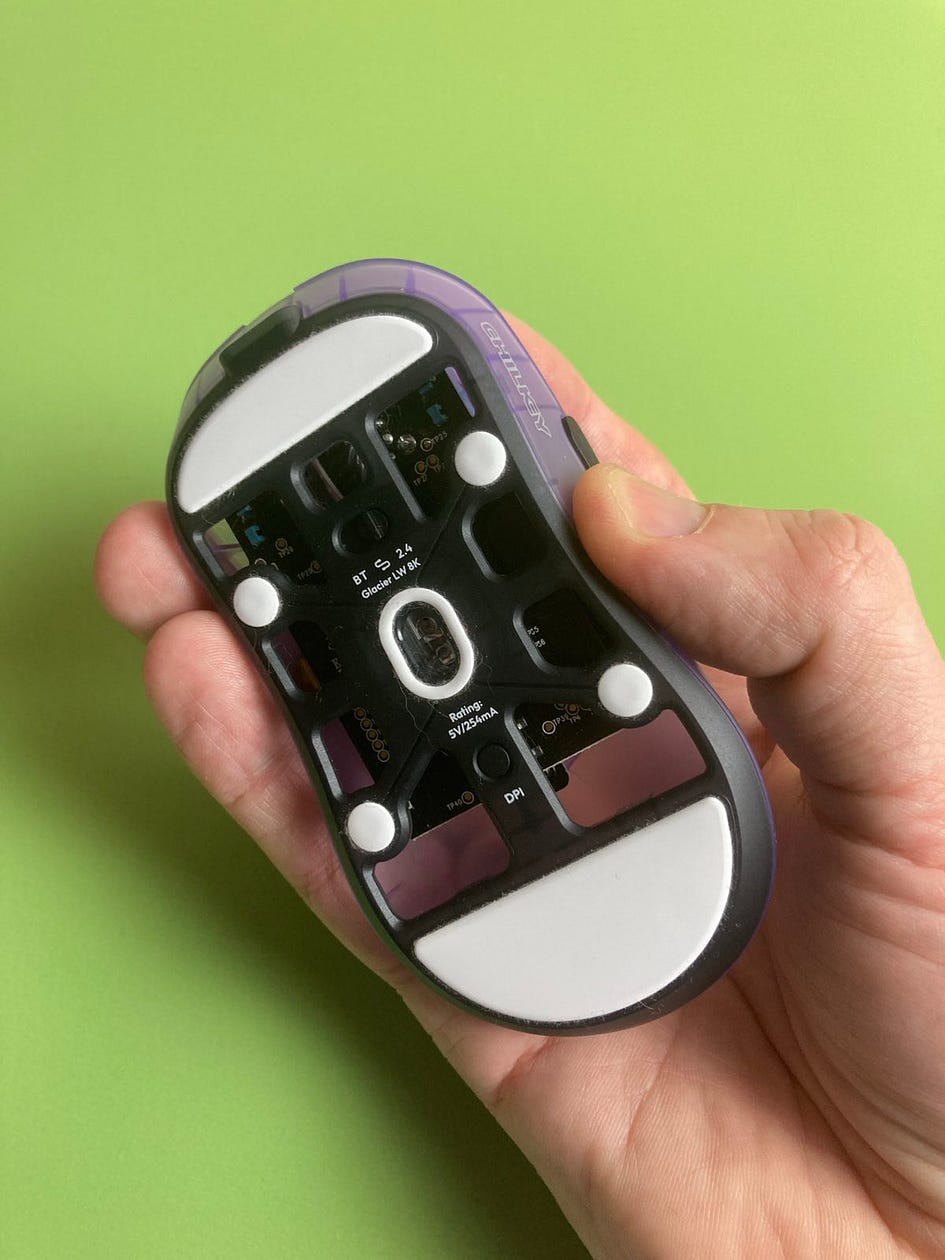
Because of that middle hump, people with smaller or medium hands might find it a bit harder to move the mouse up and down. If you’ve got larger hands, you can handle this pretty easily by using a relaxed claw grip. That said, using a fingertip grip on this mouse is quite tough, even for me, and there are simply better fingertip options out there, so I wouldn’t recommend the Glacier for that style. So if your hands are medium to small, the palm or claw grip will work best here.
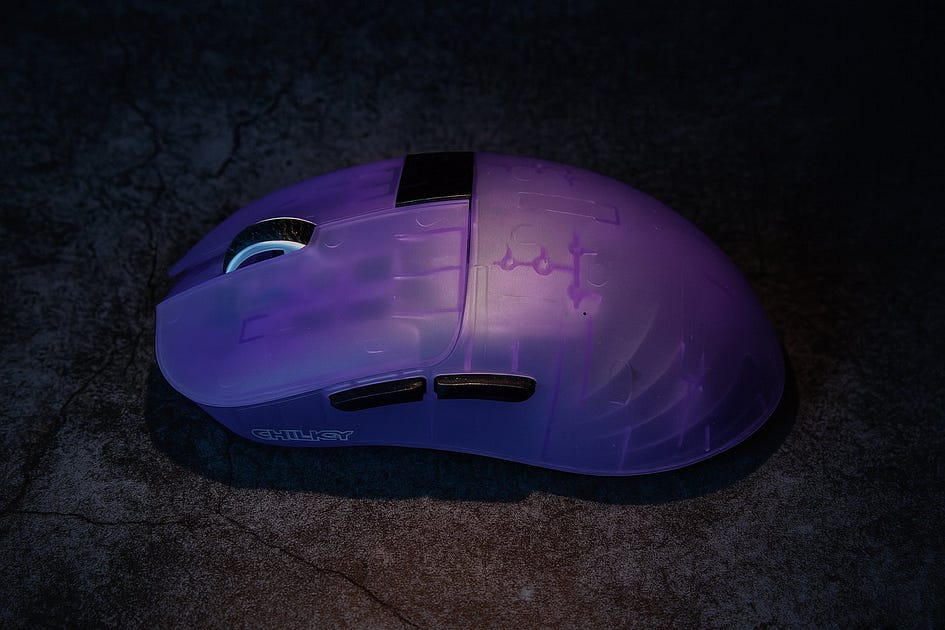
One plus is that the shape at the back doesn’t interfere with my pinky, so it stays comfortable even during long sessions.
All things considered, I prefer this mouse over the overhyped GPX, but I’d still rank it slightly below the Rapoo VT1 Pro Max and the Scyrox V6 in terms of the feeling. Its smaller size just didn’t feel quite as natural in my hand compared to those two. But that is my subjective opinion, so yours may vary.
Bottom line? Quite comfortable, easily maneuverable in bigger hands, small to medium hands users should palm/claw grip it with pleasure.
Weight and Skates
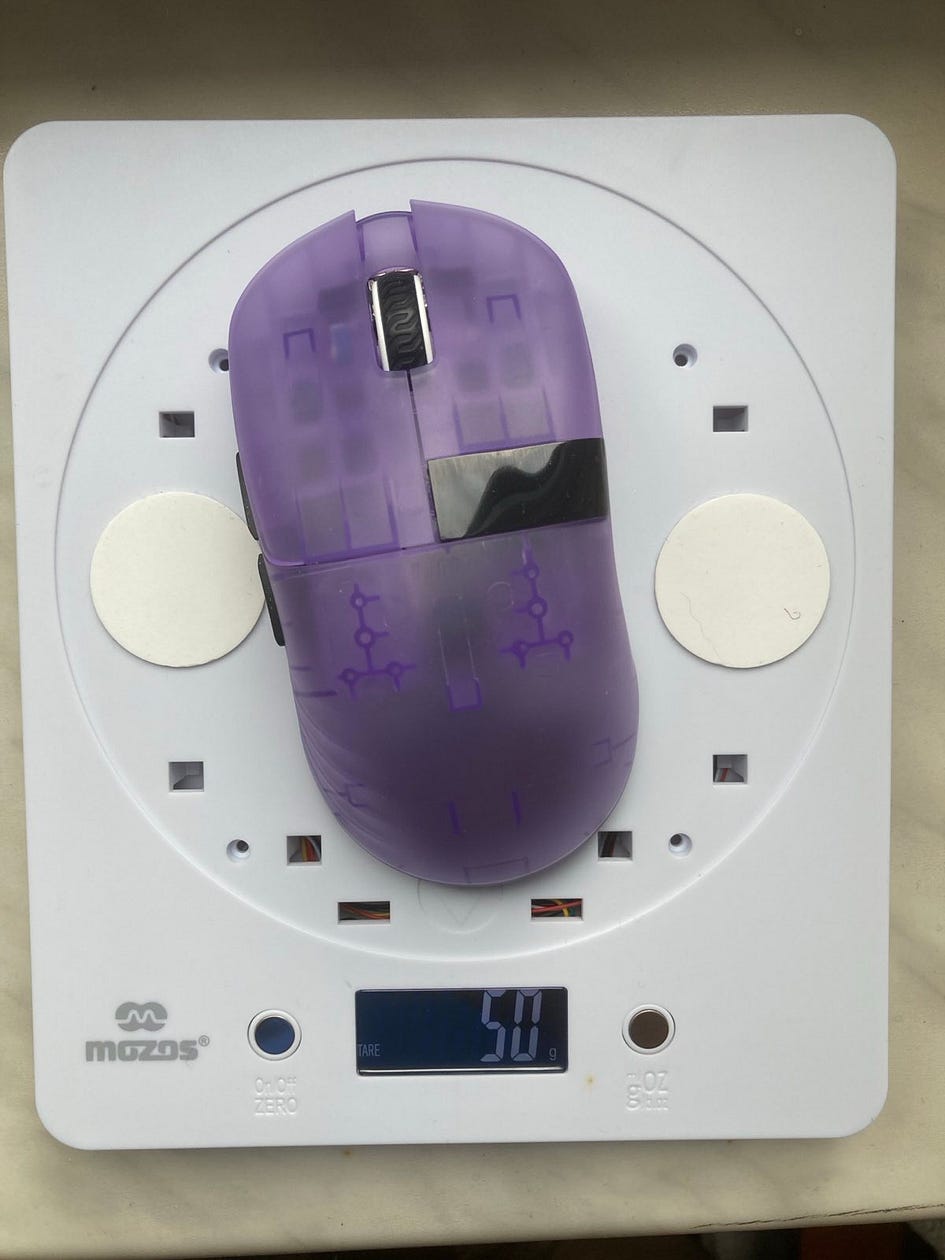
The weight is right where it should be — it hits a perfect balance for this type of mouse. It does lean slightly forward, almost as if the weight distribution isn’t completely even, probably because the sensor sits a bit closer to the front (which you’ll notice when you look underneath).

The skates are excellent. They’re made of high-grade PTFE, leaning a bit more toward controlled glide rather than pure speed. They’re thick, nicely rounded, and have a glossy finish that helps with smooth movement. You also get an extra set of skates in the box. Just make sure you remove the thin protective film first — it’s nearly invisible, but it’s there, and makes a big difference once peeled off.
Bottom line? Excellent skates, the mouse is included a bit towards the front when it comes to the weight.
Build Quality and Coating
The Chilkey Glacier stands out for its sturdy build, which is impressive given that it’s both lightweight and sits close to the budget range. It doesn’t have the usual problems you often find in mice like this — there’s no flexing or creaking under normal use. You might get a slight creak if you press down hard on it, but let’s be honest, that’s not something you’re doing while gaming.
Even though it’s made from relatively thin plastic to keep the weight down, the material holds up well and feels durable. That gives you confidence in its reliability, whether you’re gaming or just using it day to day.
Glacier also has a DPI switch underneath, which is always welcome.
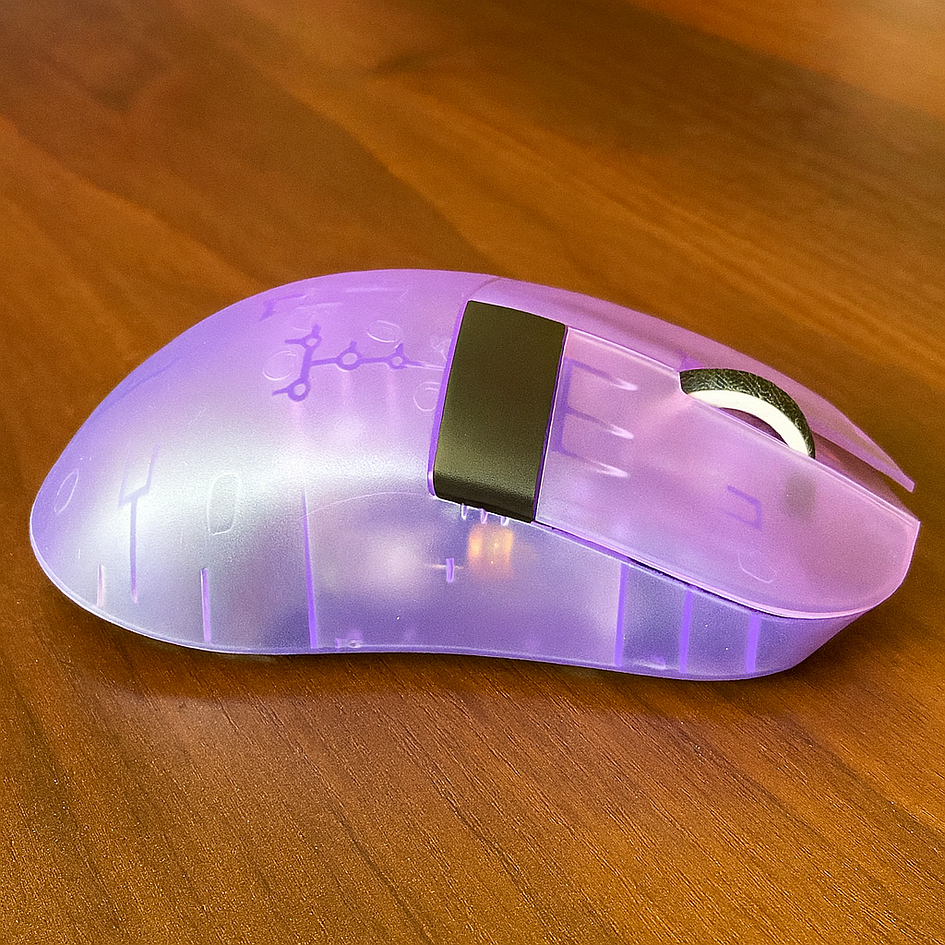
As for the surface, the Glacier uses what people often call a “skin matte” coating, a common pick on modern gaming mice. It feels great in the hand, especially if you have dry skin, because it offers a solid grip when you’re holding it firmly. The only thing to keep in mind is that with a looser grip, it can feel a bit less secure or slightly slick. Still, it does a good job overall of making the mouse comfortable to use for long stretches.
Bottom line? Solid build, good, skin-line coating with matte finish.
The Screen
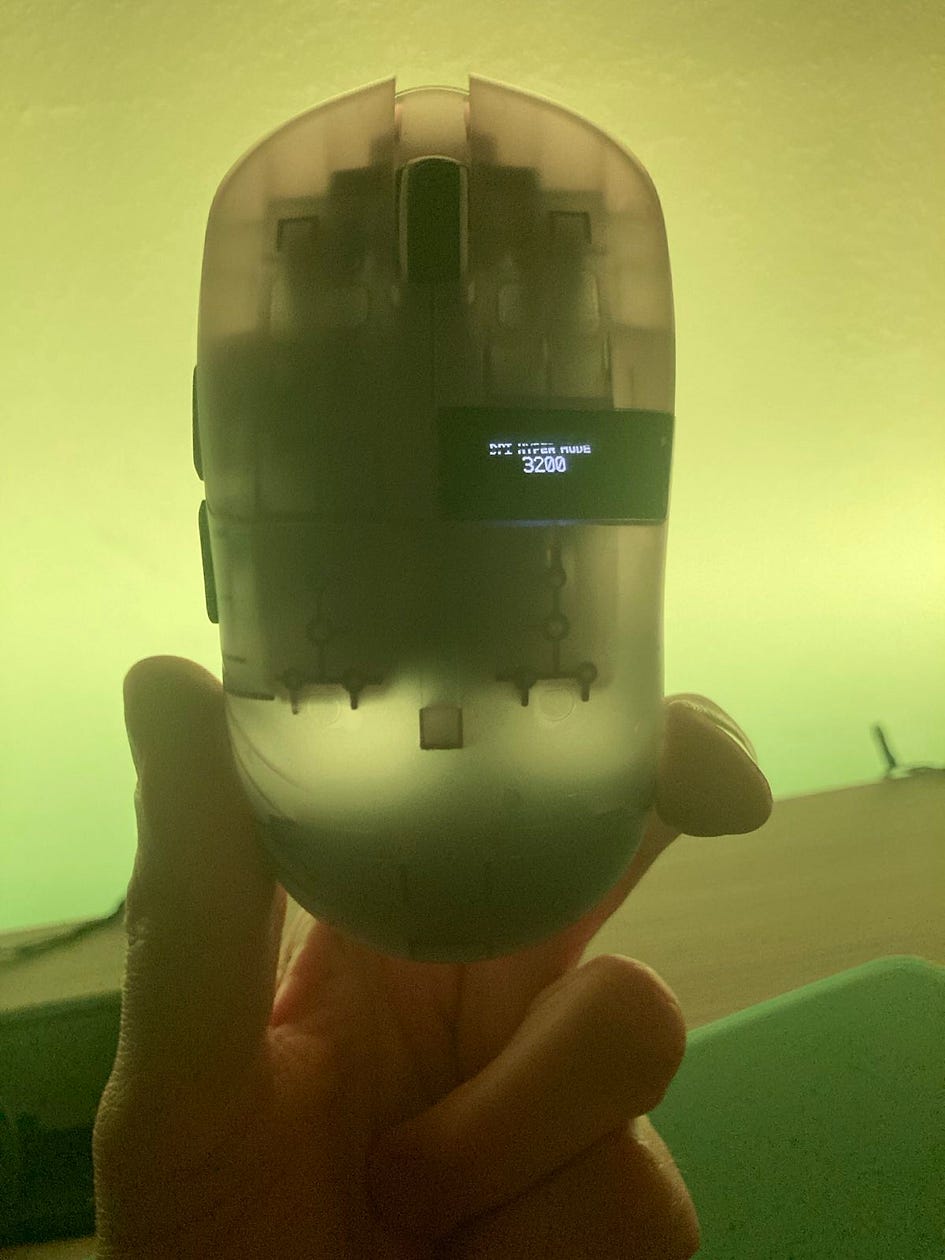
The Chilkey Glacier features a small RFT screen on the side — a flashy addition that certainly gives the mouse a unique, high-tech look. It does add some personality to the overall design and looks great when it lights up, but if we’re being honest, it’s more of a gimmick than anything truly useful. The display itself is tiny, with letters and numbers so small that you’re unlikely to pay them any real attention, especially in the middle of a game.
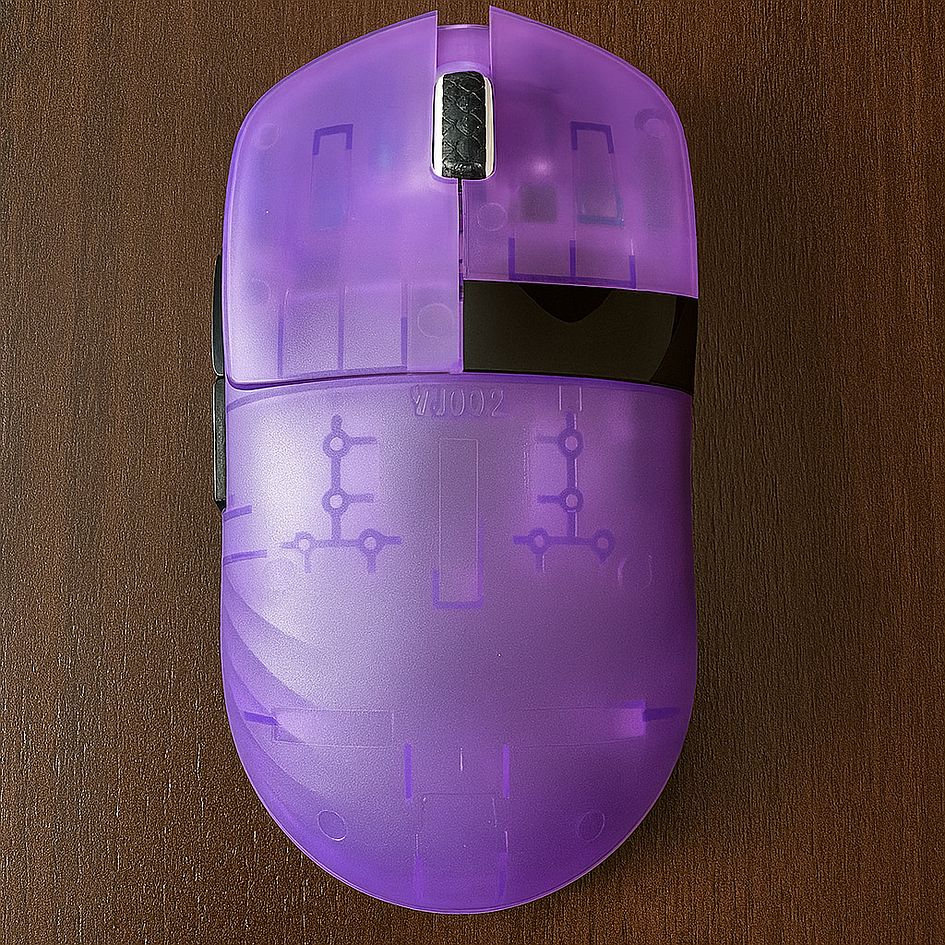
It works by turning off when your hand covers it and lighting back up once you lift the mouse, and you can also disable it completely through the software. While it’s a clever bit of showmanship, it doesn’t bring much functional value — if anything, it just eats into the battery life. It’s the kind of feature that looks impressive at first glance but doesn’t change how you use the mouse. In my view, it’s a nice visual flourish, but ultimately something you could do without.
Bottom line? A gimmick you can live without. But looks sleek!
Clicks and Buttons
The Glacier comes with Chilkey’s own Fog (Purple) Ghost Optical switches in the main buttons — they’re hot-swappable and rated for 100 million clicks, paired with a Nordic 52840 for stable wireless, plus mechanical switches on the side buttons. The primary clicks are light, crisp, and very easy to spam. They also feel well-engineered, with almost no side-to-side play or wobble, which is a big plus for consistency and precision.
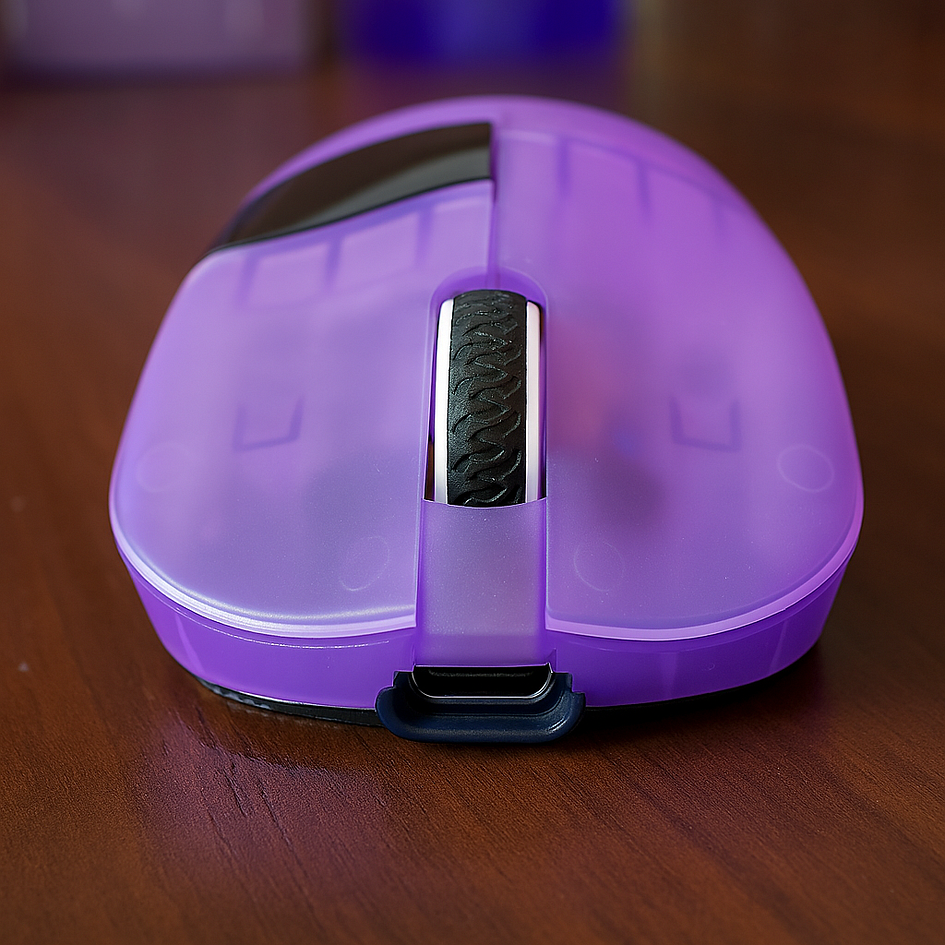
That said, there’s one part of the design that’s a bit questionable. The left click is about 3 grams lighter than the right. It’s probably meant to reduce fatigue, but in reality, it makes the clicks feel uneven, almost like the right click has a hint of pre-travel. For players who rely on tight, perfectly timed actions between M1 and M2, this could be an issue. I find it slightly disruptive — an interesting concept, but without any software tuning to balance it out, it feels incomplete.
On a brighter note, the side buttons are excellent. They have minimal pre-travel and feature subtle ridges that give your thumb extra grip. The scroll wheel is also nicely done: light, tactile, and great for rapid inputs. If only Chilkey had tackled that asymmetric click force differently, it would be close to spot on.
Bottom line? Mouse 1 is 3gr lighter than Mouse 2 due to design choice, which can be problematic to some.
Software and Battery Life
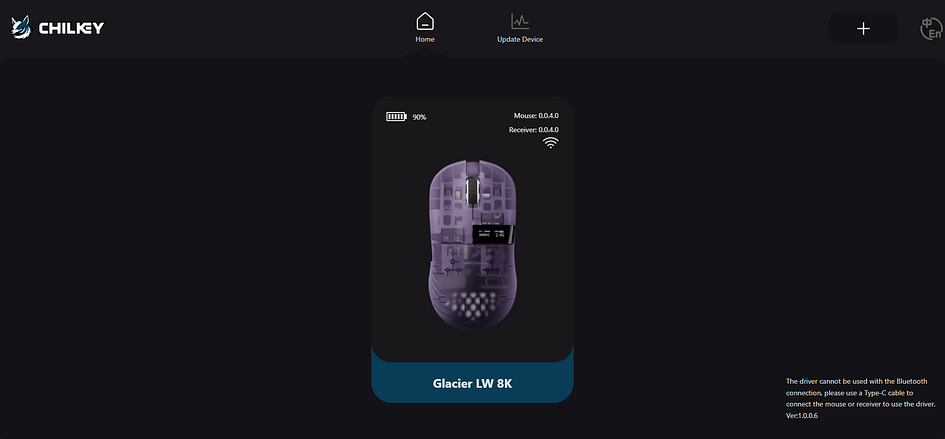
Chilkey’s software runs through a web interface, which is pretty much the norm these days in 2025. The UI is clean and responsive, and it covers all the essentials — macros, button remapping, polling rate tweaks, DPI adjustments, LCD sleep settings, LOD tuning, Motion Sync, Angle Snapping, Ripple Control, plus easy profile management and firmware updates. It’s straightforward and does most things well.
Still, there are a few areas that could use improvement. For one, the debounce time needs more attention. I noticed the mouse can start double-clicking if you set debounce to 0 ms, so I’ve kept it at 1 ms to be safe. Given that Chilkey deliberately made the M1 click 3 grams lighter, it would be smart to let users set different debounce times for each button individually — that would fine-tune the feel.
Another gripe is the High-Speed mode, which right now only works at 1k polling. There’s no real reason it couldn’t be enabled across higher polling rates, too. Then there’s the Wake-Up mode: it forces you to click the mouse to wake it, moving it alone isn’t enough. That gets old fast.
As for battery life, it’s decent overall, though the extra power draw from features like the LCD screen doesn’t exactly help. But I’ve seen better power management with 300 mAh battery units, so Chilkey should take notes for the future.
In short, the software is solid and ticks most boxes, but with a few smart tweaks, it could be genuinely top-tier.
Bottom line? Good software, but there are some critical issues to fix. Battery life is only average.
Sensor and Gaming Performance
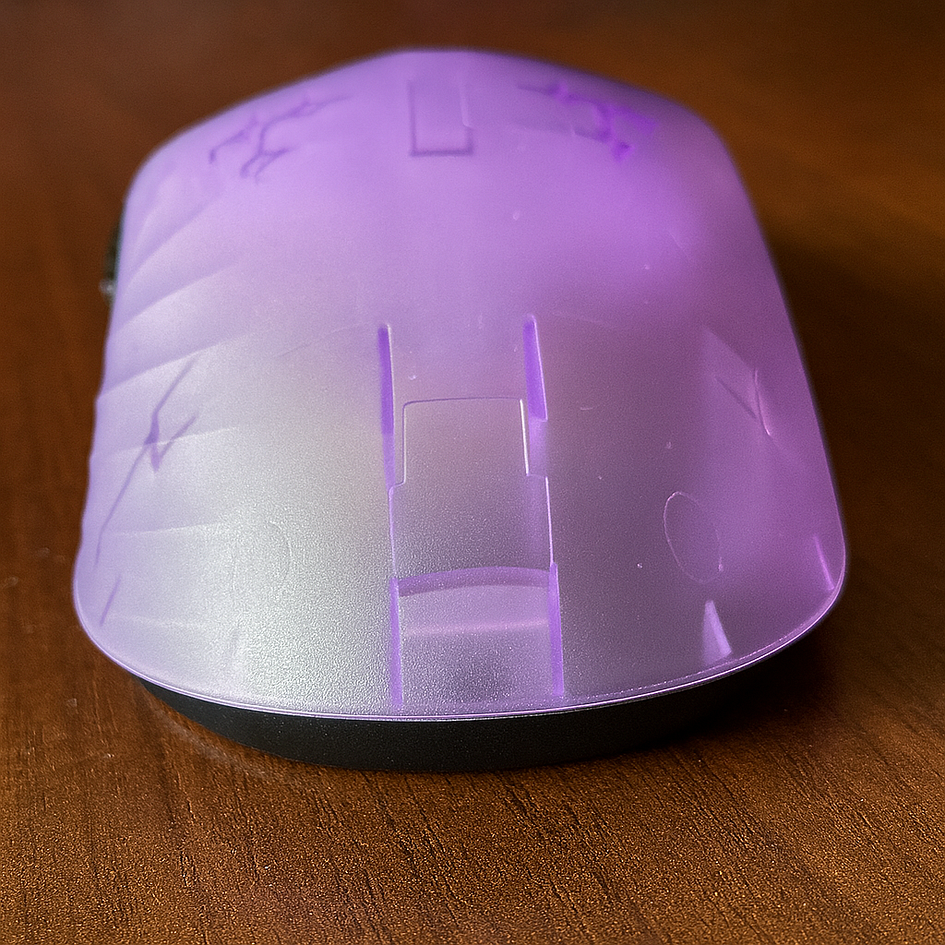
The Chilkey Glacier is equipped with the Pixart PAW 3950 sensor, a well-known choice in gaming circles for its top-notch performance. In this mouse, it’s implemented in a straightforward way that does exactly what you’d hope — it tracks flawlessly, with no spin-outs, skipping, or other issues. In my use, it’s been consistently responsive and precise, giving you the kind of control and speed you need for competitive play.
One thing that stands out is how Chilkey decided to position the sensor a bit closer to the front of the mouse. That’s not something you see every day. It makes a lot of sense, especially if you use a claw or fingertip grip, since it lines up more naturally with how your hand moves. It’s a thoughtful tweak that could easily catch on more widely, given how it helps with control and aiming accuracy.
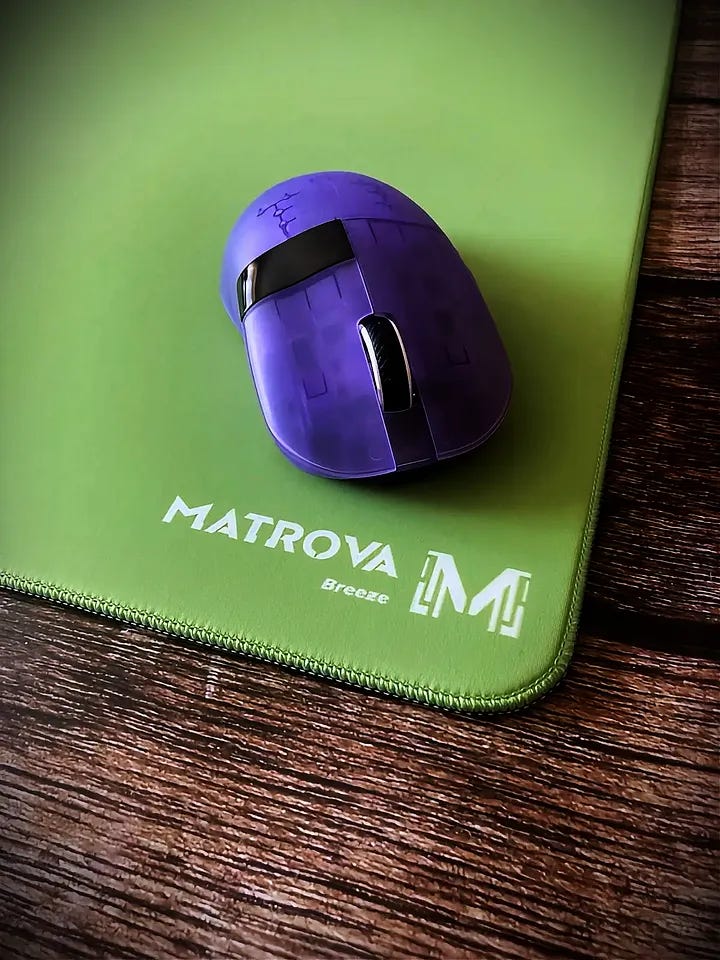
When it comes to gaming, the Glacier handled itself well, especially in titles like Battlefield and Doom. It was solid both for tracking enemies and pulling off quick flick shots, giving a smooth, responsive feel overall. The precise sensor paired with its balanced, symmetrical shape made it easy to control and comfortable to use for extended sessions.
Things changed a bit, though, when I jumped into something faster like QuakeWorld. While tracking stayed sharp, the rapid target switching that the game demands exposed a slight struggle — there was a hint of lag in keeping up with the pace. That could be down to how the mouse is shaped or simply how my grip matched up with it under that kind of pressure.
I also noticed a pattern over time: for the first hour or two, performance felt excellent, probably helped along by the excitement of using new gear. But after that, there was a clear drop-off. That might not be the mouse’s fault — it could be hand fatigue or just getting used to how it feels over longer stretches. Another point was the uneven click of the left and right clicks (Chilkey’s design choice, remember!), which, as mentioned before, slowed me down when trying to coordinate M1 and M2 actions.
Even with these quirks, the Glacier still proved itself to be a capable mouse across different types of games. With a bit of adjustment or more time to adapt, it should work well even in high-speed scenarios.
Bottom line? Commendable, but the click design choice slowed me down.
Summary
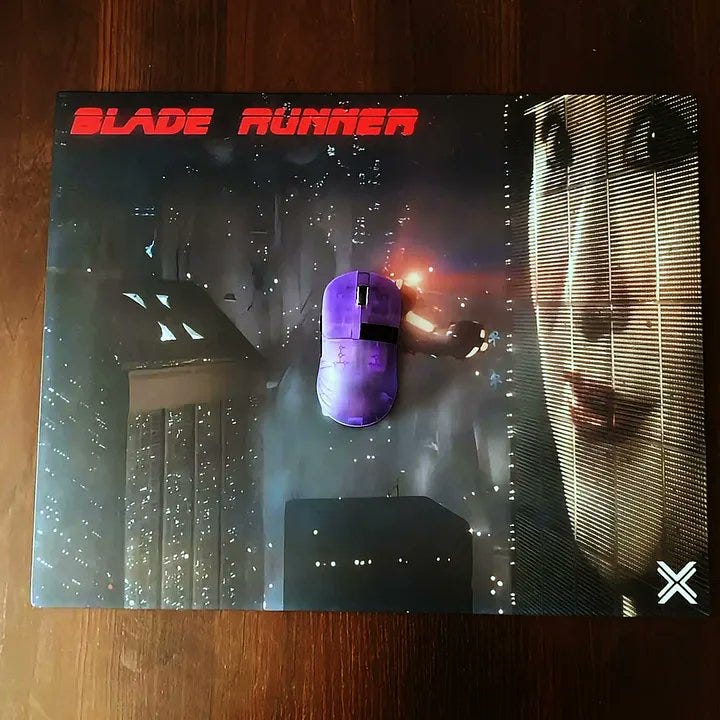
At the end of the day, the Chilkey Glacier is a real looker. That Mistique Purple color is gorgeous, and with this being unit number 335 out of only 399 collector’s editions made, it feels even more special. Beyond the aesthetics, it’s got a lot going for it — solid build quality, top-notch skates, super lightweight, and a box full of extras that make unboxing it a treat.
For a first attempt at a gaming mouse from a brand best known for keyboards, this is a strong start. It’s not without its flaws — the odd choice in click weight and some things missing in the software still bug me. But considering this is their first go, it’s pretty impressive. And honestly, it’s hard to get past just how good this thing looks. I’ll be keeping an eye out to see what else Chilkey comes up with next.
Bullet Points
- Beautiful design, especially in the Purple Mistique color
- The purple special edition is one of the most beautiful mice I’ve had
- smaller than Scyrox v6, great for small/medium hands (claw/palm grip), decent for big hands
- Great skates
- exquisite box contents
- very solid build quality despite its superlight weight
- The main buttons have nice grooves, and the side buttons have ridges to help the grip
- The mouse is slightly front-heavy
- Solid optical click implementation, but not perfect (slight pre-travel on M2 click by design), but the clicks are light and spammy
- Pretty good web software, but not all aspects have been addressed
- The TFT screen is a nice gimmick, but it’s expendable
- With 0 ms debounce time, the mouse can produce a double-click (set it to 1ms)
- average battery life
Get this mouse from the Chilkey site here
Disclaimer
This review is not a paid endorsement. I want to ensure transparency and let you know that I am not receiving any compensation, monetary or otherwise, for evaluating or discussing this tech product.